Participant
Feb 11, 2021 10:36 PM UTC
Answered

Bridge is not working since last uptade 11.0.1 at Mac OS Catalina 10.15.7

Since last update, Bridge does not show files by external HD or memory cards. Just show internal files.

Do you guys have any ideia of how to fix it?

I am a photographer and use Bridge a lot, but since last update, not anymore. 

This topic is closed to new replies. Start a new post to keep the conversation going.
gary_sc
gary_scCorrect answer
Community Expert
Feb 11, 2021 11:54 PM UTC

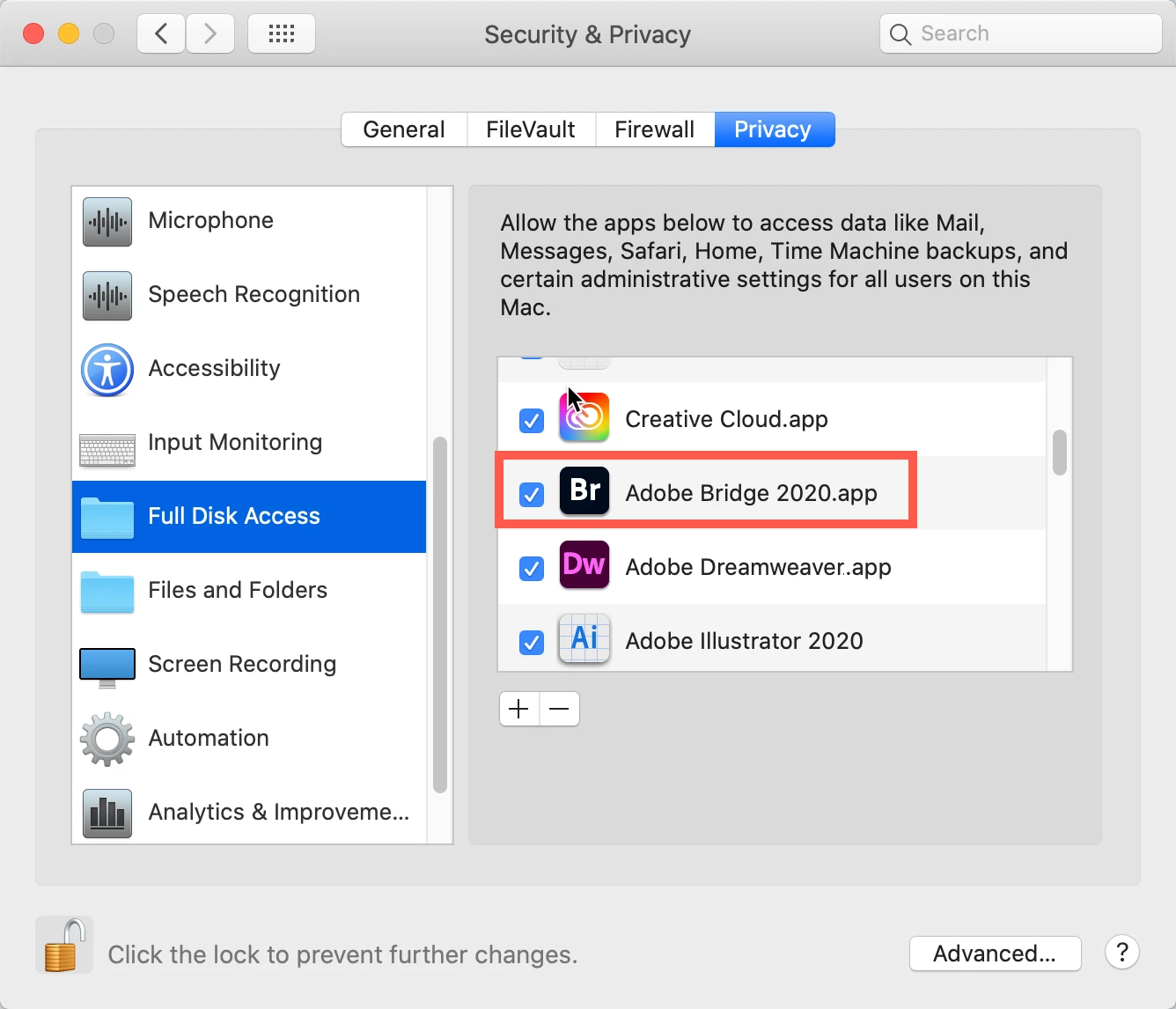
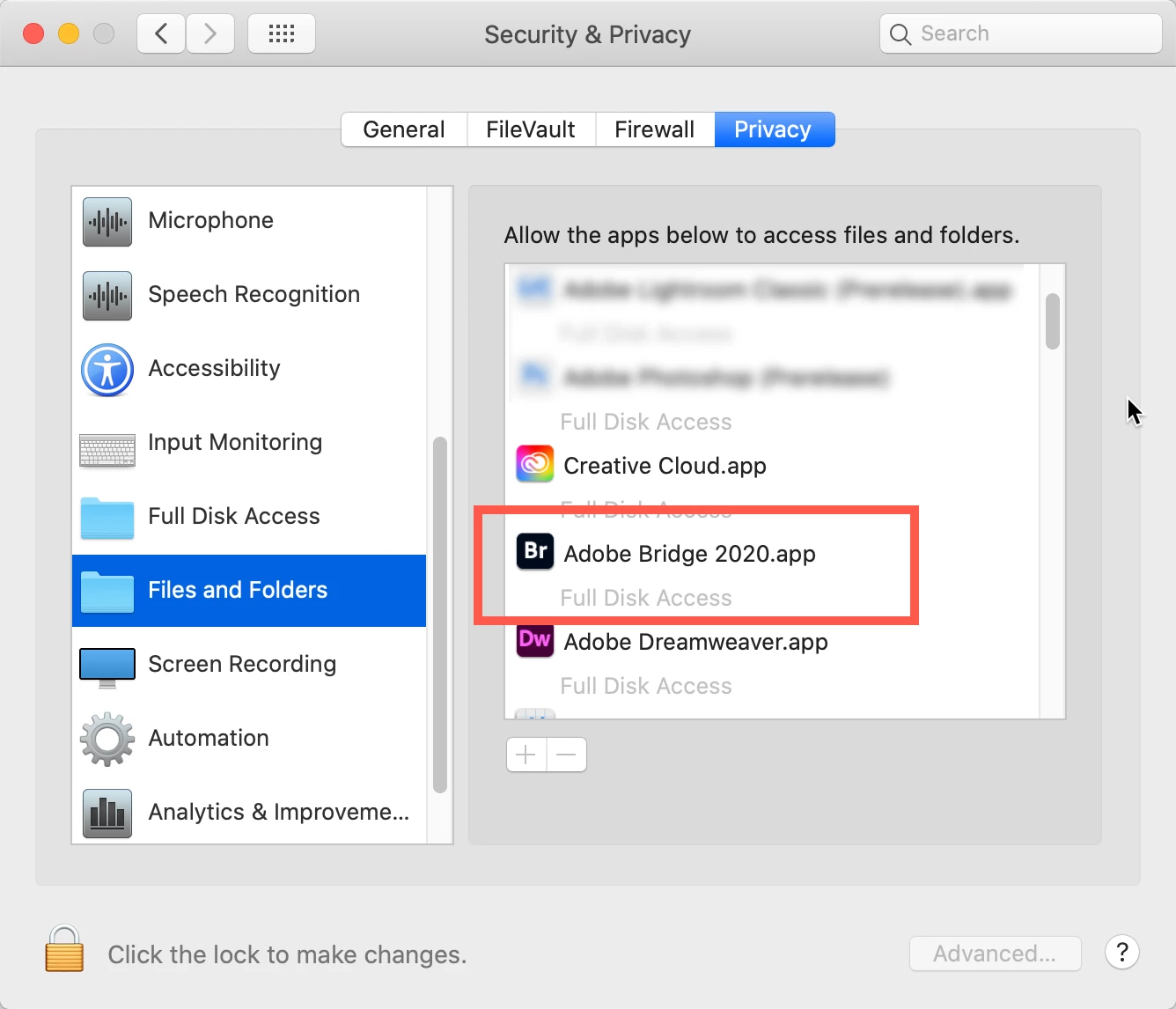
Go to your System Preferences and select Security and Privacy (found in the top section). Now click on the Privacy setting (last tab). Now click on the lock on the bottom left and provide your Administrator code. Now select the Full Disk Access option and click on the "+" symbol. This will bring up the standard Mac Open window and let you add any application you want or need to have full access. Look for Bridge, select it, it will now appear in that window and make sure it's checked. Next go to the Files and Folders option and do the same thing as above (although there's nothing to check, just add. Close everything down and see if that makes it all work.

Please let me know


1 reply

gary_sc
Community Expert
gary_scCommunity ExpertCorrect answer
Community Expert
Feb 11, 2021 11:54 PM UTC

Go to your System Preferences and select Security and Privacy (found in the top section). Now click on the Privacy setting (last tab). Now click on the lock on the bottom left and provide your Administrator code. Now select the Full Disk Access option and click on the "+" symbol. This will bring up the standard Mac Open window and let you add any application you want or need to have full access. Look for Bridge, select it, it will now appear in that window and make sure it's checked. Next go to the Files and Folders option and do the same thing as above (although there's nothing to check, just add. Close everything down and see if that makes it all work.

Please let me know


Translate