

Bridge Keyword Issue
Hello,
I have been using Bridge for keyword assignments so I can better organize and find photos that I've taken. But I have noticed that sometimes I will have two different issues. I will attach photos for each issue.
Issue 1: Photos that are assigned a sub-keyword will not register under their parent keyword in the Filter section.
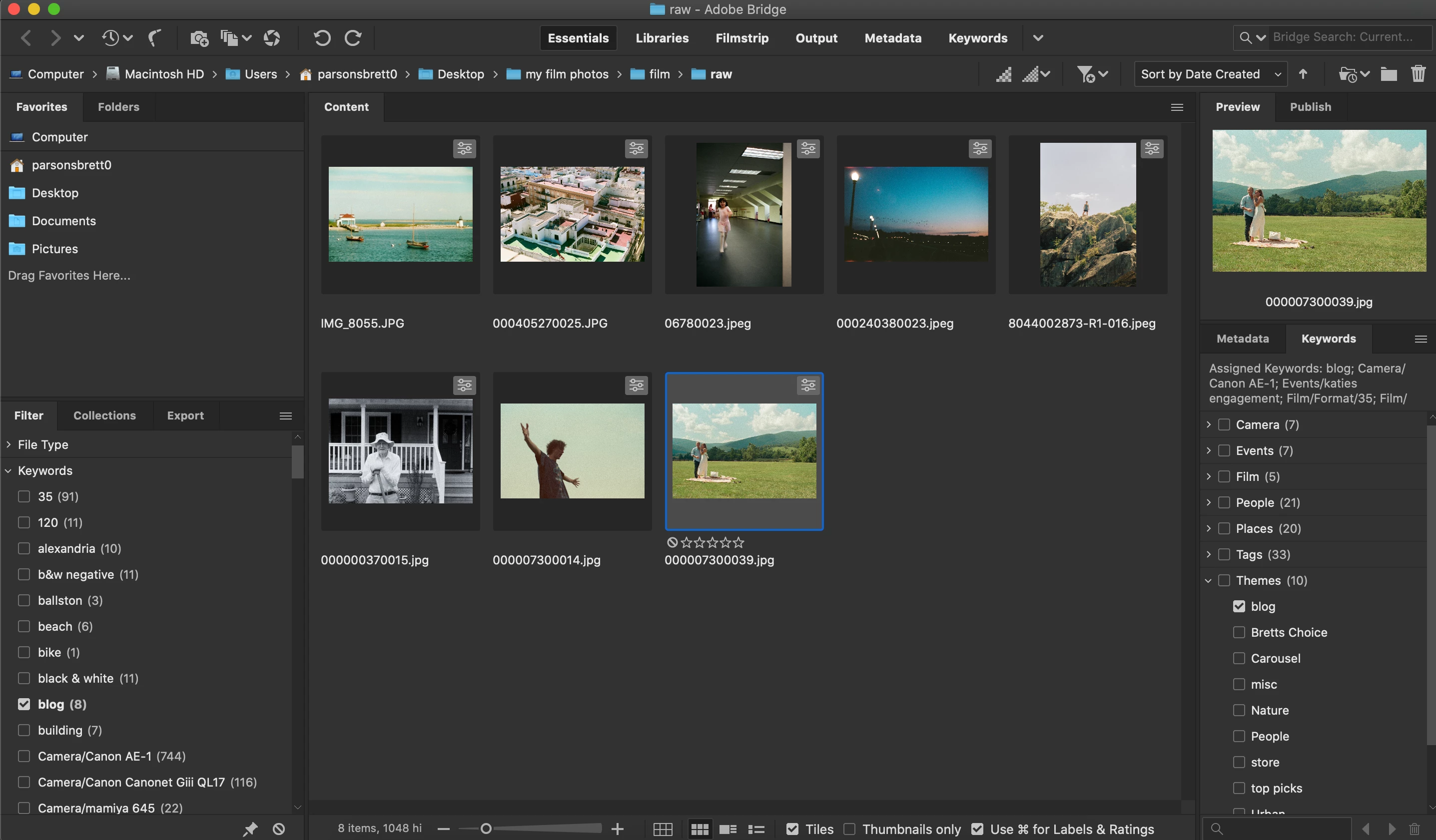
Figure 1: Notice that I have assigned the "blog" keyword to these photos. Notice on the left that the "blog" keyword isn't registered under its Parent keyword "Themes" in the Filter panel. It should register as "Themes/blog".
_____________________________________________________________________________________
Issue 2: When filtering down photos by a keyword (that has a parent keyword / though I don't know if that's related), under the Keywords panel the associated Parent-keyword/Sub-keyword doesn't show that it is checked. Last but not least, as photos are selected in Bridge, Keywords start to appear under Other Keywords/Parent-keyword/Sub-keyword and not its Parent-keyword/Sub-keywords.
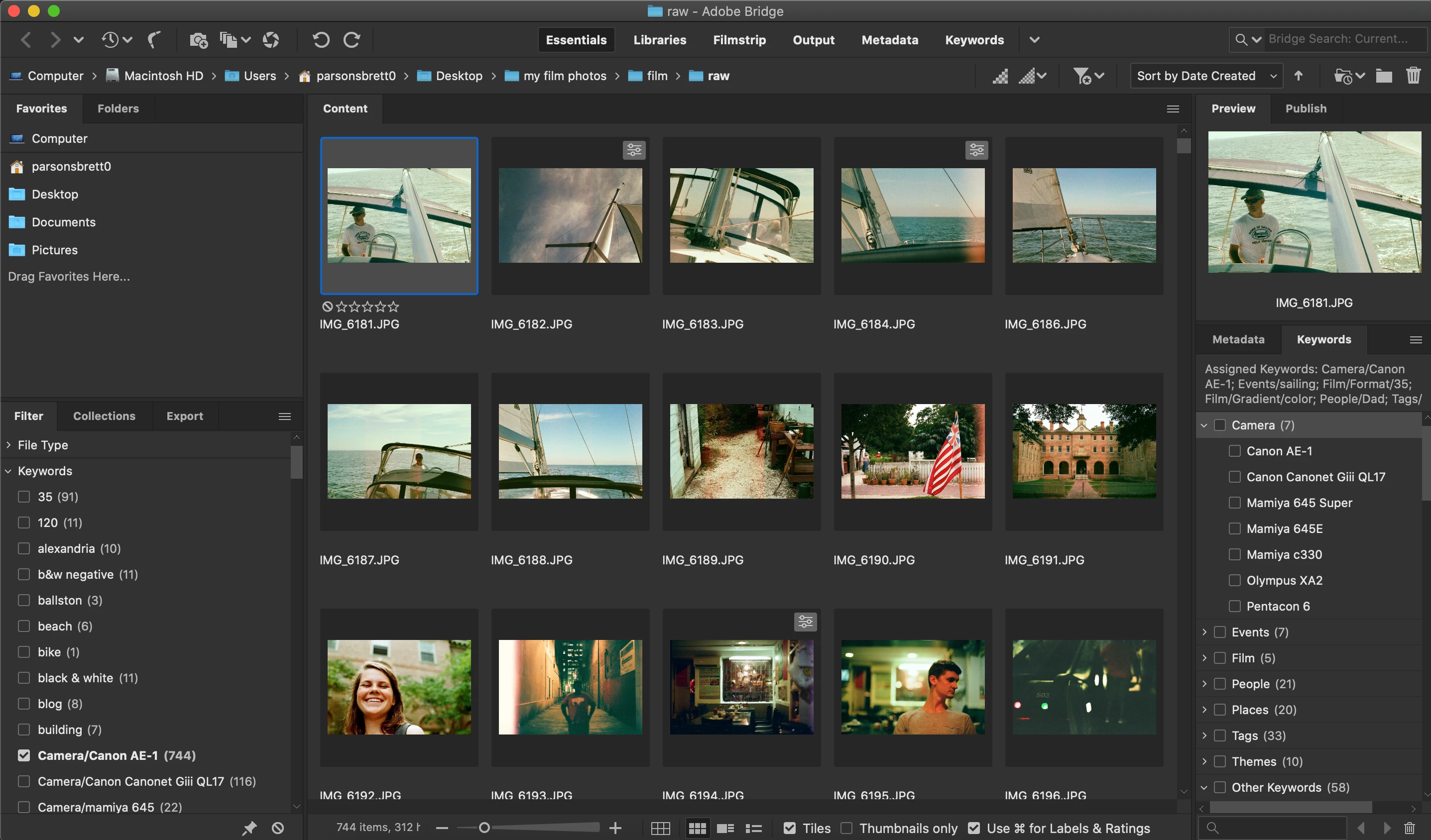
Figure 2.1: In this instance, note under the Filter Panel that I have a Parent-keyword/Sub-keyword paring of "Camera/Canon AE-1", but under the Keyword panel the keyword is not checked. See Figure 2.2 for the second part.
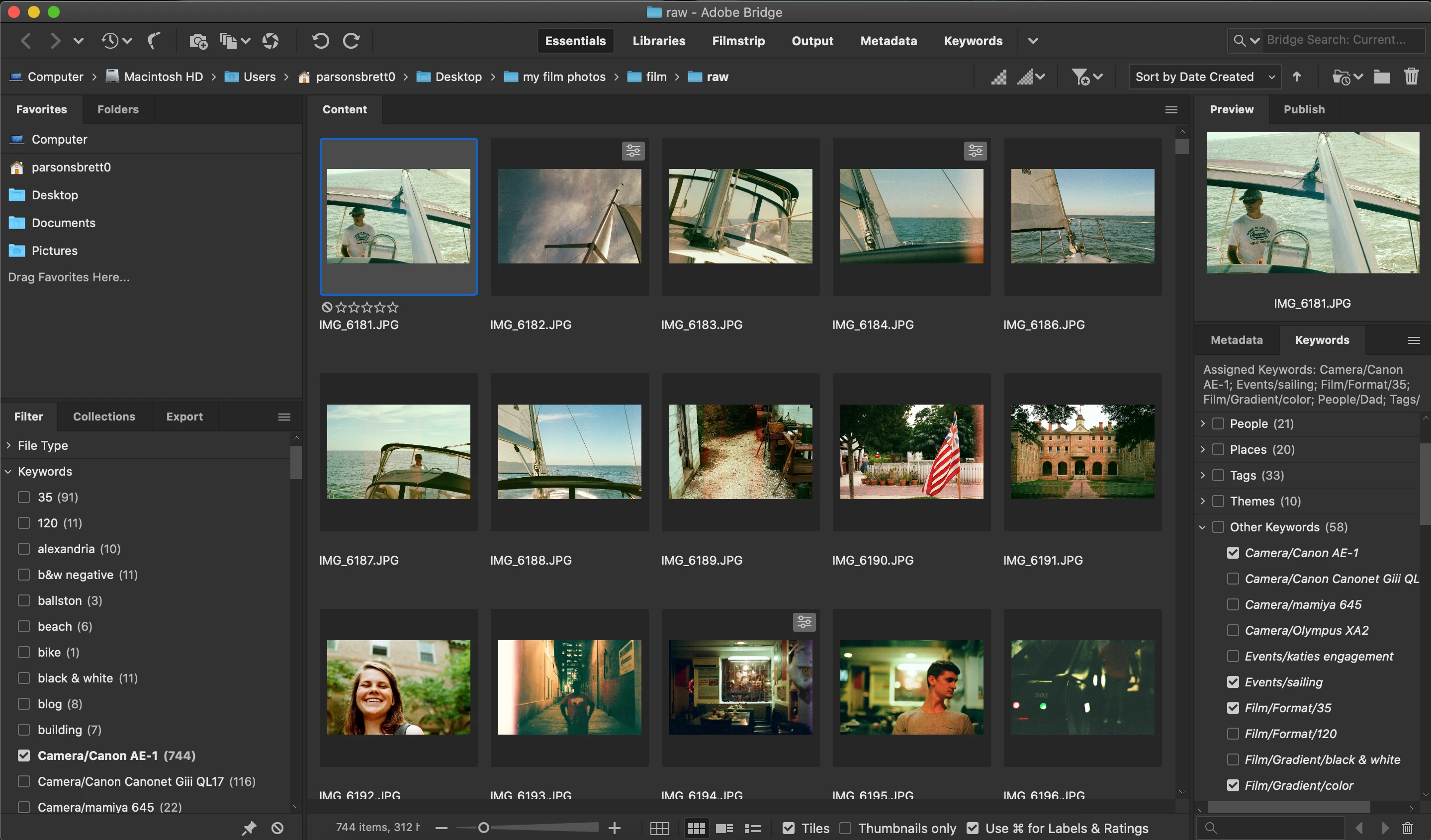
Figure 2.2: In continuation of Figure 2.1, notice that the Parent-keyword/Sub-keyword that is selected in the Filter panel actually shows up under "Other Keywords/Camera/Canon AE-1".
Adobe Bridge Version: 11.0.1.109
macOS: Catalina 10.15.6


 AdChoices