


PNog
Inspiring
January 29, 2026
Question

Bridge message.

  • January 29, 2026
  • 1 reply
  • 14 views

Hello,
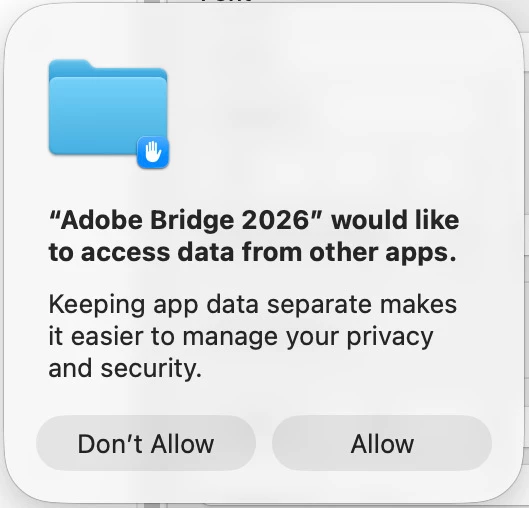
Regardless of the option chosen, the message of the image below keeps appearing every time I open Adobe Bridge 2026.
What is the solution to avoid this?
Thank you in advance.



    1 reply

    Legend
    January 30, 2026

    See the thread below this with the same question.

    PNog
    PNogAuthor
    Inspiring
    January 31, 2026

    What thread? Can’t find nothing about it.
    Link please.
    Thank you!

    Rob_Cullen
    Community Expert
    Community Expert
    February 1, 2026

    Here is Google AI answer for your question:

    To resolve the "Adobe Bridge 2026 would like to access data from other apps" prompt on macOS, grant it Full Disk Access in System Settings. This, or similar permission prompts for Adobe apps (like CC Library), is caused by macOS security controls requiring explicit permission to allow apps to communicate or access files in other folders. 
    Steps to Fix on macOS:
    1. Open System Settings (or System Preferences).
    2. Navigate to Privacy & Security > Full Disk Access.
    3. Click the + button (you may need to enter your admin password).
    4. Locate Adobe Bridge in your Applications folder, select it, and ensure it is checked/enabled in the list.
    5. If prompted, relaunch Adobe Bridge. 
    Note: This is a common macOS privacy control, not a security risk, allowing Bridge to properly manage file associations and browse content across your computer. 
     
    Regards. My System: Windows-11, Lightroom-Classic 15.0, Photoshop 27.0, ACR 18.0, Lightroom 9.0, Lr-iOS 10.4.0, Bridge 16.0 .