@bersani_4639
Here is an example of 3 files, each with different, unique Description metadata.
When all 3 files are selected, the Metadata Panel indicates "(Multiple values)" in the Description field.
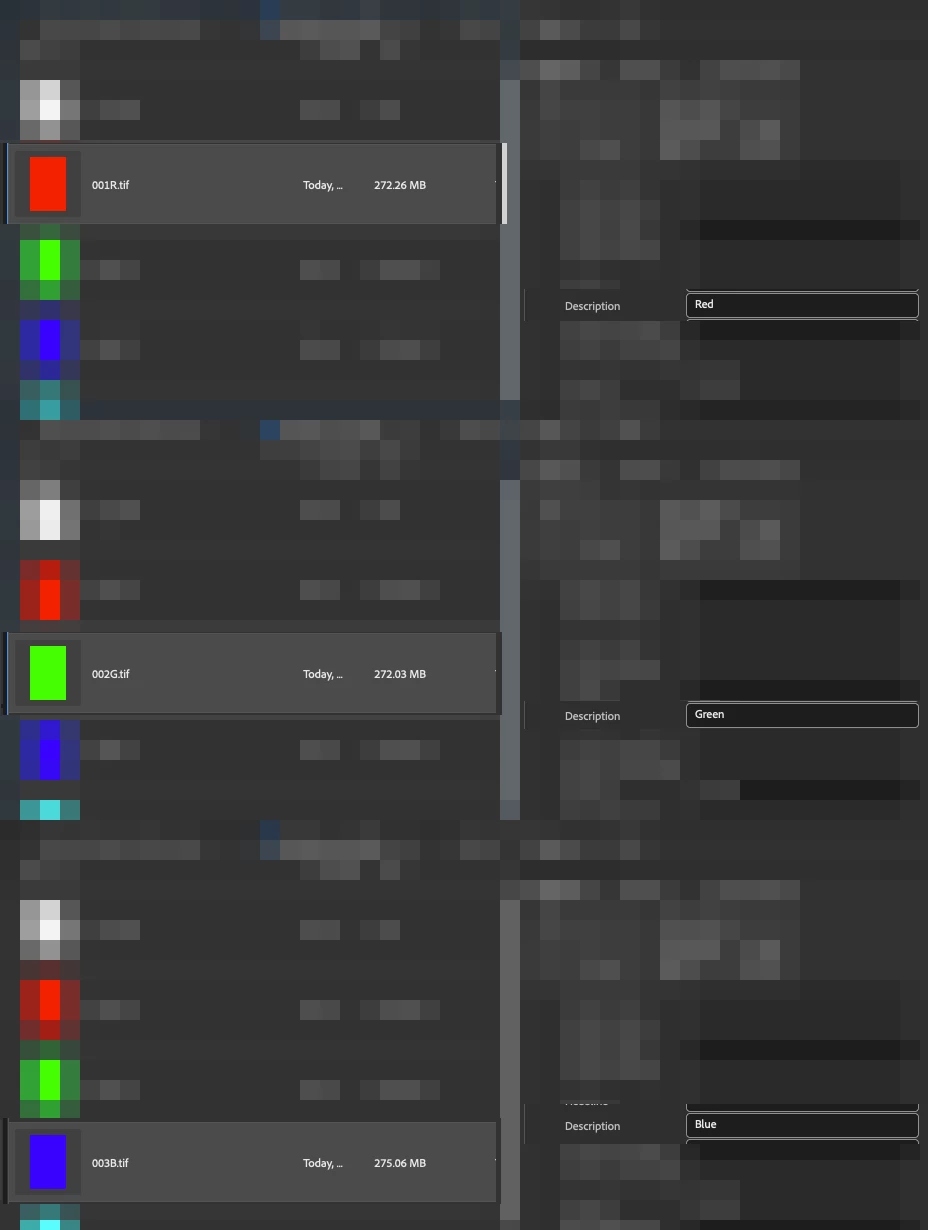
Now, in this example, I wish to add a common extra description to the 3 multiple selected files:
Before:
Red
Green
Blue
After:
Red_NEW TEXT
Green_NEW TEXT
Blue_NEW TEXT
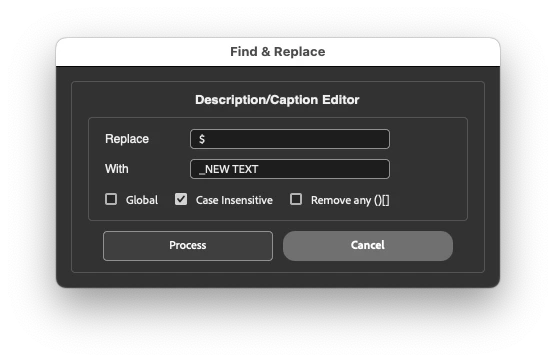
In the screenshot above, I have used a regular expression to find the end of the current text, which is the $ (Dollar symbol, Shift + 4)
The common text replacement is _NEW TEXT
Here is a screenshot of the final result:

Where _NEW TEXT has been added to the end of all 3 selected files, retaining their original unique description and adding the new common description.
To add a common text entry at the start of the existing text, one would use the ^ (Caret symbol, Shift + 6) instead of the dollar sign.




 AdChoices