Inspiring
April 7, 2023
Answered

Bridge not displaying keywords by thumbnails in grid view

  • April 7, 2023
  • 1 reply
  • 736 views

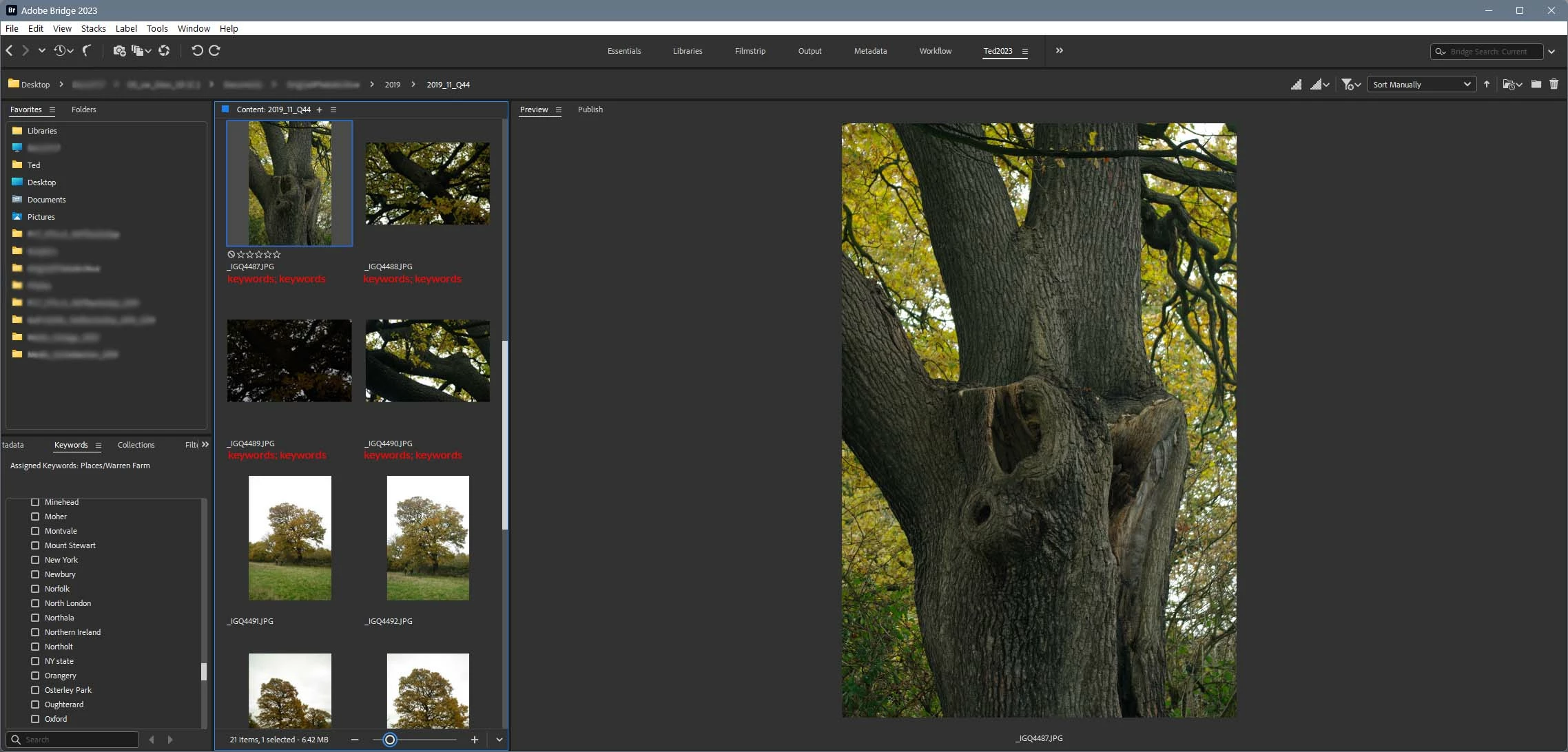
I like to display images in a two column grid Content panel, leaving plenty of room for a good size Preview panel.

I thought old Bridge used to display keywords next to thumbnails in this grid view configuration. I can't see how to make it, now. The Details view is good, but only allows one column?
This topic has been closed for replies.
Correct answer gregreser

Hi @gary_sc ,

The workspace doesn't alter the way the panels work. I don't think what I want is currently possible, i.e. (mock up showing where I'd like keywords😞

Thanks for your suggestions though. The field selection dialogue is useful.


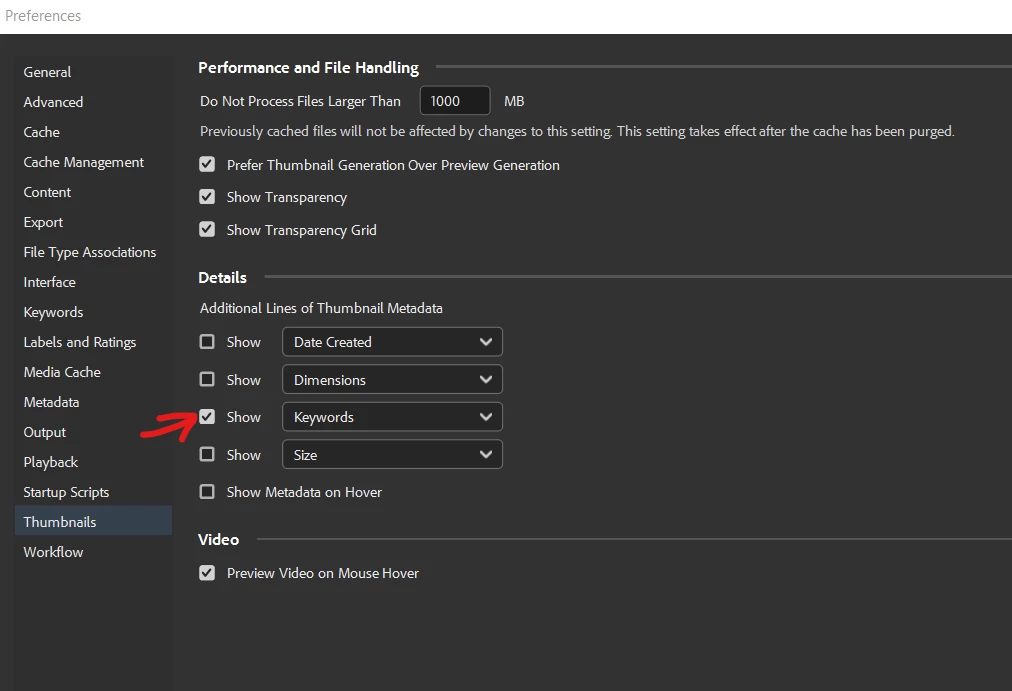
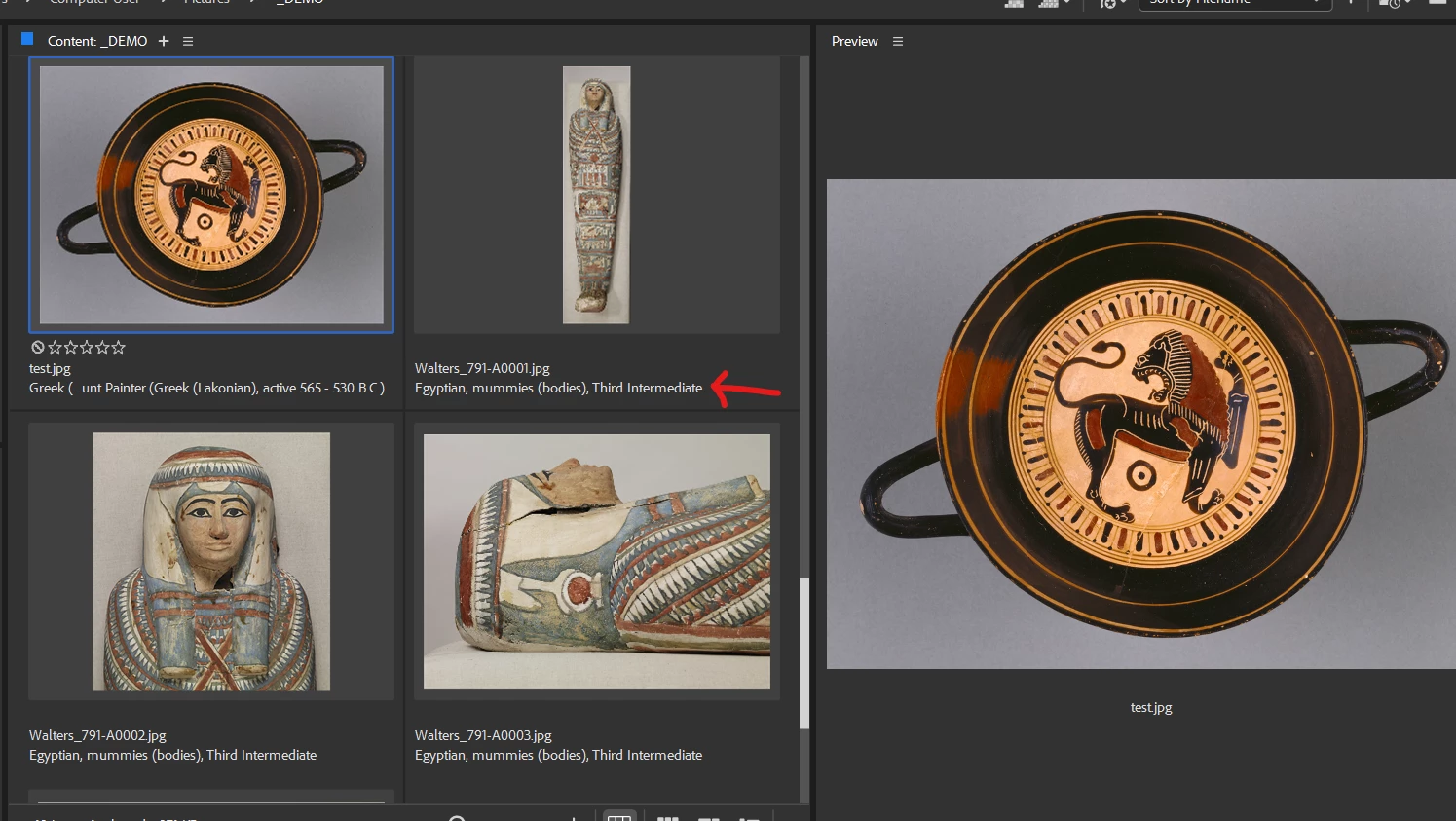
@9182352 I think you just need to enable keywords in the thumbnail preferences


1 reply

gary_sc
Community Expert
Community Expert
April 8, 2023

Hi @Ted_2023 


Are you using the MetaData Workspace?

Ted_2023Author
Inspiring
April 8, 2023

Hi @gary_sc 

Does that make a difference? The Contents panel is the Contents panel. Neither List view or Details view will allow more than one column. Am I correct in remembering that it was possible to see keywords next to thumbnails in grid view in previous versions?

Anyway, as feedback to Adobe, surely a lot of users have big screens where this would be a useful feature?

gary_sc
Community Expert
Community Expert
April 8, 2023

Hi, @Ted_2023 , it's the only way I know how to get what you want. Also, if these are not all of the fields you want, or you want different fields if you right-click on the top line you can change the shown fields. It's pretty powerful.