

Vmaxarh
Participant
November 8, 2020
Answered

Bridge not starting when Computer starts

  • November 8, 2020
  • 3 replies
  • 160 views

I've just updated to my Bridge in Creative Cloud to v11. Before this when I started my computer, Bridge started up automatically, now since I've updated it dosn't. How can I to set it to start automatially again when I start the computer?

Thanks for any help

A Hall
This topic has been closed for replies.
Correct answer gary_sc

Hi Vmaxarh,


Apparently one of your preferences didn't come over with the update (not unusual).


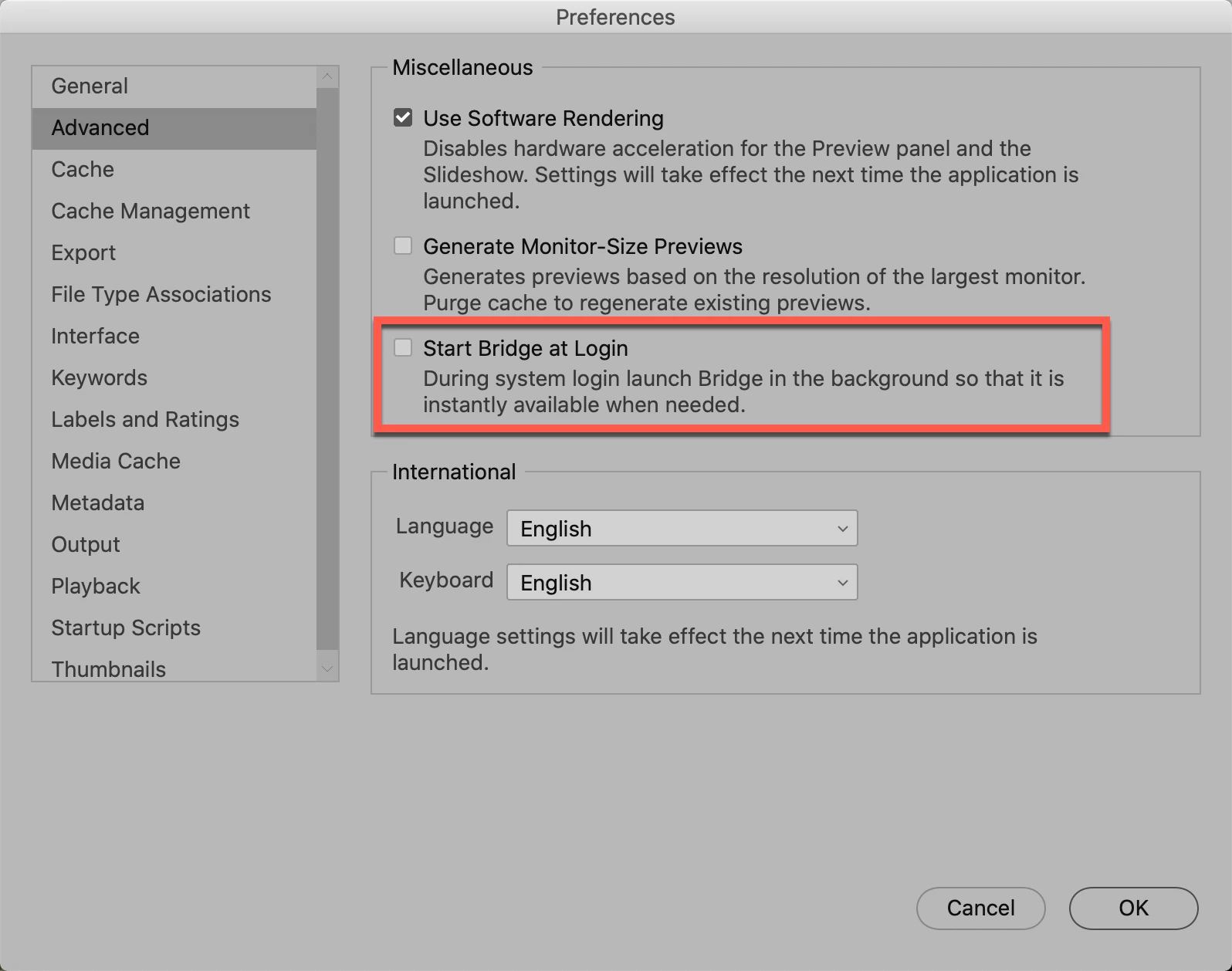
Go into your Bridge's preferences and check the box for the selection here:


Let us know if that takes care of it.

3 replies

jbm007
Community Expert
Community Expert
November 8, 2020

I will add to your help. NEVER< NEVER< NEVER allow a app like Bridge to open on startup ESPECIALLY on a windows machine..

If the app gets corrupted and will not start  ( maybe a update) your windows machine will not boot and will hang on start up.

Your machine, your call. Good luck.

gary_sc
Community Expert
gary_scCommunity ExpertCorrect answer
Community Expert
November 8, 2020

Hi Vmaxarh,


Apparently one of your preferences didn't come over with the update (not unusual).


Go into your Bridge's preferences and check the box for the selection here:


Let us know if that takes care of it.

Vmaxarh
VmaxarhAuthor
Participant
November 8, 2020

Thought I'd best add I'm using Wndows 10 as operating system.