larryk16765416
Participant
April 24, 2018
Answered

Bridge opens up okay though shows no images

  • April 24, 2018
  • 1 reply
  • 265 views

Bridge opens up okay though shows no images

    This topic has been closed for replies.
    Correct answer Barb Binder

    Have you used Bridge before or is this the first time?

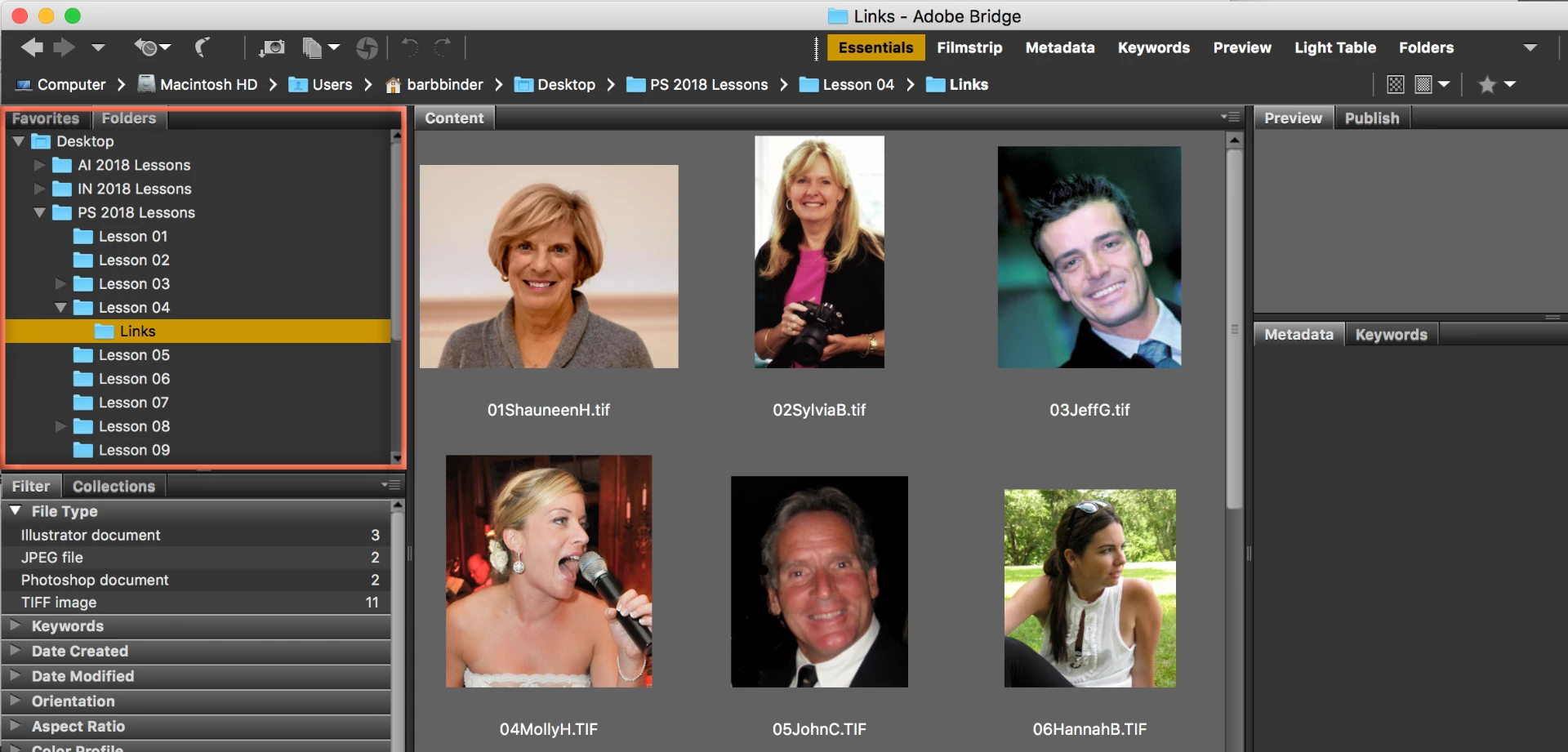
    Without a screen shot to show us what you are looking at, all we can do is guess at what is going on. I'd suggest you start with Window > Workspace > Essentials, followed by Window > Workspace > Reset Workspace and then use the Folder pane to navigate to a folder that has images in it.

    ~Barb

    1 reply

    Barb Binder
    Community Expert
    Barb BinderCommunity ExpertCorrect answer
    Community Expert
    April 24, 2018

    Have you used Bridge before or is this the first time?

    Without a screen shot to show us what you are looking at, all we can do is guess at what is going on. I'd suggest you start with Window > Workspace > Essentials, followed by Window > Workspace > Reset Workspace and then use the Folder pane to navigate to a folder that has images in it.

    ~Barb

    ~Barb at Rocky Mountain Training