
Bridge Photo Downloader SD card download failures different cards
Hello everyone,
I am on a Mac OS X Yosemite and I am inserting my SD cards directly into the SD card reader at the back of the iMac Retina 5K. Just recently I noticed that Bridge Photo Downloader is putting hashtags and numbers after my SD card name (see pic). This is one card called "Untitled" and now Bridge is calling it "Untitled #1" and "Untitled #2". The difference between the two appears to be that #1 has the thumbnail files included and #2 is just the raw footage. It looks like some kind of partitioning function by Bridge.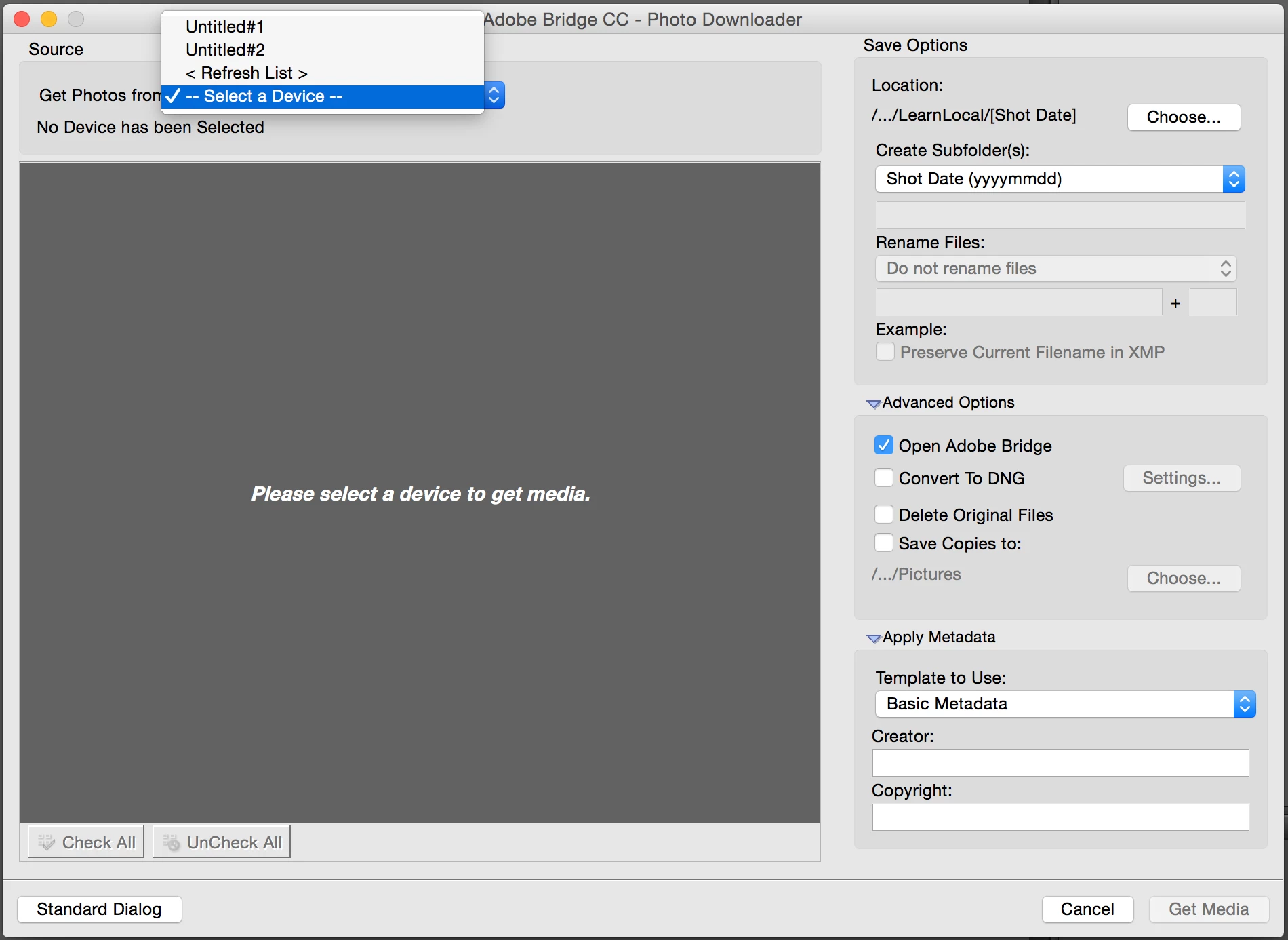
When I try to download photos from the SD card I get "Files Were Not Obtained from Device" error message. 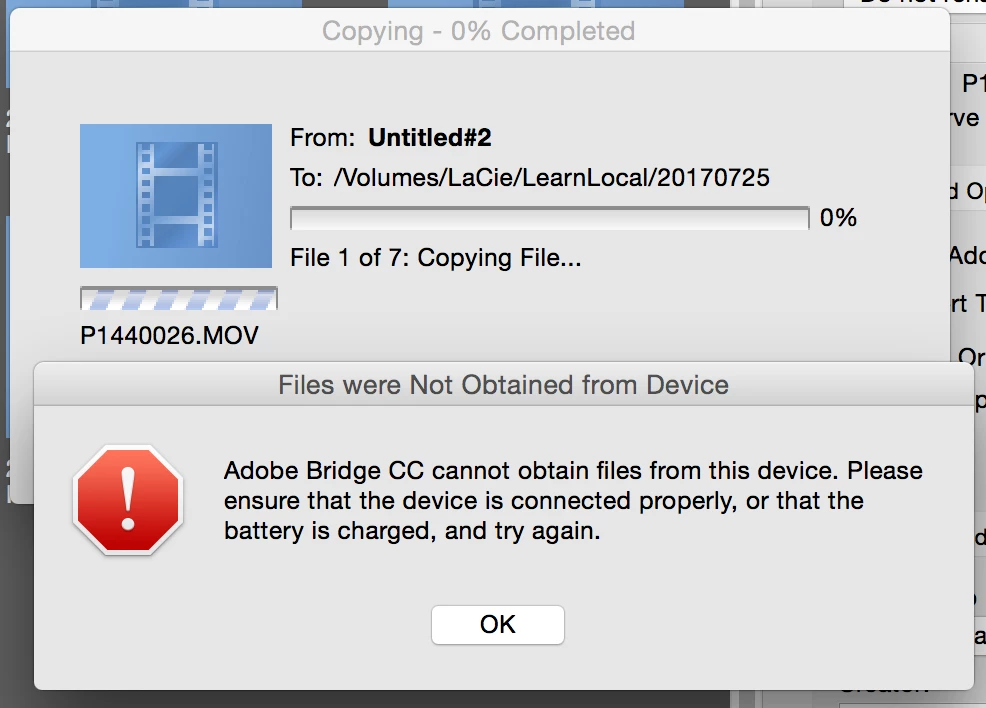 This happens when I select #2 and sometimes when I try to access the cards from #1. I have verified the cards using disk utility and they are fine. I have even done a repair just in case but Disk Utility says they are fine. I am using both Sandisk and Samsung class 10 cards and I have never had a problem with either of these brands prior when using Bridge Photo Downloader. This has probably owning been happening in the past month. I own many SD cards because I shoot 4K video footage so they fill up fast.
Firstly, why is Bridge Photo Downloader annotating my single SD card as #1 and #2 when it is only one card in the reader?
Secondly, what is causing the Photo Downloader to fail when trying to obtain from the device? Please DO NOT tell me my SD card reader is faulty because I am able to transfer the files using Mac's Finder with no problems and Disk Utility can read from the reader fine and is reporting the cards to also be fine. Using Finder is my current workaround but I would prefer to use Bridge.
Do I need to uninstall and reinstall Bridge?
Thirdly, recently I have also noticed that Bridge is not showing the thumbnails for all of my video footage but will still allow me to play file. Is this related at all?
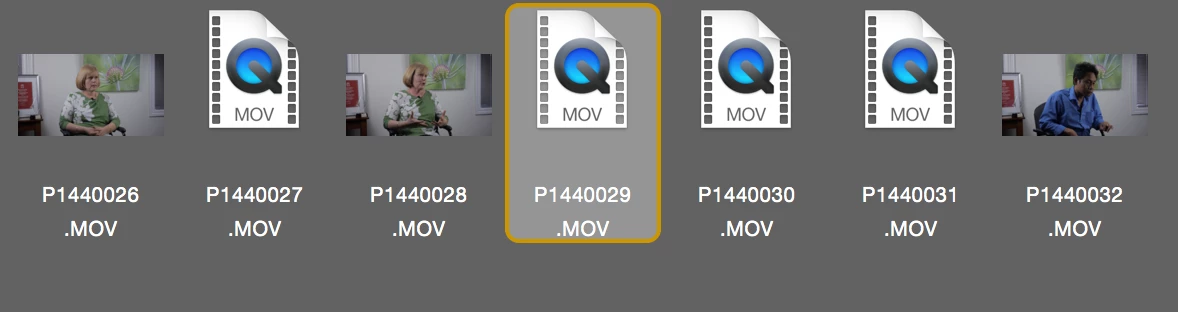
Thank you. I very much ook forward to your considered thoughts on my problem and would be keen to know if others are experiencing this weird bug.
Anna



 AdChoices