

Question
Bridge’s Batch Rename is Causing Loss of Connection to XMP Data
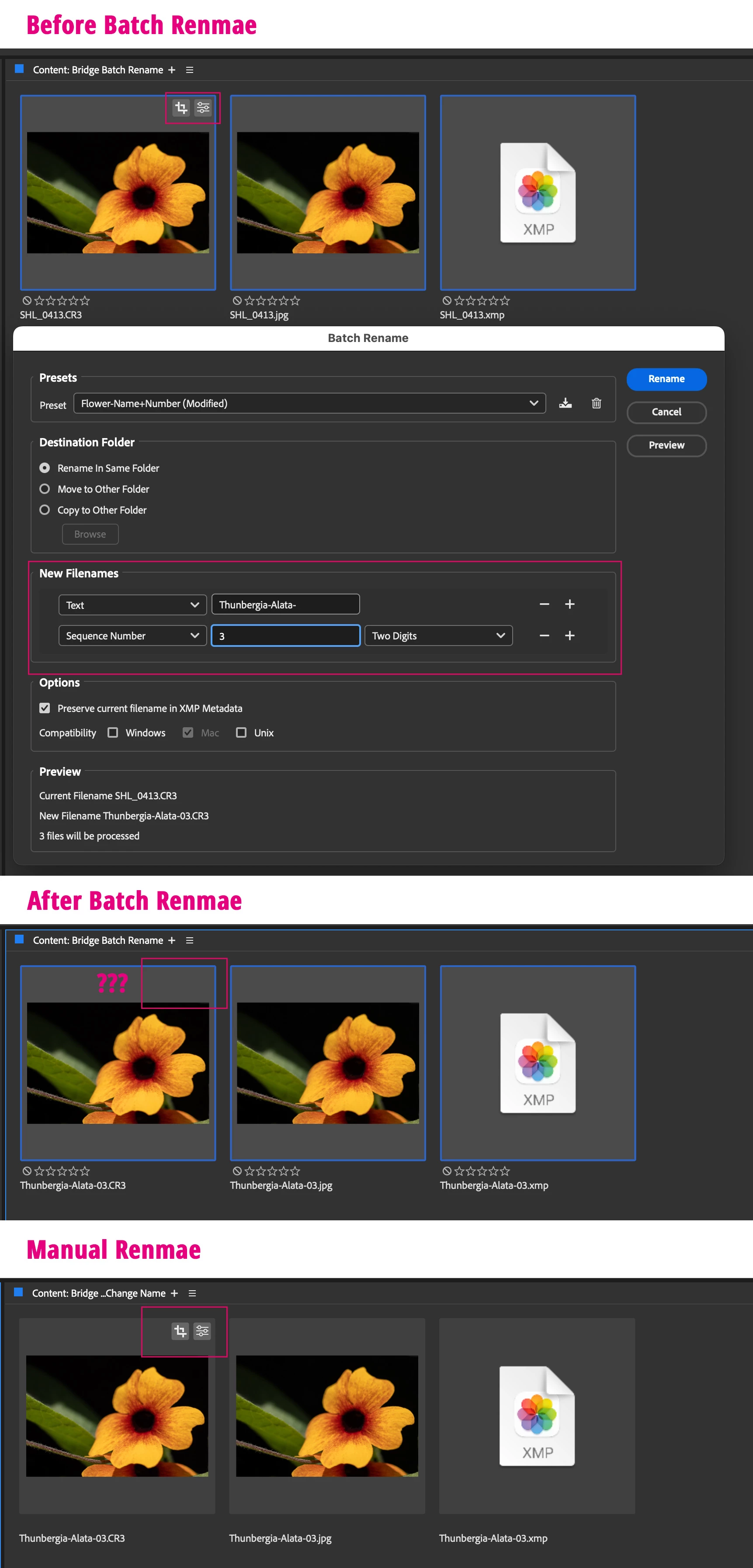
I’m experiencing a strange issue when using Batch Rename after changing settings in Camera Raw 17.3.1. The RAW image loses its connection to the XMP data file.
Look at this screenshot:
- If I copy the new file name and paste it again — the problem remains.
- If I change the sequence number at the end from “03” to “04” — the problem is solved.
- If I change the sequence number again from “04” back to “03” — it works fine.
- If I type a completely new file name, everything is OK.
I reset the preferences — didn’t help.
I don’t understand this issue and can’t figure it out. I tried using only digits, or only text — same results.
Any idea why this is happening?
Mac Studio M2 Ultra OS Sequoia 15.5
Camera Raw 17.3.1
Bridge 15.0.4.534
Thank you,
Shlomit


 AdChoices