
Participating Frequently
April 2, 2018
Answered

bridge thumbnails generating over and over and over again cc 2018

  • April 2, 2018
  • 2 replies
  • 994 views

hi.

i'm hoping someone can help me as i'm frankly losing my mind.

i have an enormous collection of assets ~100,000 that for the most part live on an external drive and have been catalogued through bridge. i'm using the latest cc version 2018 and i have organized my files into various collections.

when i'm working i like to flip between the collections to collect assets for use in my work - but when i do so, each time i select a new collection to review my assets, bridge is re-generating the thumbnails. which makes no sense as the image files have not changed in the last 30 seconds > few minutes since i last viewed that collection.

this behavior makes bridge unusable as i have to wait and wait and wait to view my assets. and this behavior is not exclusive to the latest update - it's been going on for years...

i don't pretend to understand bridge's preferences for thumbnails, cache etc. - they are all presented in non-user friendly language and frankly i was a great lover of iview which made this whole DAM process so easy. bridge is just a clusterf***! it's shamefully kludgey.

so i'm hoping someone can chime in with some preferred settings or workflow that will remedy this and make bridge more user friendly whereby the thumbnails only regenerate when changes have been made to a file.
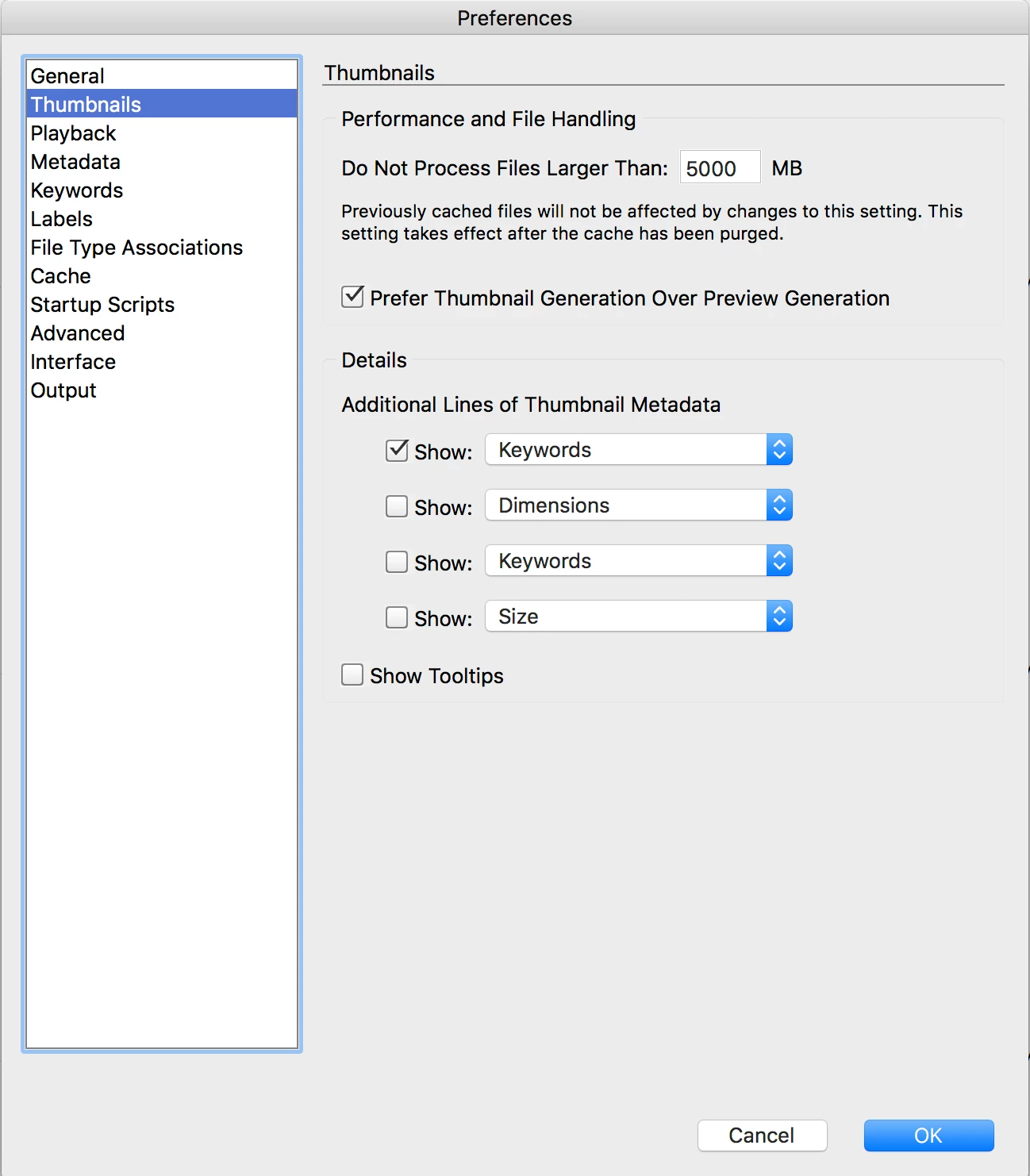
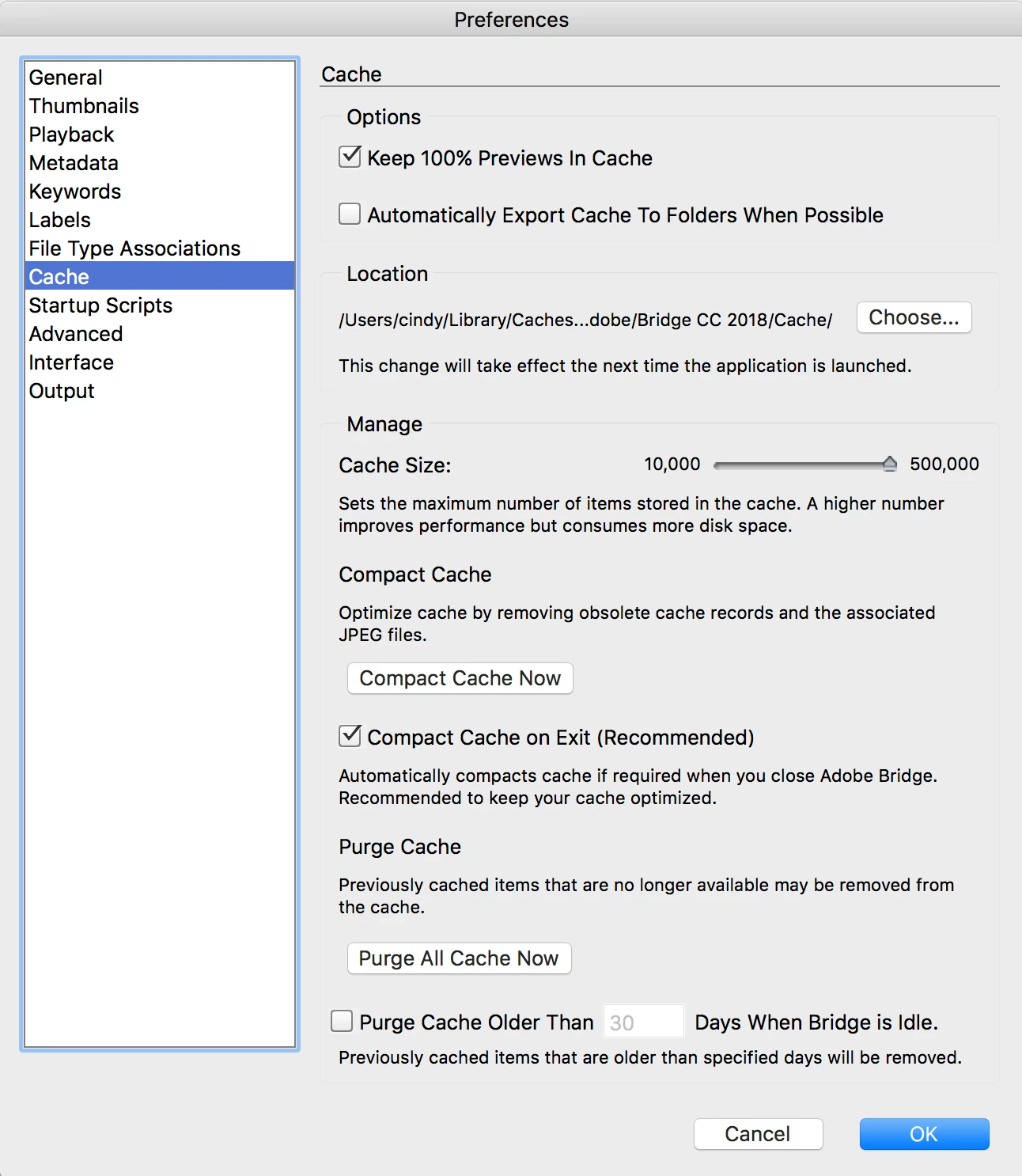
attached are images of my thumbnail and cache settings in my preferences. hopefully they can illuminate the problem and a solutions.

big thanks-

cindy

    This topic has been closed for replies.
    Correct answer jbm007

    Thats weird

    The screen shot you posted is from a prior version of Bridge.

    I have positioned my self to setting up many folders and just creating collection just in those folders to improve performance.

    I also break up my folders by years and is I get to many folders I create sub years.

    Lastly I installed a 32 tb raid array with an Adaptec hardware accelerated 12 gp transfer card using 12 gb SSD drives in a JBOD enclosure.

    Its still an issue , but I don't have to go out for coffee anymore.

    2 replies

    jbm007
    Community Expert
    jbm007Community ExpertCorrect answer
    Community Expert
    April 2, 2018

    Thats weird

    The screen shot you posted is from a prior version of Bridge.

    I have positioned my self to setting up many folders and just creating collection just in those folders to improve performance.

    I also break up my folders by years and is I get to many folders I create sub years.

    Lastly I installed a 32 tb raid array with an Adaptec hardware accelerated 12 gp transfer card using 12 gb SSD drives in a JBOD enclosure.

    Its still an issue , but I don't have to go out for coffee anymore.

    Legend
    April 2, 2018

    You aren't the only one who has complained about this issue. I suspect that Adobe would have to make major architectural changes to Bridge to fix performance.

    I mostly use Bridge on Windows at work and both Windows Photo Gallery and Faststone smoke it in performance.