



Bridge thumbnails not showing correct resolution
I have searched the forum and can not find an answer to this. It has been asked by others several times but it seems people dont understand the question as the answers have been incorrect or irrelevant, for example here Change the metadata to display image dimensions at different resolution
Basically what happens is when in Preferences you set Bridge thumbnails to show image dimensions it will show the dpi as well. In the images I have I use both 72dpi and 300dpi versions of the same image as I work on websites and also printed material.
Generally they all show 72dpi even though I know they are 300dpi. The only way I can find to force it to display correctly is to open the image and then save it again, which in the case of jpegs only degrades the image quality further and is a process I dont want to have to apply to thousands of images.
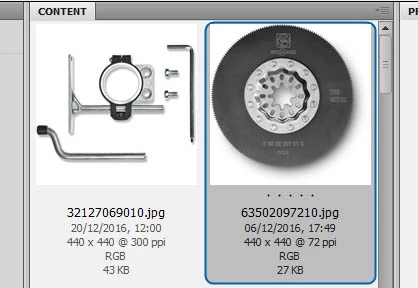
For example I open this folder in Bridge and the selected images says 72dpi.
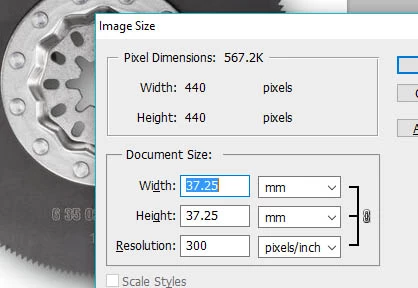
In Indesign and Photoshop it is clearly 300dpi.
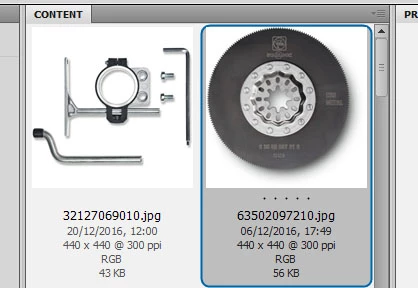
If I then save it without changing anything and go back to bridge the correct dpi is now shown
How do I make Bridge display this information correctly without having to open and resave every image? I have purged the caches and refreshed the views but still displays the wrong dpi.
I am using CS5 on a PC
Thanks in advance!
 AdChoices