Hi Ken,
Export to a hard drive is not founded under File > export, if I may so. What you mean, I hope, you can process several selected images as a kind of batch. This feature is delivered by a communication from Bridge to Photoshop by doing following:
• Select all your images
• Menu > Tools > Photoshop > Image processor
• Define destination location
• Define type of file
• If you set up the dimension both on the same value, he will take the longest side and adjust it to wright value without distortions.
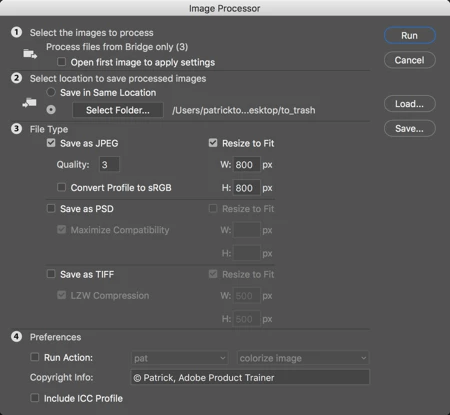
• Finally push the button RUN and all your selected images will be resized perfectly.
Good Luck
Patrick



 AdChoices