Participating Frequently
March 3, 2024
Question

Camera Raw favorites not in Bridge 2024 Develop Settings

  • March 3, 2024
  • 2 replies
  • 475 views

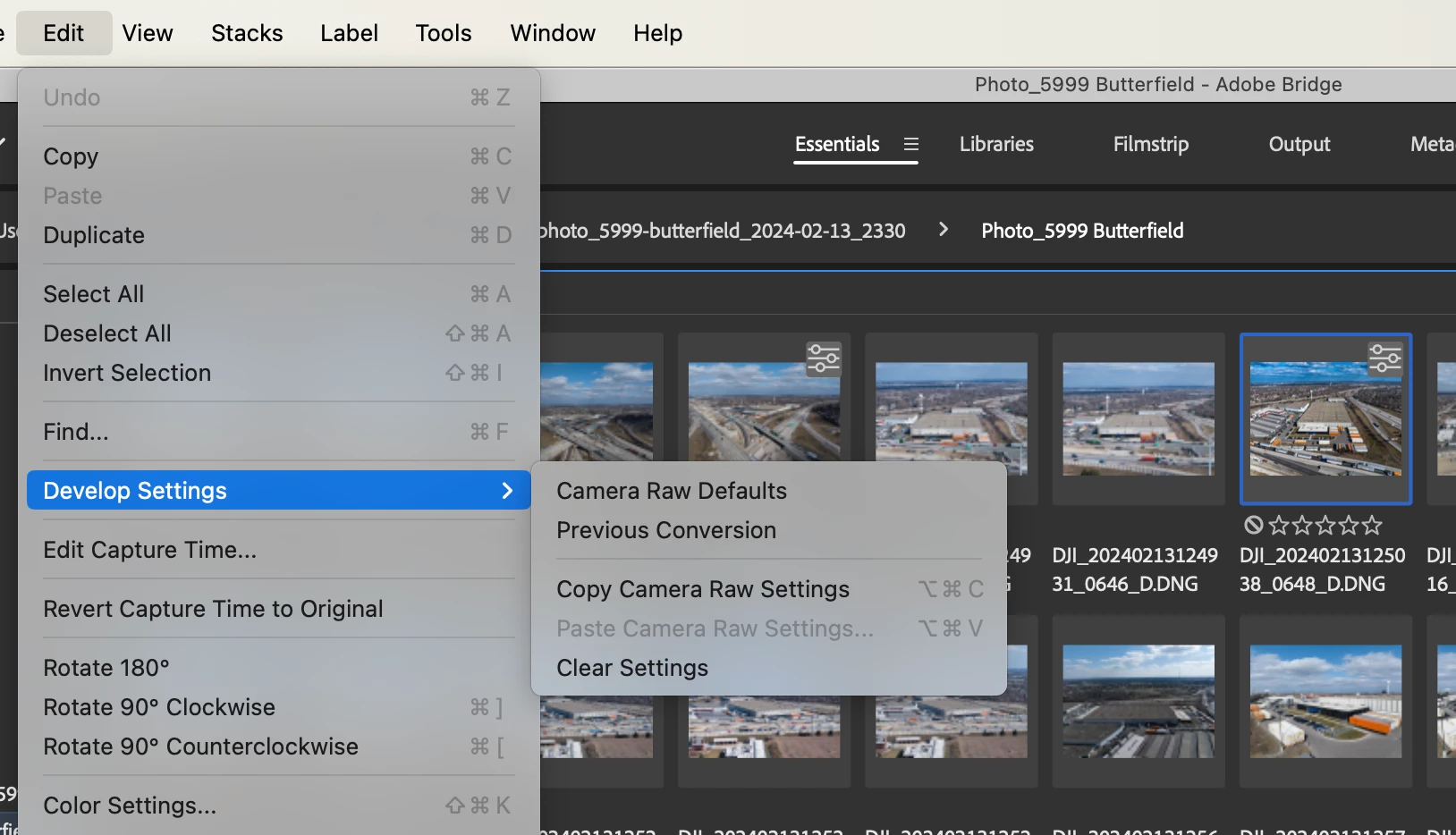
Camera Raw Favorites are not appering in the Bridge 2024 Develop Settings list under Edit -> Develop Settings. This is a new Bridge 2024 install on a new MacBook Pro M3 Max.


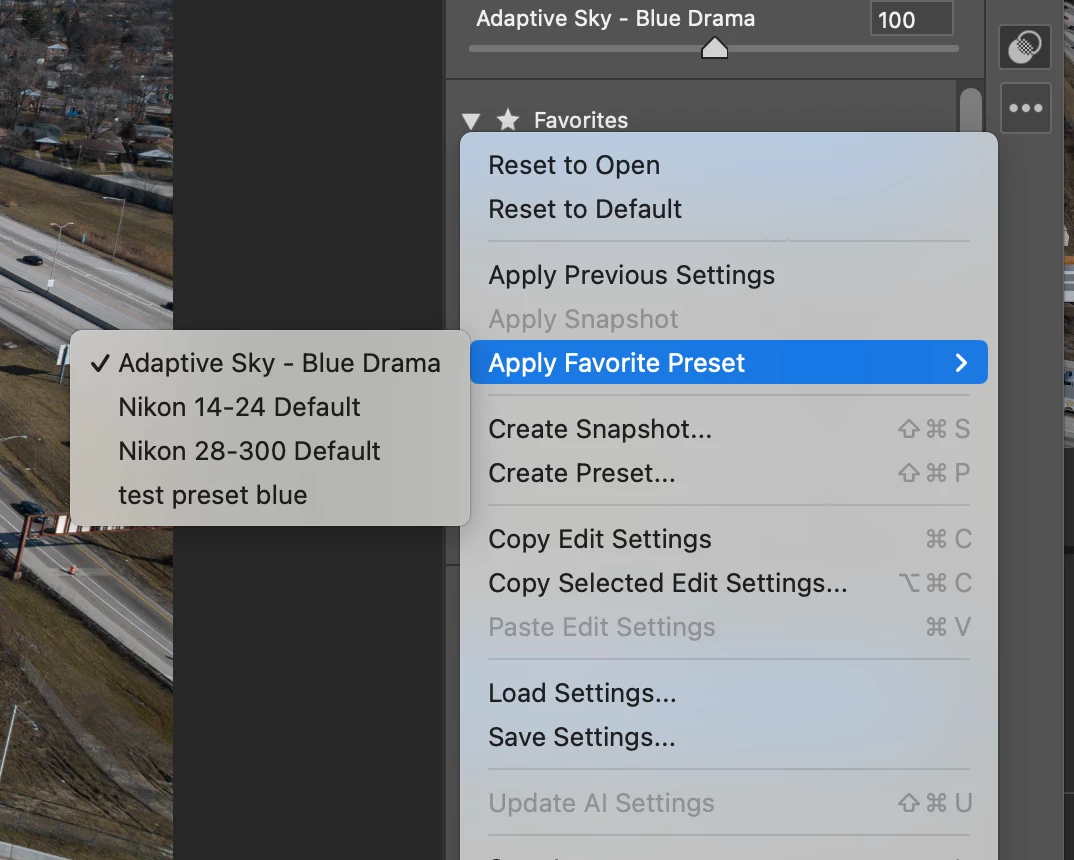
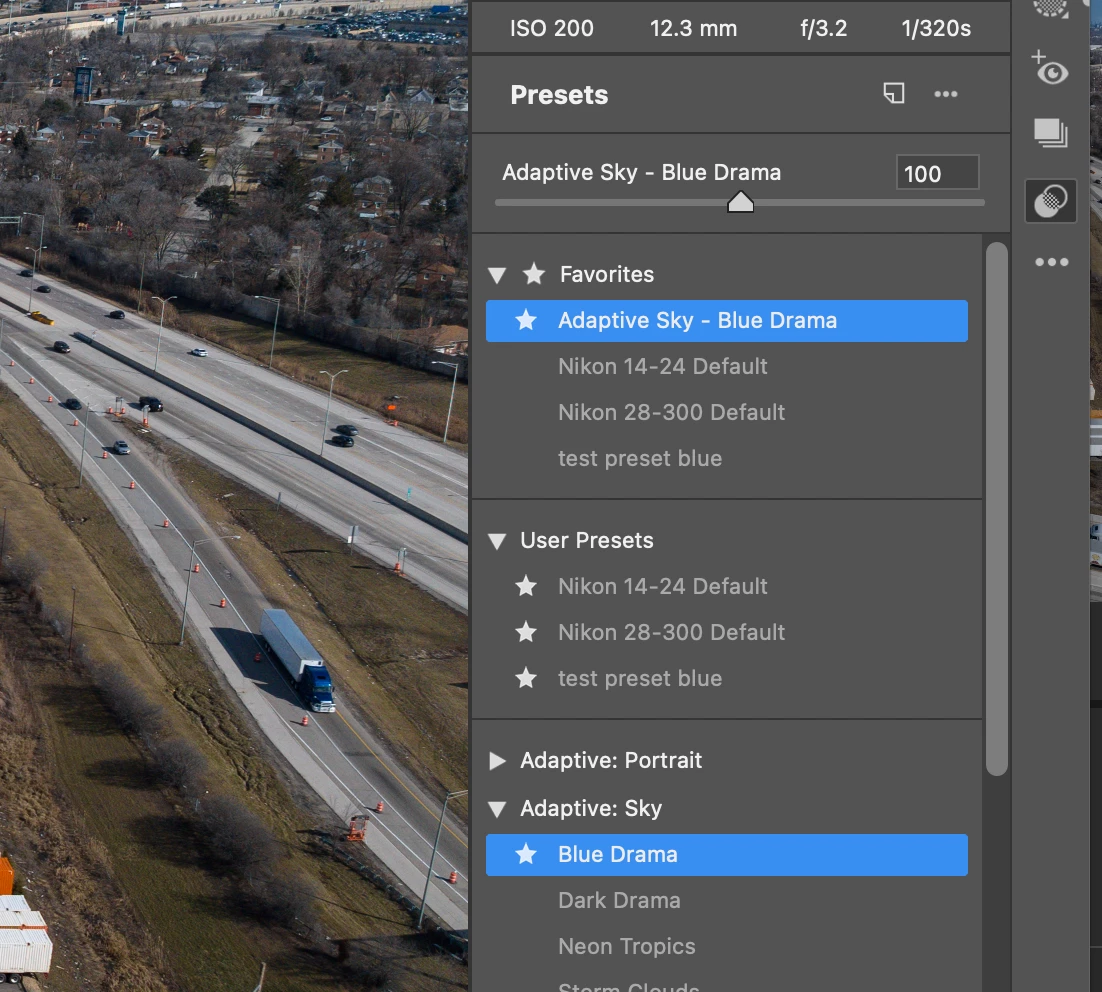
This includes both marking imported User Presets as Favorites and marking Adobe included presets as Favorites in Camera Raw.  Note that Favorites are correctly included in the Apply Favorite Preset list on the Camera Raw pop-out panel. But not in Bridge under Edit -> Develop Settings.  


Thank you. 
 

This topic has been closed for replies.

2 replies

Participating Frequently
March 3, 2024

Not sure if this is 'solved' or if this is still a bug - but there's a workaround.  Control-click on the image(s) in Bridge and the Camera Raw Presets are in the resulting Develop Settings list.  They do not appear in Edit -> Develop Settings menu dialogue. 


I never installed Bridge 2023 on my other device due to this issue, have been working on 2022 until now.  Glad there's a workaround but hopefully the bug (if that's what it is) can be fixed.  Adobe what do you think?


gary_sc
Community Expert
Community Expert
March 3, 2024

[Because this is about Adobe Camera Raw, it was moved from the Bridge Section to the ACR Section by a Moderator]

Participating Frequently
March 3, 2024

I appreciate the attention to my request however the missing Edit -> Develop Settings menu items (presets) are within Bridge functionality, not in ACR.  Perhaps the root of the issue resides in ACR from a developer's standpoint however from a user standpoint the issue is definately in Bridge.  Thanks.  

Participating Frequently
March 3, 2024

Note that I have Bridge 2022 / v12.0.4 installed on another device and it all works fine there.  I installed 12.0.4 on the new laptop and it worked here as well, showing the presets I created in Bridge 2024, when selecting Edit -> Develop Settings.  


I then installed Bridge 2023 / 13.0.6 and did not see the Camera Raw presets when selecting Edit -> Develop Settings.  (they are in Camera Raw)


Was this feature disabled?