Participant
September 10, 2020
Question

can anyone here help? bridge 2020
  • September 10, 2020
  • 1 reply
  • 237 views

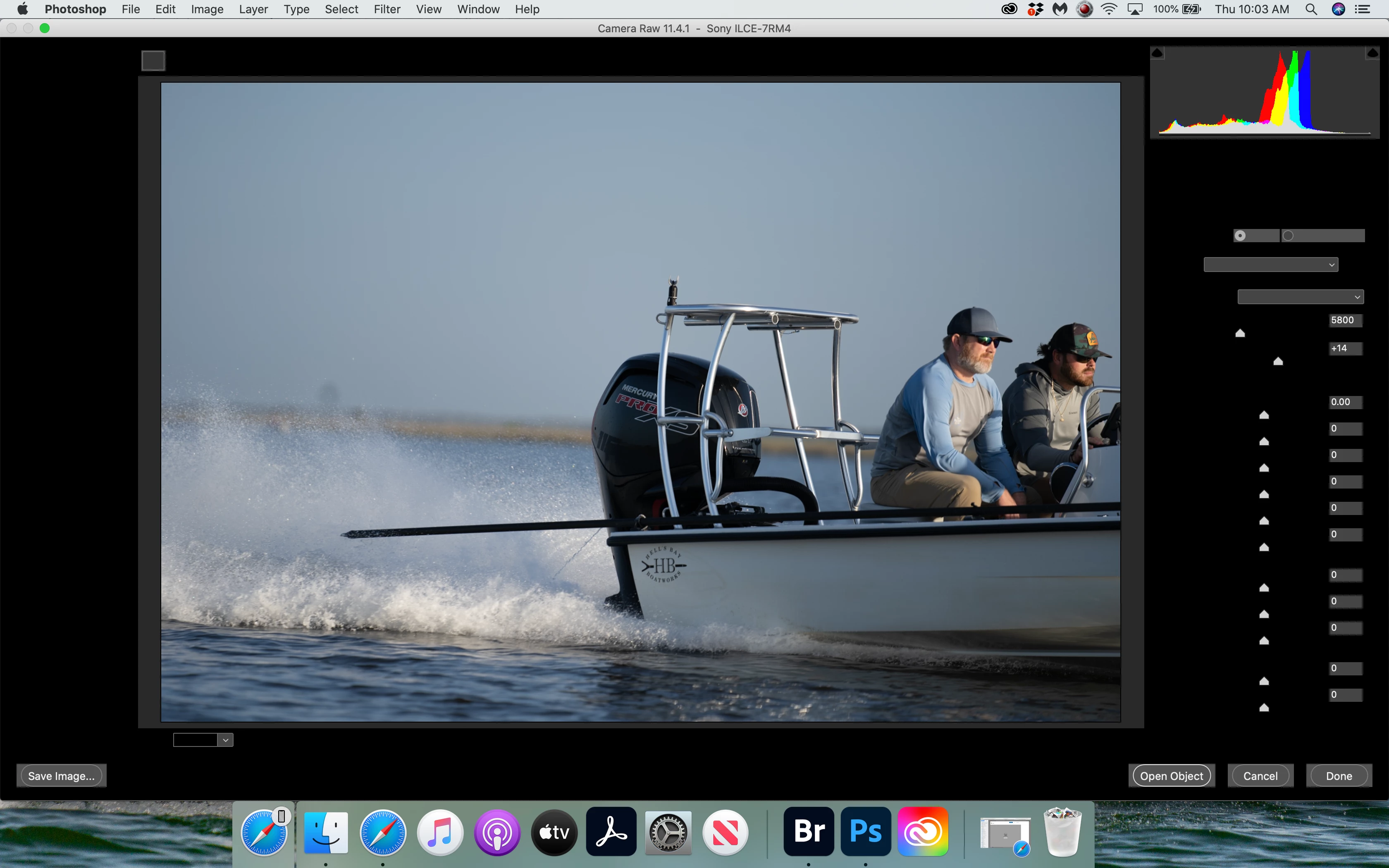
cant open raw editing in bridge. only from photoshop, but this is what i get, sliders work and adj photo but.... typically i just open photo from bridge and correct 

please help

thanks

This topic has been closed for replies.

1 reply

gary_sc
Community Expert
Community Expert
September 10, 2020

HI David,


Whew, that doesn't look friendly. 


What OS are you using (I know it's Mac, which one and what version)?

What release of ACR are you using?

What release of Photoshop are you using?

What release of Bridge are you using?


Oh, BTW, have you rebuilt Bridge's Preferences?* (Not sure it's related to that but at this point it's sort of a "catch-all" check.)


And have you uninstalled Bridge and then reinstalled it back?


Thanks


*When launching Bridge, Press Command-Option + Shift to choose “Reset Preferences.” 

DavidB82AAuthor
Participant
September 10, 2020
just installed Catalina and thats when all this started....10.15.6
photoshop 2020... 21.2.3
bridge 2020... 10.1.1.166
i have uninstalled both and re-installed
ARC?
i have reset bridge preferences to no avail...

Sent from David Mangum's iPhone
gary_sc
Community Expert
Community Expert
September 10, 2020

Hi David,


OK, don't feel bad. Catalina has helped a number of folks to loose sleep.


See if the help in here provides what you need, let us know.


https://community.adobe.com/t5/bridge/how-can-i-give-bridge-permission-to-access-my-files/m-p/11334081?page=1#M20198