


Known Participant
April 28, 2026
Question

Can't add GPS coordinates to image(s) in Bridge CC 2026

  • April 28, 2026
  • 2 replies
  • 16 views

I have a bunch of camera photos that did not get GPS coordinates while shooting. I want to manually add the coordinates in Bridge but I can’t seem to do this. First off, I am aware that Bridge uses a specific format for its format because I keep getting this:
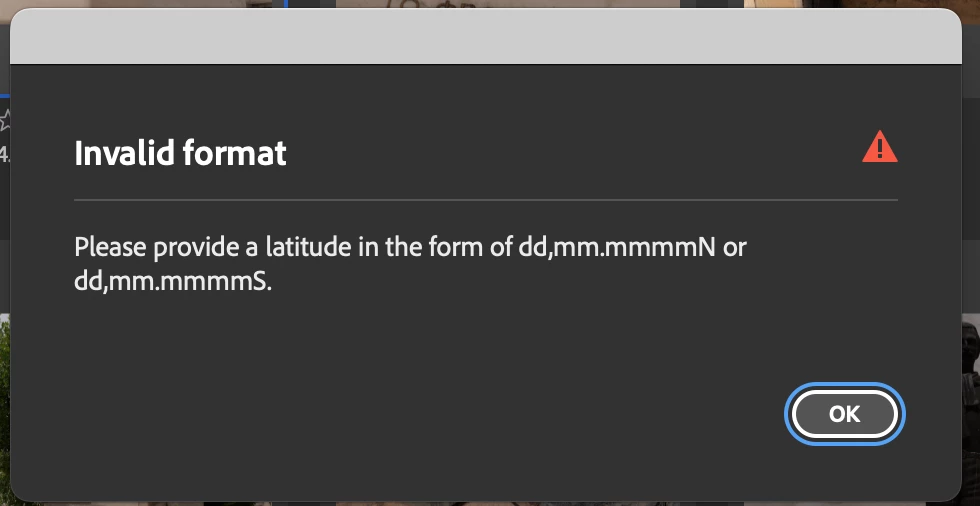
 

I have the information and format that is required and can add one coordinate, Lattitude, I can't just click in the Longitude section to add that info without getting the above warning. Is there a way to turn that off so I can add the second coordinate? Is there a better way to do this?  I don’t really know why this should be so difficult. Your help would really be appreciated. Jonathan


    2 replies

    Known Participant
    April 29, 2026

    Thanks for that. I figured out my problem after 6 hours! Even though my coordinates were the exact format requested, no love. 
     

    The issue was copying and pasting into the gps windows in Bridge. I finally just typed the info in the two windows, and that worked fine. Not sure why copy/paste wouldn’t work.

    The only issue now is some of of the coordinates are off by about ¼ mile in the Lightroom maps module but coordinates were from the web so it could be anything. Close enough I suppose.

    Erik Bloodaxe
    Legend
    April 29, 2026

    Could it be that you were pasting hidden characters? From where were you copying?

    Erik Bloodaxe
    Legend
    April 28, 2026

    I have never experienced a failure adding coordinates in the correct format. Are you definitely entering a value in the correct format? Yes, Bridge's uniquely weird format is the subject of many concerns. Do you hit "Return" before clicking in the longitude field?

    Personally I rarely do this now. I find in easier to use Lightroom Classic's Map Module then save metadata to the images. Its about the only job I use Lightroom for and is a bit clunky jumping between applications but gets the job done.