January 21, 2026
Answered

Can't move the 2nd camera raw window

  • January 21, 2026
  • 4 replies
  • 77 views

Hello I'm using version 16.0.1.18

I have a really annoying problem, when I open with camera raw a photo, it opens a windows that I can't move. Even if this windows isn't maximized, I can't move it to the second screen. This is really annoying because this second Bridge window blocks everything on the second screen. It prevents me from watching a video or searching help on other web sites because with each mouse click, the bridge window gets back in front.

does anyone have the solution to my problem?

Thank you for your help

Valerie
Correct answer Jeff Arola

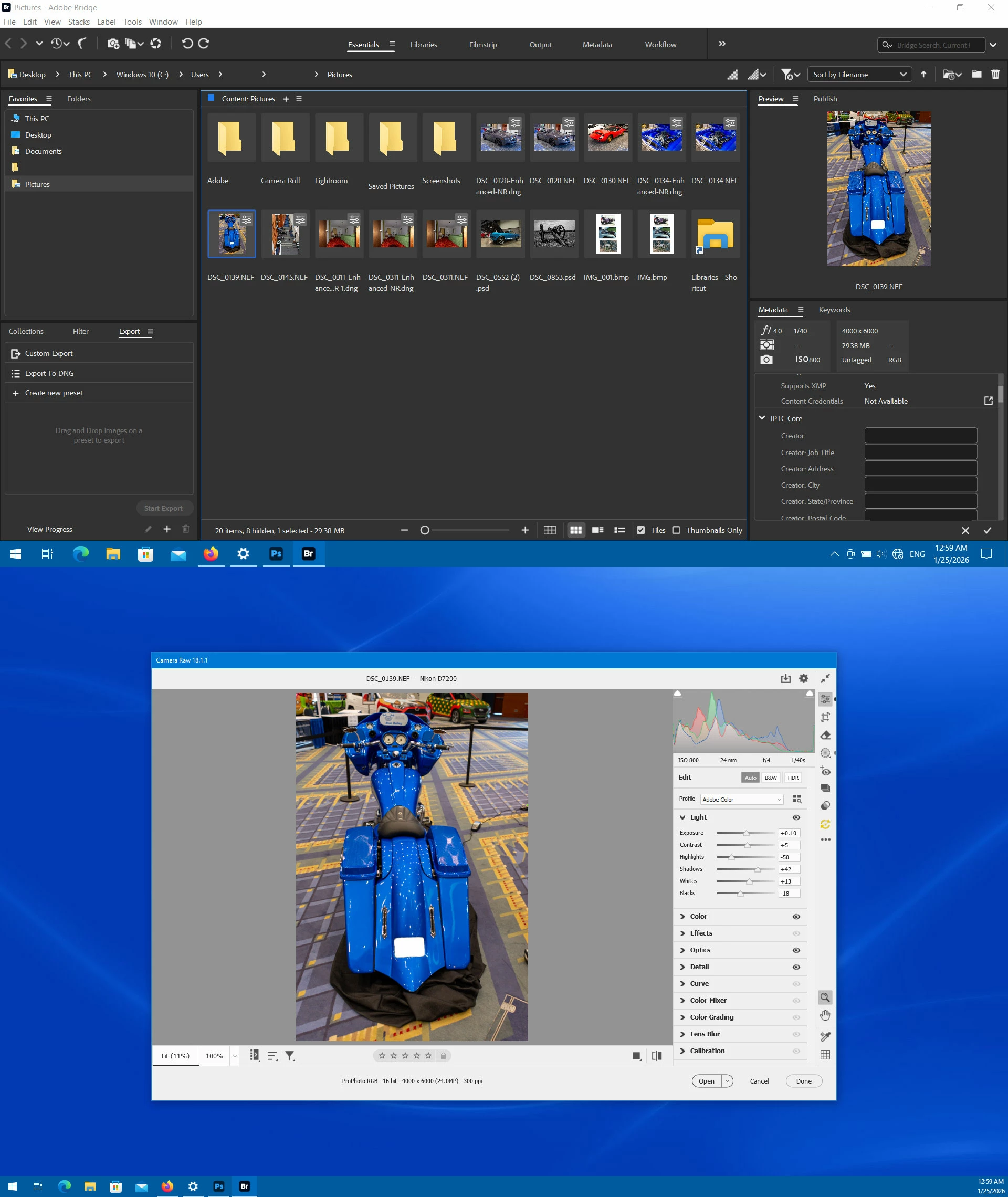
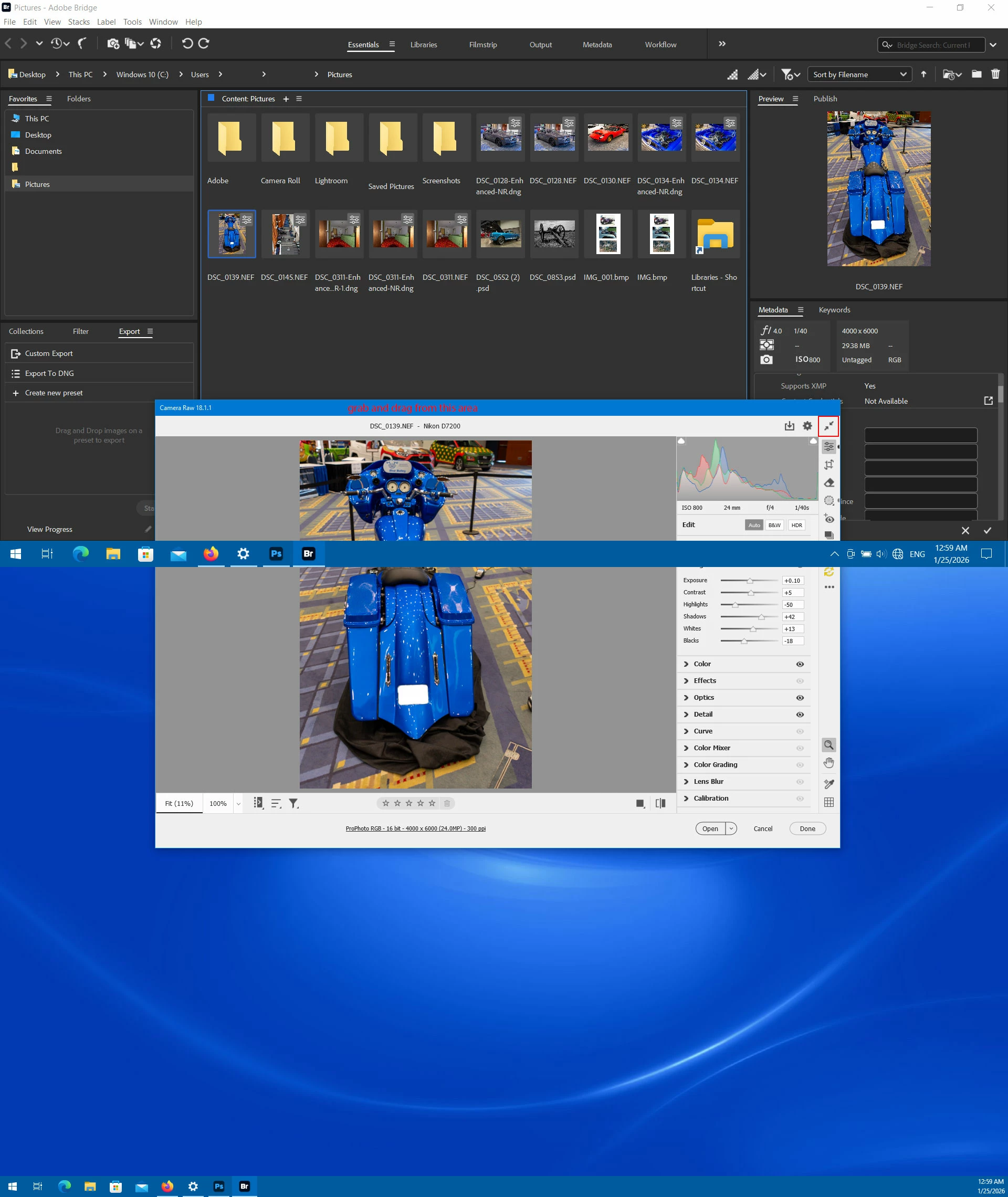
You should be able to move the Camera Raw window between screens if you unmaximize the window by clicking on the 

double arrow at the top right or clicking the F key, then grab and drag in the area where it says the Camera Raw version

(Camera Raw 18.1.1)


Screenshot-(39).jpg


Screenshot-(40).jpg

4 replies

Jeff Arola
Community Expert
Jeff ArolaCommunity ExpertCorrect answer
Community Expert
January 25, 2026

You should be able to move the Camera Raw window between screens if you unmaximize the window by clicking on the 

double arrow at the top right or clicking the F key, then grab and drag in the area where it says the Camera Raw version

(Camera Raw 18.1.1)


Screenshot-(39).jpg


Screenshot-(40).jpg

ValZ63Author
January 25, 2026

Pb solved thank you

Community Manager
January 23, 2026

Hi @ValZ63,


Thank you for your feedback.


This is working as designed; the window cannot be moved.
You can use Alt + Tab to switch between windows or applications.


Thanks,

Bridge Team 

Legend
January 21, 2026

There is a button in the ACR window to change it from full screen to a regular window.

ValZ63Author
January 21, 2026

Which button please ? I searched everywhere


Erik Bloodaxe
Legend
January 21, 2026

Very top right! Or just press "F" key.

Erik Bloodaxe
Legend
January 21, 2026

Which Operating System?

Which window is it that you are unable to move, Bridge or Camera Raw since you mention both?

I am a Windows user and have no problem moving either of these windows to a second screen. The Camera Raw window needs to be reduced in size first. If problems persist you might try resetting preferences, Bridge and Camera Raw. Make a note of your personal setting first as you will lose them.

ValZ63Author
January 21, 2026
I'm using a windows 11 OS

BR

--
Valérie
ValZ63Author
January 21, 2026

I'm using a Windows 11 Os. I reduced camera window and it is still stuck on the main screen of my computer.  Impossible to move. I resetted camera raw preferences. for Bridge it is more complicated because  I launched the Ctrl+Alt+Maj/Alt (Windows) command just after opening brige app  (command find on a forum) but nothing happen, my camera raw window is still stucked on my PC screen and impossible to move