


Participant
April 17, 2022
Question

Cannot open Nikon 7500 Raw Files in Bridge

  • April 17, 2022
  • 1 reply
  • 259 views

Help please.

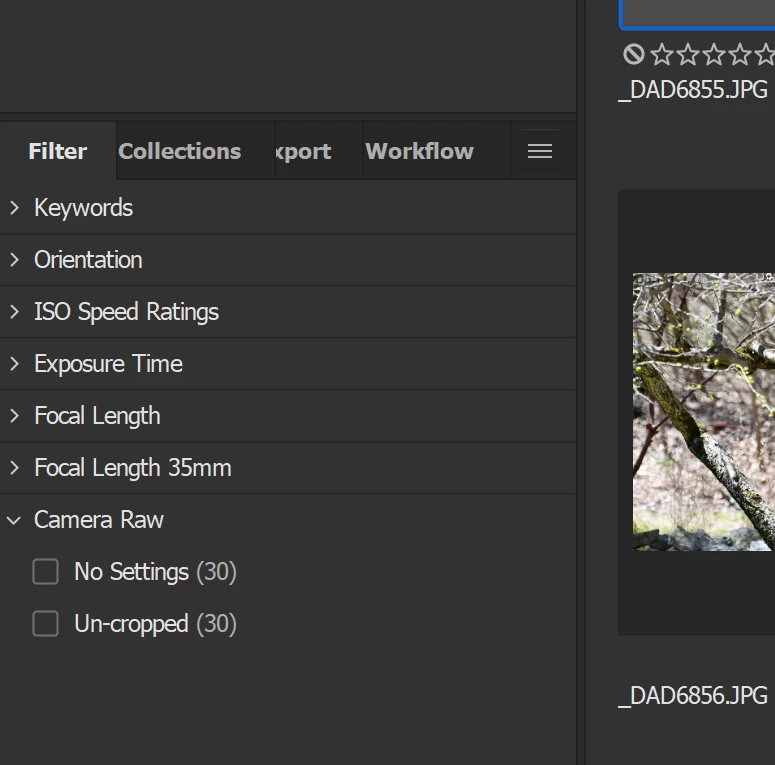
I recently retired and two things changed: I have a new camera (Nikon 7500) and a new (non-work) Adobe Photographers account. I believe everything is up-to-date including ACR but in Bridge I only have previews for jpg files. The filter shows there are Raw files downloaded but I can't open them?

What am I doing wrong? 
This topic has been closed for replies.

1 reply

gary_sc
Community Expert
Community Expert
April 17, 2022

Do you have Adobe Camera Raw (ACR) installed? That's needed for both Photoshop and Bridge to work with raw images.


Participant
April 17, 2022

My account says Camera Raw is up to date. Is there something else I need to do so it is recognized in Bridge?


gary_sc
Community Expert
Community Expert
April 17, 2022

What kind of raw images are you shooting? Is your camera supported? Check this list please: 

https://helpx.adobe.com/camera-raw/kb/camera-raw-plug-supported-cameras.html


If your camera is supported, please try rebuilding your cache and if that didn't work, please try rebuilding Bridge's Preferences.


Refresh your cache. 
Go into your Tools (menu) -> Cache -> Manage Cache ... and you'll get a window popping up:


Select the button (in the red rectangle), click "Next" and follow along.


To reset Preferences:
Quit Bridge (if running). Just before clicking on Bridge in the Dock or double-clicking the application, for the Mac, press Command-Option-Shift. For PCs, press Control-Alt -Shift. Then open Bridge BUT KEEP your fingers on those keys until you see a window pop up. From the window, choose “Reset Preferences," "Entire Thumbnail Cache”, and/or "Reset Standard Workspaces.” In your case, choose "Reset Preferences."


Let us know what happens, good luck!