Participating Frequently
Sep 10, 2021 5:09 PM UTC
Answered

Change label in metadata panel

Hello there

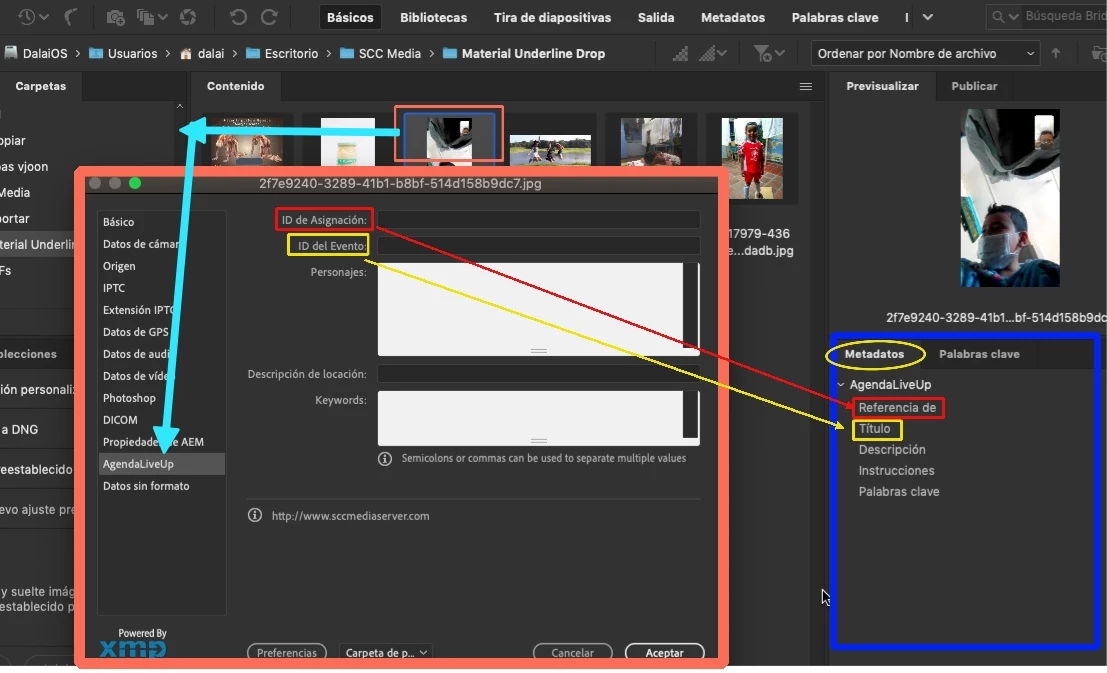
How can I change the tags that are in the right panel of the metadata?  

I need "ID de Asignación" to appear instead of "TransmissionReference" (or Referencia de Transmisión)
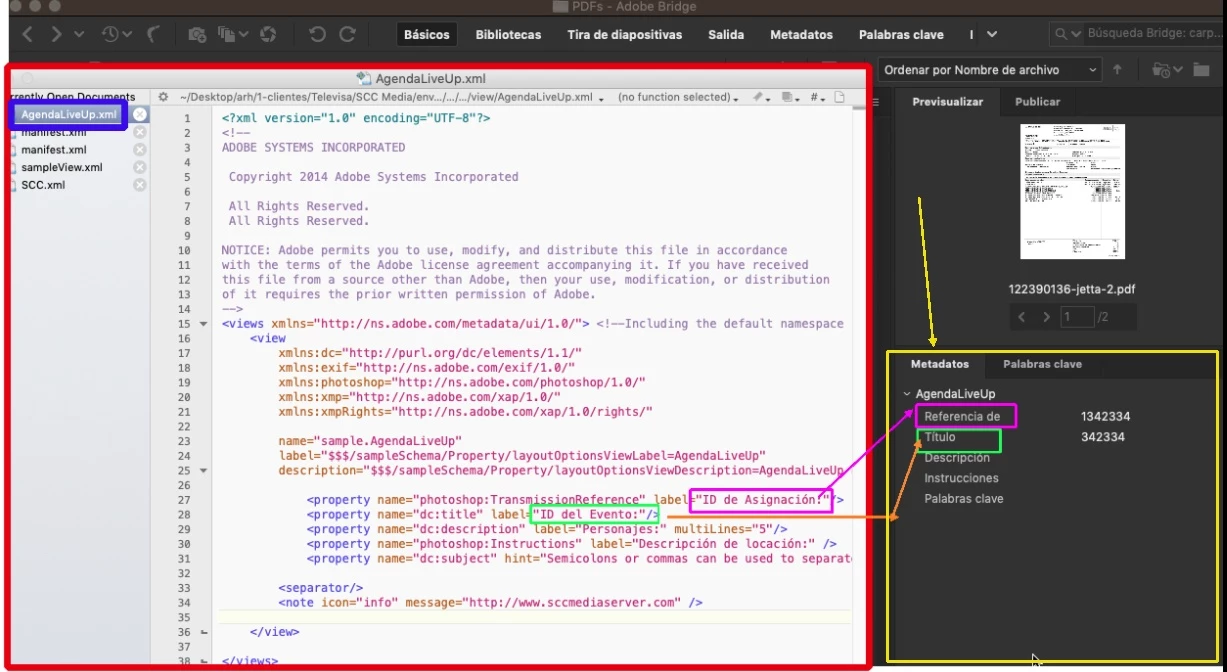


In the file info window I was able to do it, but not the metadata panel.


Gracias

Antonio



This topic is closed to new replies. Start a new post to keep the conversation going.
gregreser
gregreserCorrect answer
Legend
Sep 13, 2021 7:46 PM UTC

This looks like an XML extension based on the XMP Metadata UI SDK CC 2014 

I have found that these extensions have several bugs and can be tricky. I can look at your extension, if you would be able to share the entire folder /AgendaLiveUp


You might consider an alternative for making custom metadata panels. It is more reliable and has many more features. https://exchange.adobe.com/creativecloud.details.103752.html


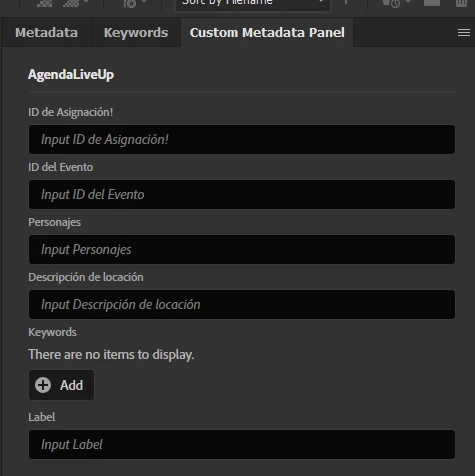
I used the Custom Metadata Panel to make a version of AgendaLiveUp.

The labels are correct and it is possible to edit the xmp:Label property. You could make xmpLabel a dropdown of controlled values to match your local use.


I think this would be much better than the XML custom extenstion.


15 replies

Legend
Sep 10, 2021 6:05 PM UTC

You cannot change the Metadata panel. What version of Bridge is this and where is that xml file located?

Translate
Participating Frequently
Sep 10, 2021 7:56 PM UTC

Hello Lumigraphics


The versios of Bridge is 2021, and the XML is in:


/Users/dalai/Library/Application Support/Adobe/XMP/Metadata Extensions/AgendaLiveUp/view/AgendaLiveUp.xml

Translate
Legend
Sep 10, 2021 8:44 PM UTC

Is that an AEM extension? If so, I'd ask in the AEM community


https://experienceleaguecommunities.adobe.com/

Translate