kjelli87279498
Participant
June 20, 2019
Question

Color inconsistencies

  • June 20, 2019
  • 1 reply
  • 198 views

Can someone explain to me the different colors and how to fix it:

left: Bridge and Windows Fotos

Bridge color management is synchronized.
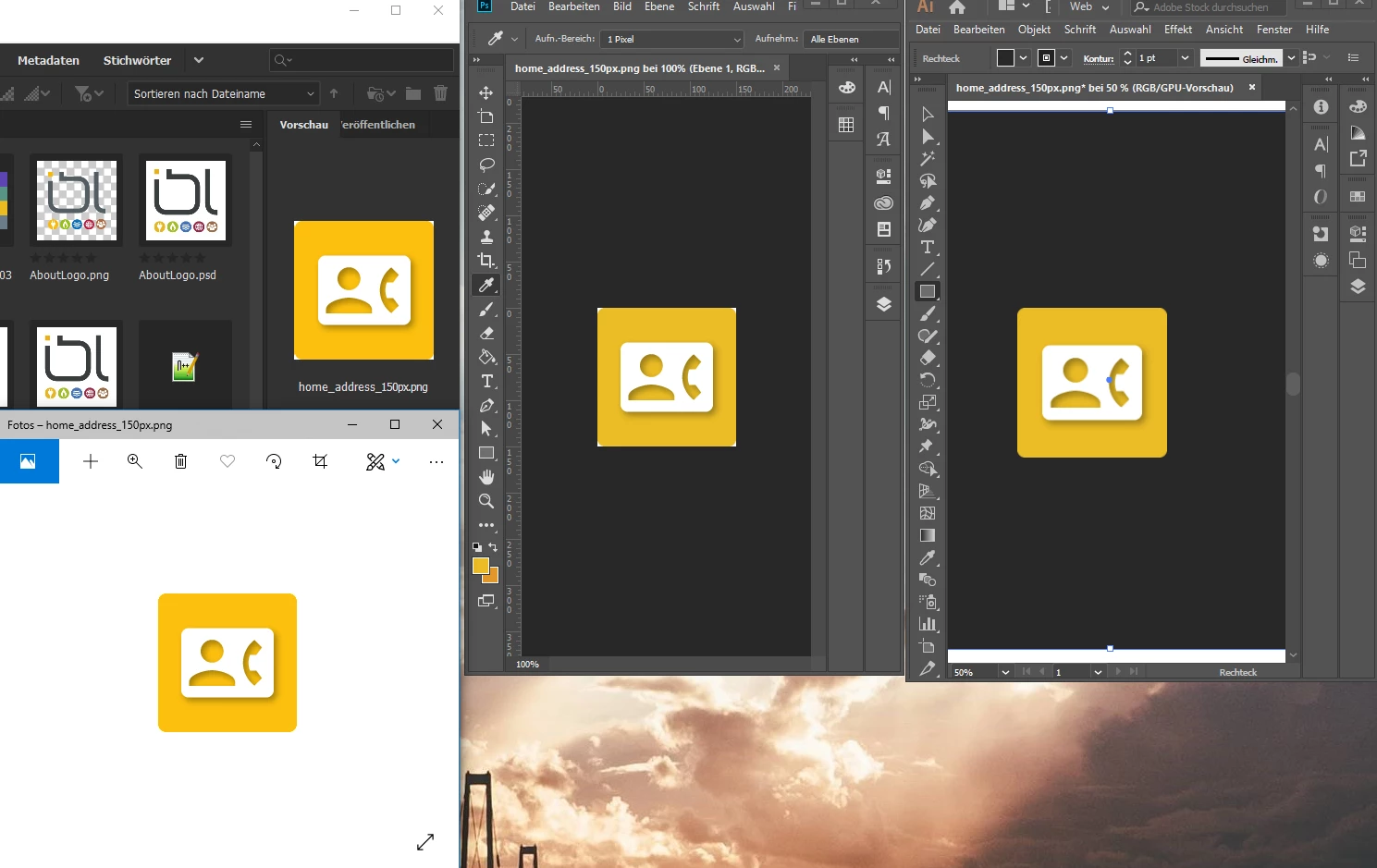
    This topic has been closed for replies.

    1 reply

    Akash Sharma
    Legend
    June 20, 2019

    Hi kjelli,

    That shouldn't be happening as Bridge colors are looking different than what you see in Photos app in Windows, could you please let us know the version of Bridge and Windows you're working on?

    What color space is your image saved in? Is Windows Photo Viewer Color Managed.  Does Windows Photo Viewer convert the Image colors for your  display's color profile and what color space does your windows desktop have?  Photoshop is a color managed Program.

    Also, I believe that Windows "Photos" is not color managed, not to be confused with "Windows Photo Viewer", which is.

    The only thing you can do is to save from Photoshop in the sRGB color space. There may still be a difference, depending on your monitor, but that's as close as you will ever get. Insofar as there is a difference, Photoshop is right and Photos wrong

    Thanks,

    Akash

    kjelli87279498
    Participant
    June 24, 2019

    I have narrowed down the problem. Only Microsoft Software is showing the wrong colors. Windows Foto app, Internet Explorer, etc.

    My initial goal was to create icons for a web app.

    Illustrator (v23.0.3) is in RGB mode

    But when I export as jpeg (with sRGB profile) the colors are different in Chrome and IE (Windows explorer, Windows Photo)

    The screenshot is not that accurate, on my monitor the difference is worse. Top is IE and bottom is Chrome
