

Question
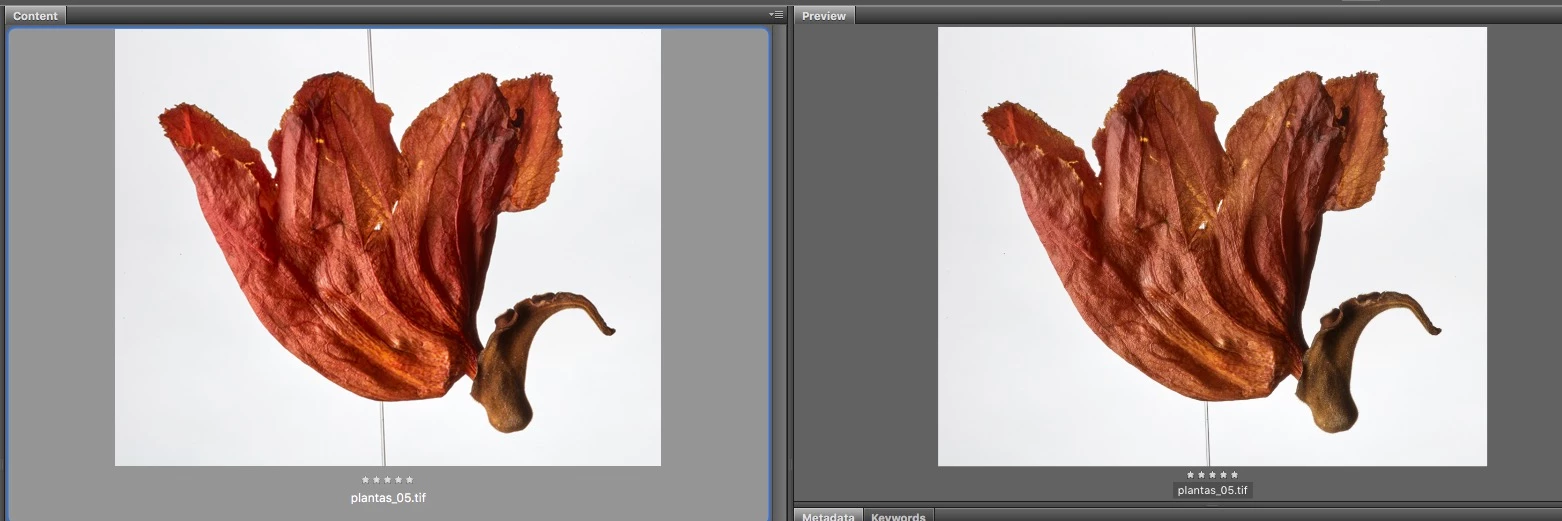
Color mismatch within Bridge
Hello
I just setup a new computer with Adobe Bridge CC and I´m experiencing a color issue.
The Thumbnail in Content Panel is saturated particularly in reds, while Preview Panel is correctly matching Photoshop results.
This happens both in laptop and external monitor.
Both monitors are color calibrated calibrated, and I have cleaned the cache.
Color settings are set to be synchronized in Adobe apps.
Computer:
MacBook Pro (13" 2016)
OS Sierra
2.4 GHz Intel Core i7
16GB RAM, Intel Iris Graphics 540
Adobe Photoshop CC
Adobe Bridge CC
Thank you for your support


 AdChoices