
kiwiuk927
Participant
May 6, 2019
Question

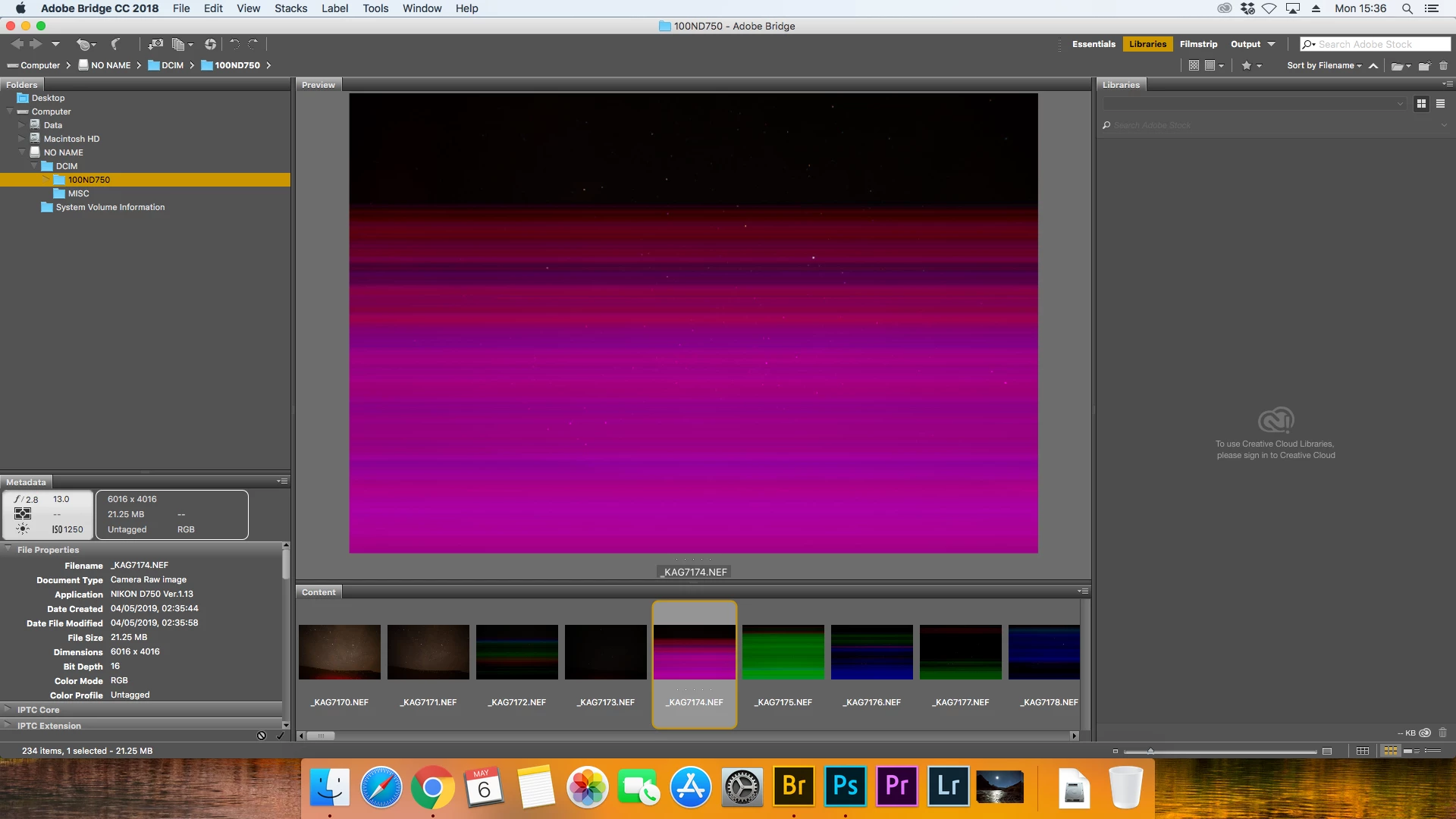
Color Smears on images - Bridge CC 2018 macOS High Sierra

  • May 6, 2019
  • 1 reply
  • 231 views

Hi,

I was wandering if anyone has seen this before.  It does not happen all the time and it happens with different lens as well.  Some photos have no smears on them at all and some are multi coloured.  Any suggestions would be welcome as this is being a pain now

Problem
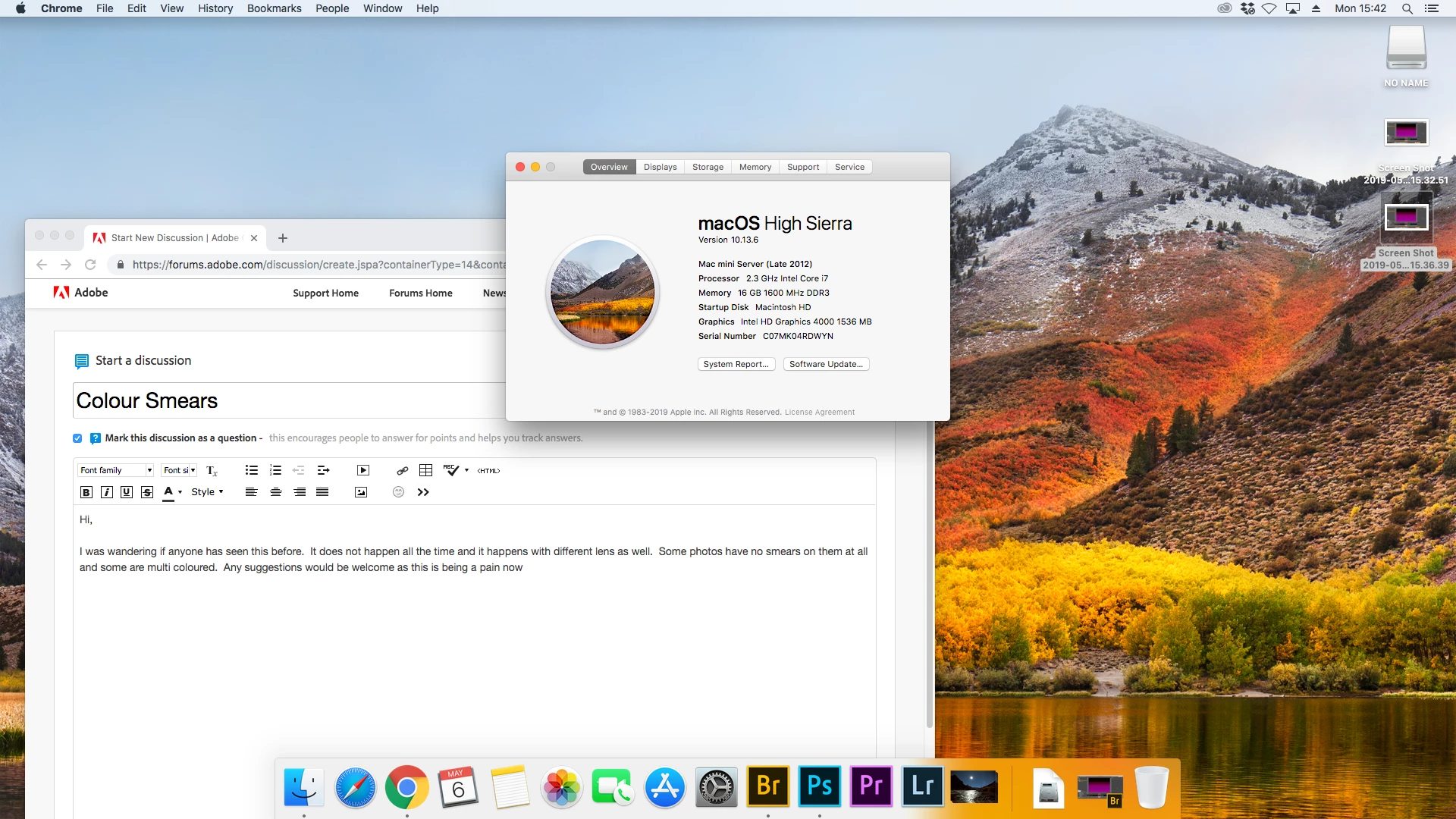
Machine Spec
Kind regards,

Kevin

{Thread renamed by moderator}

    This topic has been closed for replies.

    1 reply

    Sahil.Chawla
    Adobe Employee
    Adobe Employee
    May 6, 2019

    Hi Kevin,

    That should not be happening, as you're seeing color smears on some images, could you please let us know the version of Bridge you're using?

    Also, the issue might be happening due to some sort of image corruption. Could you try capturing some new images and use a secondary SD card if possible and let us know if you still see color smears in Bridge?

    Have you tried viewing these images in other applications?

    Regards,
    Sahil

    kiwiuk927
    kiwiuk927Author
    Participant
    May 6, 2019

    Hi Sahil,

    Thanks very much for your reply.  The very odd thing it's not happening to all images.  As the image next to it is fine.  If I look at the same images on my PC they are all shown correctly

    I am using a older version of bridge version 8.1.0.383 I did install the current version of bridge and same thing happened.  I will take the photos into work and try them on a couple of macs at work to see if they show the same type of thing.  It may a;; be down tot he video card

    kind regards,

    Kevin