Inspiring
December 20, 2022
Answered

Create contact sheet in Adobe Bridge with the images fit to cell. No space margins between images

  • December 20, 2022
  • 2 replies
  • 1916 views

I would like to create a contact sheet of multiple images in the Adobe Bridge output section, but I am facing the problem that don't know how to make that all images have no separation spaces between them of any kind ( setting the margin to 0 is possible) but every image has a different aspect ratio so if I maintain that ratio gaps will be shown among the cells. I do want to fill those gaps and that means that there should be an option to fill the cell with the image even if a little part of the thumbnail image is cropped (at the top ,bottom or laterals) I want all the images next to each other without any space between them.


Is this possible with Bridge. Is there any software if not where I could accomplish this?


Thank you.

This topic has been closed for replies.
Correct answer gary_sc

#1: I know of no feature in Bridge or Photoshop that can do what you're asking for. 


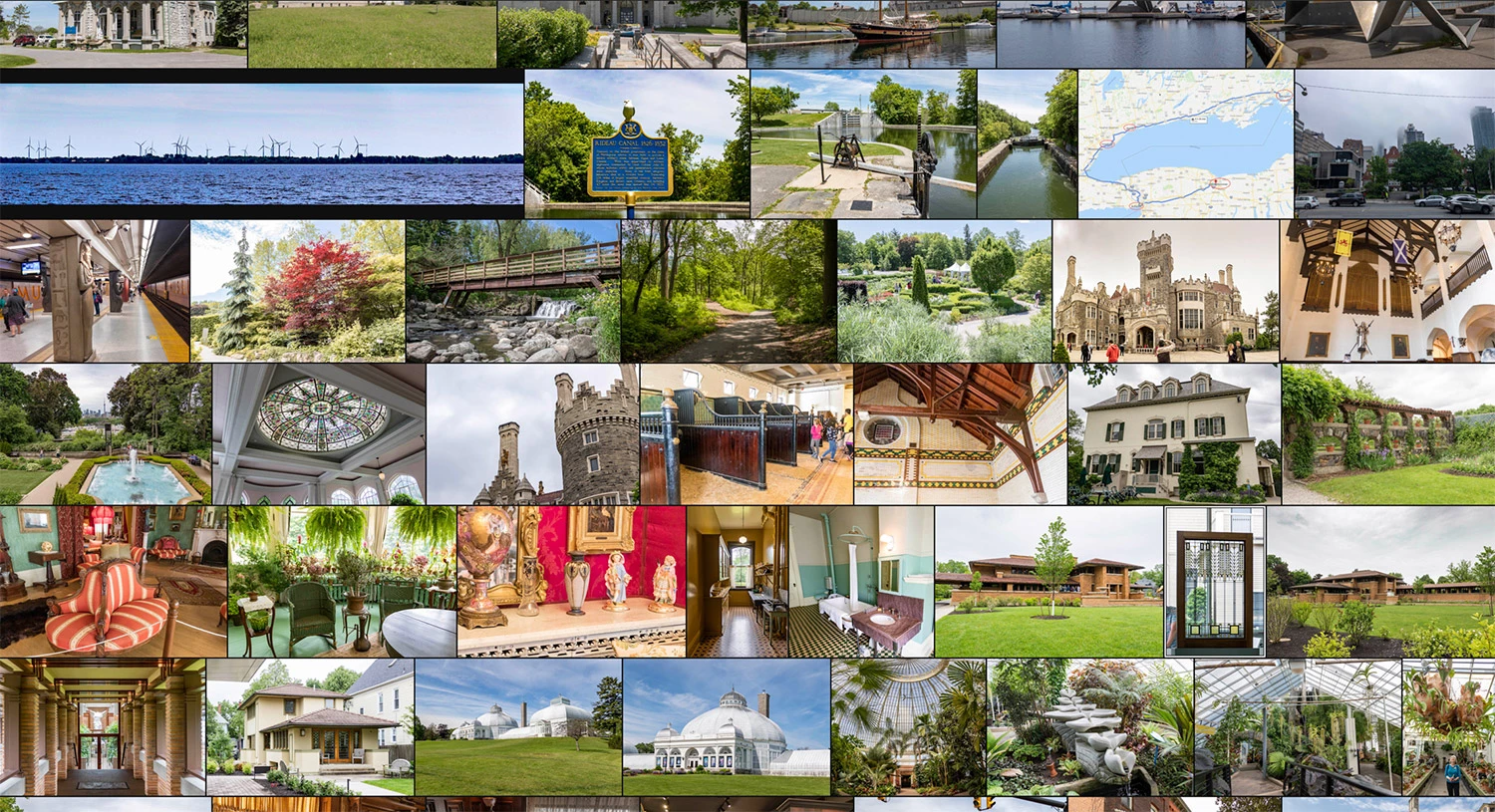
#2: If you have Lightroom Desktop, they do have a Photo Grid view that kinda sorta does what you want, but you cannot print from it and cannot share it. The best option you have is to take a screenshot of it (as I did below). In addition, the images will be in whatever order the software determines it can merge the images together. And even with that, there still will be occasional gaps if there are any "very" uniquely cropped images.


You can see how you can print out a grid view in this video (https://www.youtube.com/watch?v=5BBBr_lH08Q), but this is based on all the images being the same size and shape.

2 replies

Legend
December 21, 2022

How does the app decide what to crop? You could make an action to size everything equally in Photoshop and then do a contact sheet, but otherwise no.

mastixAuthor
Inspiring
December 21, 2022

The app decides to crop proportionally out the top or laterals depending on the images. Usually most websites have square crops to choose so that you have a grid of 20 square images. this gives a very nice and minimalistic look.

Legend
December 21, 2022

This would require you to write a script or use an action to crop every image to a square. At that point, its easy.

gary_sc
Community Expert
gary_scCommunity ExpertCorrect answer
Community Expert
December 21, 2022

#1: I know of no feature in Bridge or Photoshop that can do what you're asking for. 


#2: If you have Lightroom Desktop, they do have a Photo Grid view that kinda sorta does what you want, but you cannot print from it and cannot share it. The best option you have is to take a screenshot of it (as I did below). In addition, the images will be in whatever order the software determines it can merge the images together. And even with that, there still will be occasional gaps if there are any "very" uniquely cropped images.


You can see how you can print out a grid view in this video (https://www.youtube.com/watch?v=5BBBr_lH08Q), but this is based on all the images being the same size and shape.

mastixAuthor
Inspiring
December 21, 2022

Thank you very much. You are correct . I could not find anyway to do that in Bridge. Would be great if that would be possible. In Lightroom I think there is the output to print option where you can configure those cells without any space. But again, all in one size, that would work. But I will keep investigation if such a program exists. Many websites have an arrangement like the one I am after. I guess such a program must exist somewhere. Thank you for your help.