
CS6 ScriptUI Scrollbar issues
We're working on building a palette with a scrollbar. However, we're running into an issue with the display in CS6. We've gotten it to display correctly on Windows and Macs in previous versions of Bridge, but CS6 seems to have a bug even after the most recent update (version 5.0.1.21).
The scroll bar appears as below.
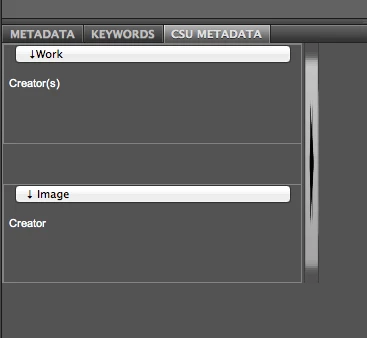
When we changed the dimensions of the scrollbar, we found that not only was the scrollbar distorted but it's actually oriented horizontally to control the vertical position.
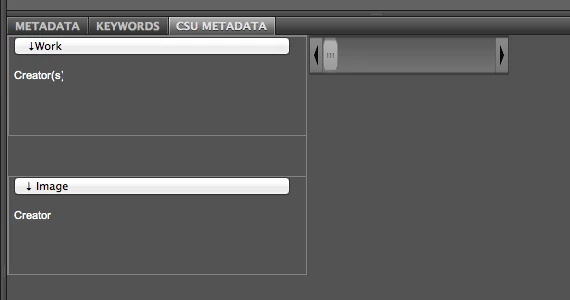
We've tried nesting the scrollbar in a group or giving it a separate panel, as well as giving those panels and groups a specific column orientation, but nearly all of those results give us something like the following:
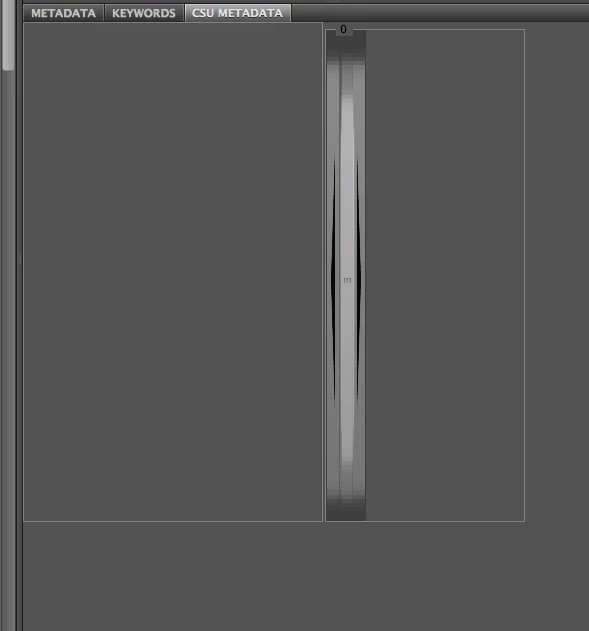
The following code was our last iteration that gives the above output:
#target bridge
if (BridgeTalk.appName == 'bridge')
// dimension and font variables
var fF = ['fill', 'fill'];
var fT = ['fill', 'top'];
var lblSize = [60, 15];
var lblBounds = [5, 10, 60, 27];
var etFont = ScriptUI.newFont ("Arial", 11);
var etBounds = [10, 10, 200, 27];
// Create the TabbedPalette object, of type "script"
var tbPalette = new TabbedPalette( app.document, "CSU Metadata", "CSU_Metadata", "script", "right", "bottom");
// Create a ScriptUI panel to be displayed as the tab contents.
var panel = tbPalette.content.add('panel', "x:0, y:0, width:300, height:500", "");
var tbPanelSbGrp = tbPalette.content.add('panel', "x:302, y:0, width:200, height:500", 0, 0, 20, 500);
tbPanelSbGrp.orientation = 'column';
var tbPanelSb = panel.add('scrollbar', "x:302, y:0, width:40, height:500");
tbPanelSb.stepdelta = 10;
tbPanelSb.jumpdelta = 40;
tbPanelSb.onChanging = function() {
var scrollVal = Math.round(this.value);
this.value = scrollVal
}
Has anyone found a work around for this problem? I've seen the same problem mentioned elsewhere but without a solution:


 AdChoices