
Participant
November 1, 2017
Question

Error message when trying to open file in bridge

  • November 1, 2017
  • 2 replies
  • 377 views

I updated to the newest version of both Bridge and Photoshop and whenever I  click to open a file in Bridge it gives me the error message in this photo.
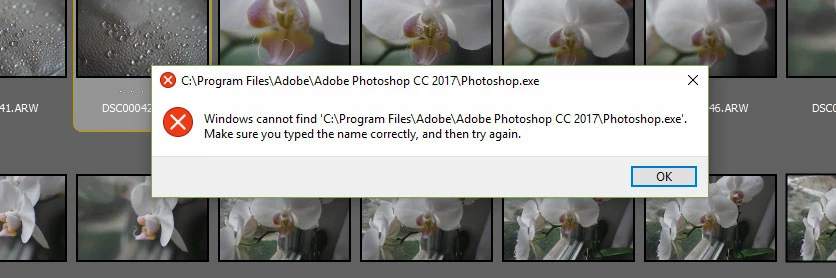

Does anyone have the same problem and how do I fix it?

PLEASE HELP!!

This topic has been closed for replies.

2 replies

melissapiccone
Community Expert
Community Expert
November 1, 2017

Try going to the Bridge preferences and look at the File Type Associations. See if you can change them to Photoshop CC 2018.

Melissa Piccone | Adobe Trainer | Online Courses Author | Fine Artist
melissapiccone
Community Expert
Community Expert
November 1, 2017

Bridge is looking for Photoshop CC 2017 - make sure your Bridge was actually updated. Right click on your image and choose open in and choose Photoshop CC 2018.

Melissa Piccone | Adobe Trainer | Online Courses Author | Fine Artist
Participant
November 1, 2017

I did that and it's still not working. I am uninstalling it and going to install again and see if that works. Very frustrating!