
Participant
June 17, 2020
Answered

Export panel in Bridge 2020 only export JPEG ?

  • June 17, 2020
  • 2 replies
  • 1671 views

Hi there,

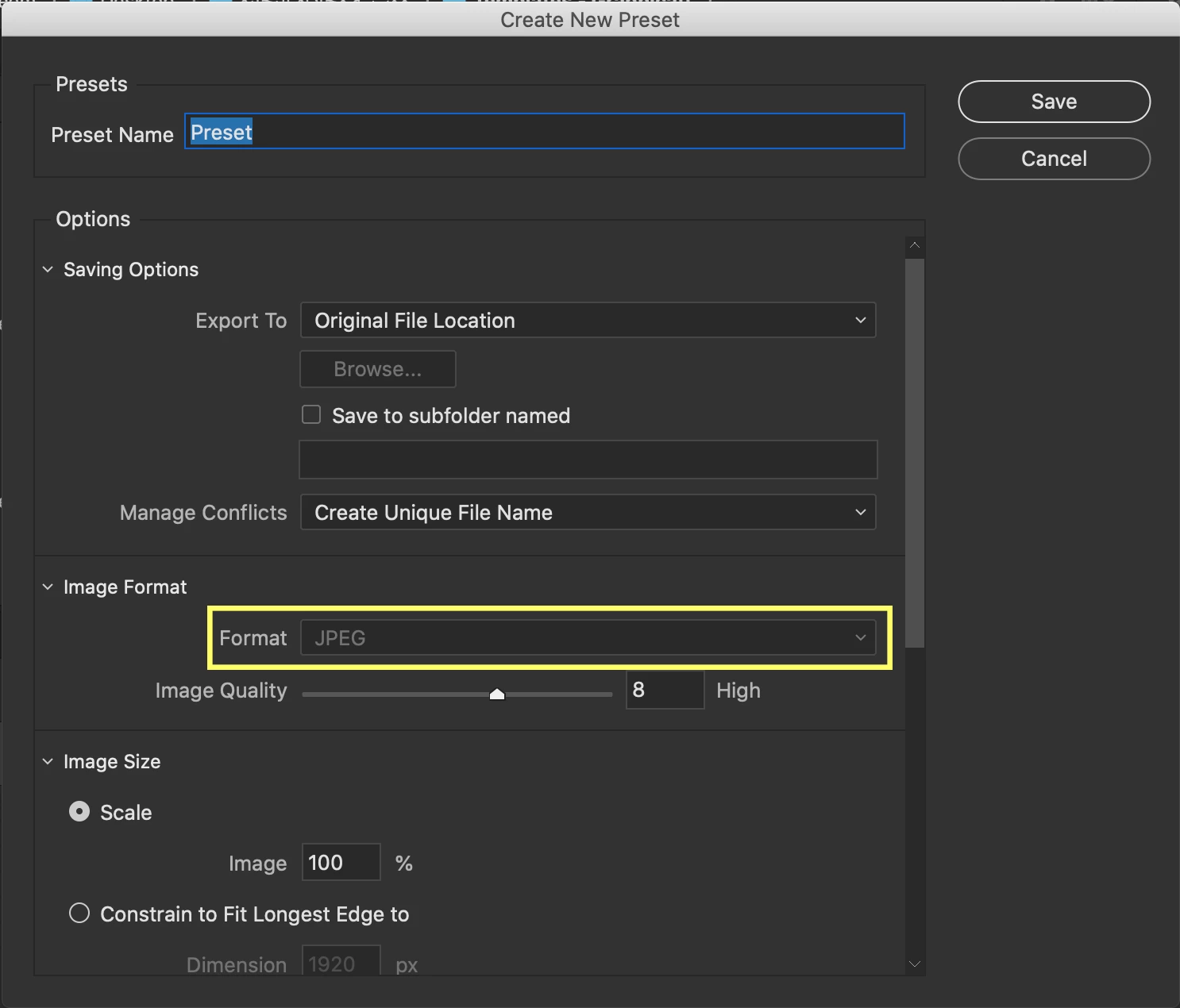
I am trying to convert my photos to DNG, TIFF, and PNG using the Export panel in Adobe Bridge 2020. Unfortunately, the image format option is grayed out "please see the screenshot below", and it only allows me to convert the photos to JPEG format. how can I fix this?
 

This topic has been closed for replies.
Correct answer Varun Varshney

Hi Ibraheem_Altowaiher1,


Thank you for reporting this issue with us. We have introduced Export to DNG/TIFF/PNG in version 10.1.0.163.

From the screenshot, it looks like you are using an older version of Bridge10.0.x.x.


Please upgrade to latest 10.1 version by going to "Help > Check for updates" in Creative Cloud Desktop.


Thank you,

Adobe Bridge team

2 replies

Varun Varshney
Adobe Employee
Varun VarshneyCorrect answer
Adobe Employee
June 18, 2020

Hi Ibraheem_Altowaiher1,


Thank you for reporting this issue with us. We have introduced Export to DNG/TIFF/PNG in version 10.1.0.163.

From the screenshot, it looks like you are using an older version of Bridge10.0.x.x.


Please upgrade to latest 10.1 version by going to "Help > Check for updates" in Creative Cloud Desktop.


Thank you,

Adobe Bridge team

Participant
June 18, 2020

Hi Varun,


Yes indeed, thank you very much for your replay ☺️. I did the update and it works fine.


Happy Birthday Adobe Bridge 🎂 ☺️


gary_sc
Community Expert
Community Expert
June 17, 2020

What is the format of the original images?

Participant
June 17, 2020

Hi Gary,


I tray it with (CR2 "RAW" format and JPG).