Inspiring
October 20, 2017
Answered

File info Panel

  • October 20, 2017
  • 1 reply
  • 1214 views

Just installed the latest version of Bridge 8.0.0.262, where I found that the Description and Keyword panels cannot be resized

I think this is a major step backwards, as I only a couple of lines can be seen. The colour of the panel is also much darker than before, which makes the text harder to read.

I wonder if this could ba changed?

This topic has been closed for replies.
Correct answer Chuck Uebele

As mentioned before, this is a step backwards, at least in my opinion. Usually enter up to 40 lines of text in the description panel In my work. Have to expand the window to see what I have written. Without this ability, the whole thing is useless.

It is a pity, because everything else works well. Had to uninstall the new version and go back to the previous one


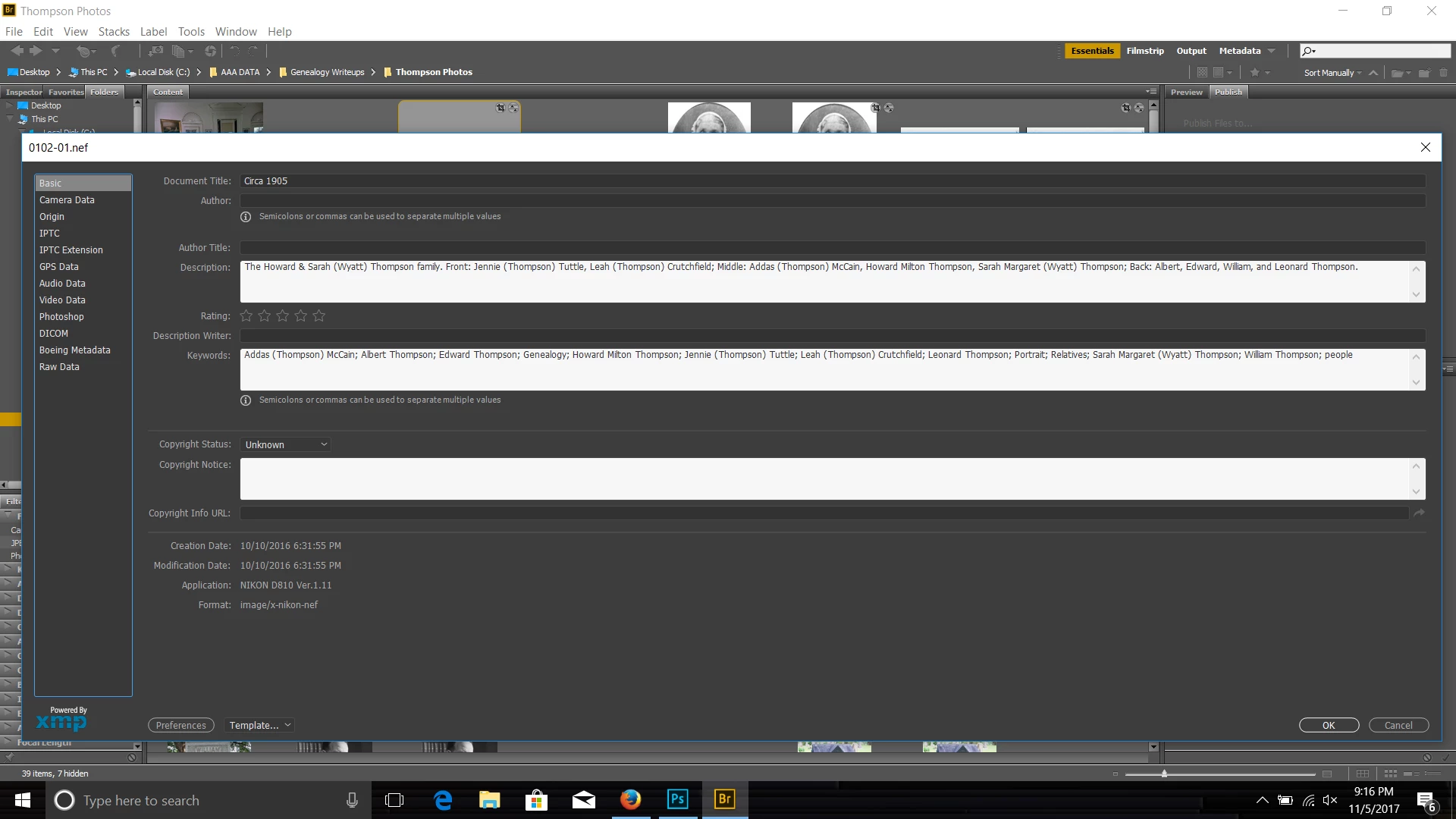
While you can't do expand the panel down like you used to, you can expand the entire panel sideways, to show more:

1 reply

Sahil.Chawla
Adobe Employee
Adobe Employee
November 3, 2017

Hi Vienna,

Could you please let us know which operating system are you using?
I have tried resizing at my end and it's working on Windows 10.

Regards,

Sahil

Inspiring
November 4, 2017

Hi Sahil,

please note that this has been worked on by Avinash in another thread.

It is not the whole panel itself, but the individual windows inside the panel. In the previous versions, all windows could be resized through the downwards handle:

Chuck Uebele
Community Expert
Community Expert
November 5, 2017

The old panels were Flash based, so they could be resized. The new ones are not, so that feature no longer exists.