

sarv14
Participating Frequently
September 19, 2018
Question

File Info Panel - Alphabetical order

  • September 19, 2018
  • 3 replies
  • 1025 views

hello everybody.

i'm experiencing quite an unusual problem in the bridge's file info panel (cc 2018 edition): when i click on the folder button and all existing info file templates appear, they do not sort out in alphabetical order or any chronological order at all. here's a screenshot.
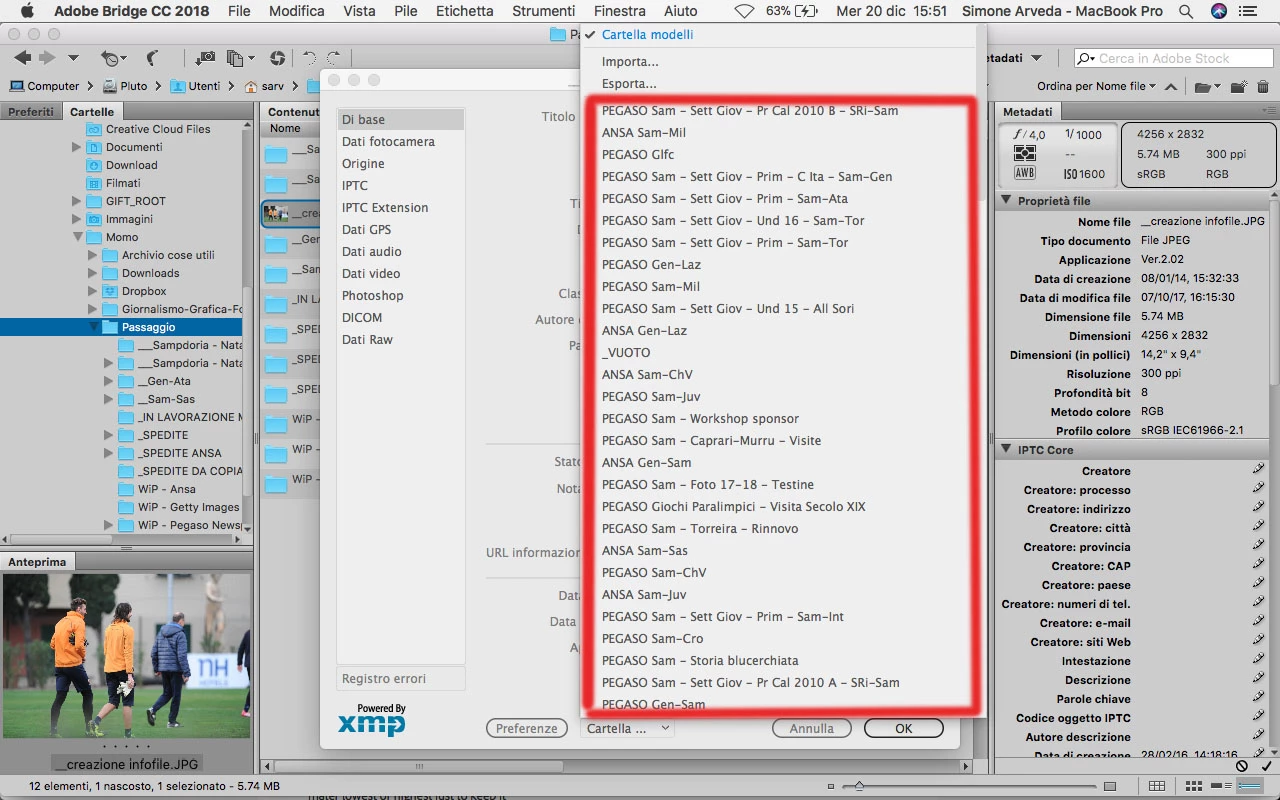
strange thing is this only happens on my macbook pro, while other devices do not create any problems at all.

This topic has been closed for replies.

3 replies

Participant
May 19, 2019

It's an old post but I also have the problem on both a 2012 MBP and a 2018 mini both running Mojave 10.14.4.  Both Bridges are 9.0.3.279.  This is very frustrating as I have a lot of templates.  Help!!!

Legend
May 21, 2019

Is the sort order set to filename in the Finder?

Participant
May 22, 2019

Yes the sort order in Finder is set to filename.

Community Manager
October 16, 2018

Hi Simone Arveda,

We have released a new version of Adobe Bridge (CC 2019) on 15th October 2018. The new version build number is 9.0.0.204. This version is available to install via Adobe Creative Cloud application.Please try with this new version and let us know if your issue got fixed.

Also please check following link to know about all new features in Adobe Bridge CC 2019 - https://helpx.adobe.com/bridge/using/whats-new.html

You may need to update the Creative Cloud application and restart your computer to see the updated installer.

Thanks,

Avinash

sarv14
sarv14Author
Participating Frequently
October 17, 2018

hi avinash,

thanks for your help. unluckily, even updating did not work: random infofile order's always there...

Legend
September 19, 2018

There are a couple of known issues with display order of various sets of data on Mac. I believe its related to changes made in High Sierra but I'm not certain. I don't know of any fixes.

jbm007
Community Expert
Community Expert
September 20, 2018

You be right,

Good luck getting theme fixed. To much finger pointing going on.