
Participant
February 14, 2017
Answered

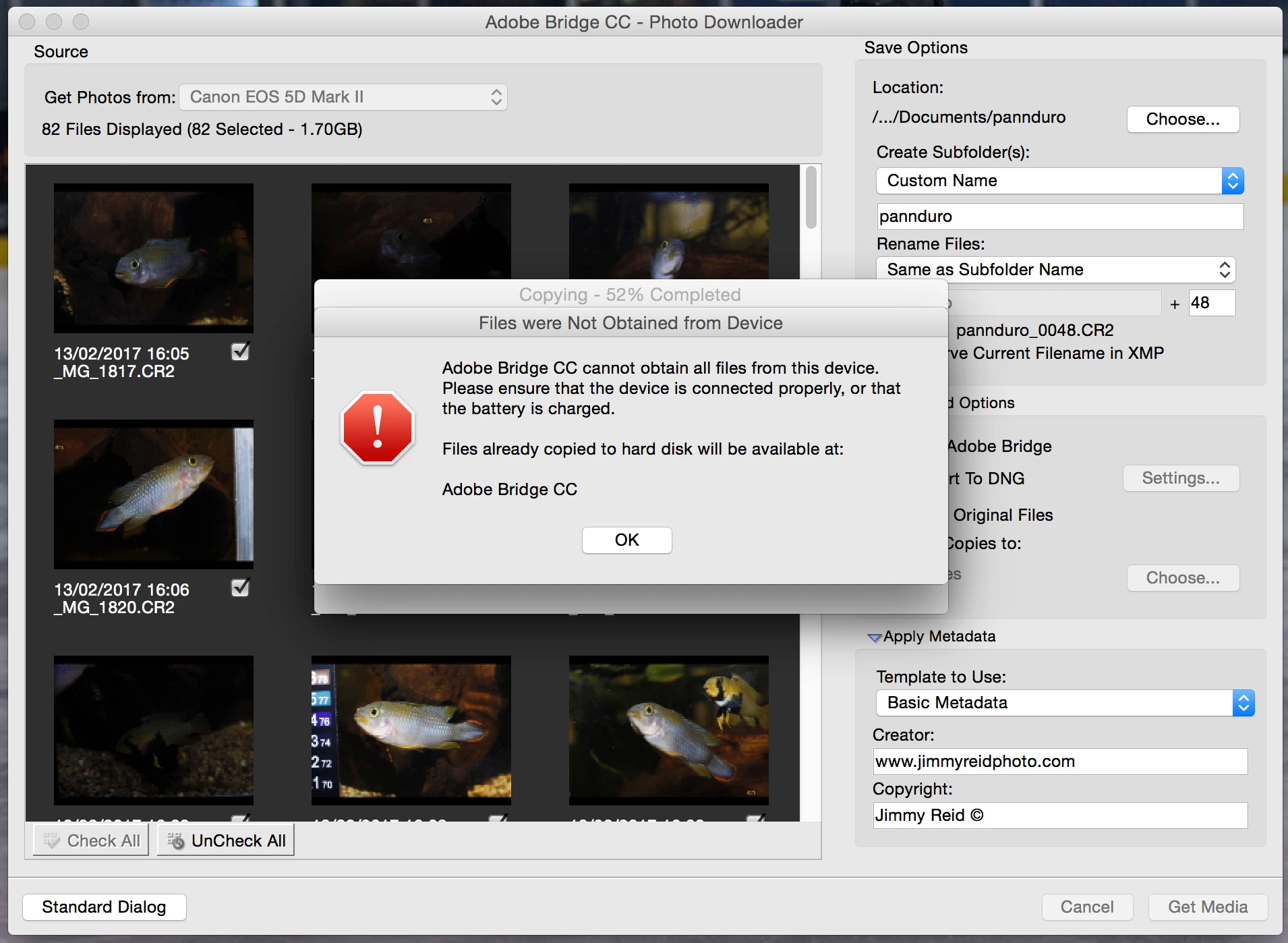
Files were not obtained from device error?

  • February 14, 2017
  • 2 replies
  • 1569 views

Hi guys I am constantly getting this message when trying to download photos from my camera. This has only started recently. It's seriously annoying! I am on a mac.

Does anyone know how I can fix it?

Thanks in advance

Jimmy
    This topic has been closed for replies.
    Correct answer Sahil.Chawla

    Hi Jimmyreid,

    There could be some kind of a USB issue. If you have numerous USB add-ons connected try removing them or shuffling around how they are connected to the Mac. If connected via a USB hub, try a direct connection to the Mac.

    Regards,

    Sahil

    2 replies

    Participant
    September 11, 2022

    I'm having the same issue. I have an IMAC with 12.5.1 operating system. I have been downloading fine until today and the "Files were not obtained from device "came up. I have put the card in the Mac directly. I can read the card in finder but this doesn't help for organization of my material. Is there a hot fix since I have just recently updated my Adobe Bridge Software. 

    Sahil.Chawla
    Adobe Employee
    Sahil.ChawlaCorrect answer
    Adobe Employee
    February 16, 2017

    Hi Jimmyreid,

    There could be some kind of a USB issue. If you have numerous USB add-ons connected try removing them or shuffling around how they are connected to the Mac. If connected via a USB hub, try a direct connection to the Mac.

    Regards,

    Sahil

    Participant
    June 27, 2020

    Hi,

    I am also reciving this error, but with a twist....Bridge (ver10.1.0.163) will access and download photos from my iPhone XR with no problem. When I connect my wife's iPhone 11 Pro, however, I get the error message referenced by Jimmy who originated this post. The error sometimes shows up immediately, sometimes after downloading a few pictures, and sometimes after several (i.e. 37% of download successful). This is perplexing, and I am not able to find a solution to the problem. I contacted Apple, and they were not able to help because "...Bridge is a third-party application that we cannot troubleshoot..."

    I am using the Apple USB-C cable that came with the iPhone to connect to one of the ports on the computer. Computer is a MacBook Pro 2019 edition running Catalina. 32GB RAM and a 2TB SSD. So I do not think the hardware is the problem....

    Thanks in advance for a helpful solution!!

    Regards,

    Mel

    P.S. The iPhone 11 Pro seemed to encounter no difficulty downloading pictures while I had a trial version of Lightroom installed...?!?!

    Participating Frequently
    September 23, 2020

    Same problem here, three months later - photos and videos have been stuck in my phone for weeks.


    I got the same brush-off from the first-level Apple phone support rep, but when I insisted that the trouble was (and still is) duplicatable on other apps, including those recommended by Apple's support pages, she escalated me to a support rep who showed more concern - remoted into my computer and, after an hour, forwarded the issue to the "engineering department."  A week later, I received a call back and was told the problem was known by the engineers and would be fixed in a forthcoming update.  This was all on Windows 10.  Today, I couldn't wait any longer and managed to get my hands on a brand new iMac, installed the latest Catalina OS and updated my phone to iOS 14 (released yesterday).  Shockingly - same problem!  My iPhone 11 Pro Max can't dump photos and videos to a brand new iMac running the latest everything.  It'll dump some of 'em - but rarely more than a couple hundred.