delh66567694
Known Participant
September 14, 2023
Answered

Filters not being followed when copying

  • September 14, 2023
  • 1 reply
  • 464 views

I've imported lots of RAWs and jpgs from my camera using Bridge.

From there, I want to split the RAWs into a sub folder and then start culling the jpgs.

I use the filter so I can select only RAWs - then I do ctrl-A to select all the RAW files and then move to my RAWs folder.

I do this - check the correct number of files are selected - but find that it's copied most of the jpgs too.  It doesn;t seem to be respecting the filter settings.
 

This topic has been closed for replies.
Correct answer Shangara Singh

Filter panel is working as expected: it only shows/hides files (i.e, not affect any settings). Bridge treats raws+JPEGs with same name as a paired file. Hence, filter settings has no effect when you filter then drag files to another folder. However, it doesn't treat JPEGs+raws with same name as a paired file! You can argue that's a bug, but since cameras record raws+JPEGs, not JPEGs+raws, logic appears OK to me, though obscure. I say cameras though I can check only Nikons.


We've asked many times for an option to treat raws+JPEGs with same name as separate files but there's no movement (maybe Bridge team can comment if watching).


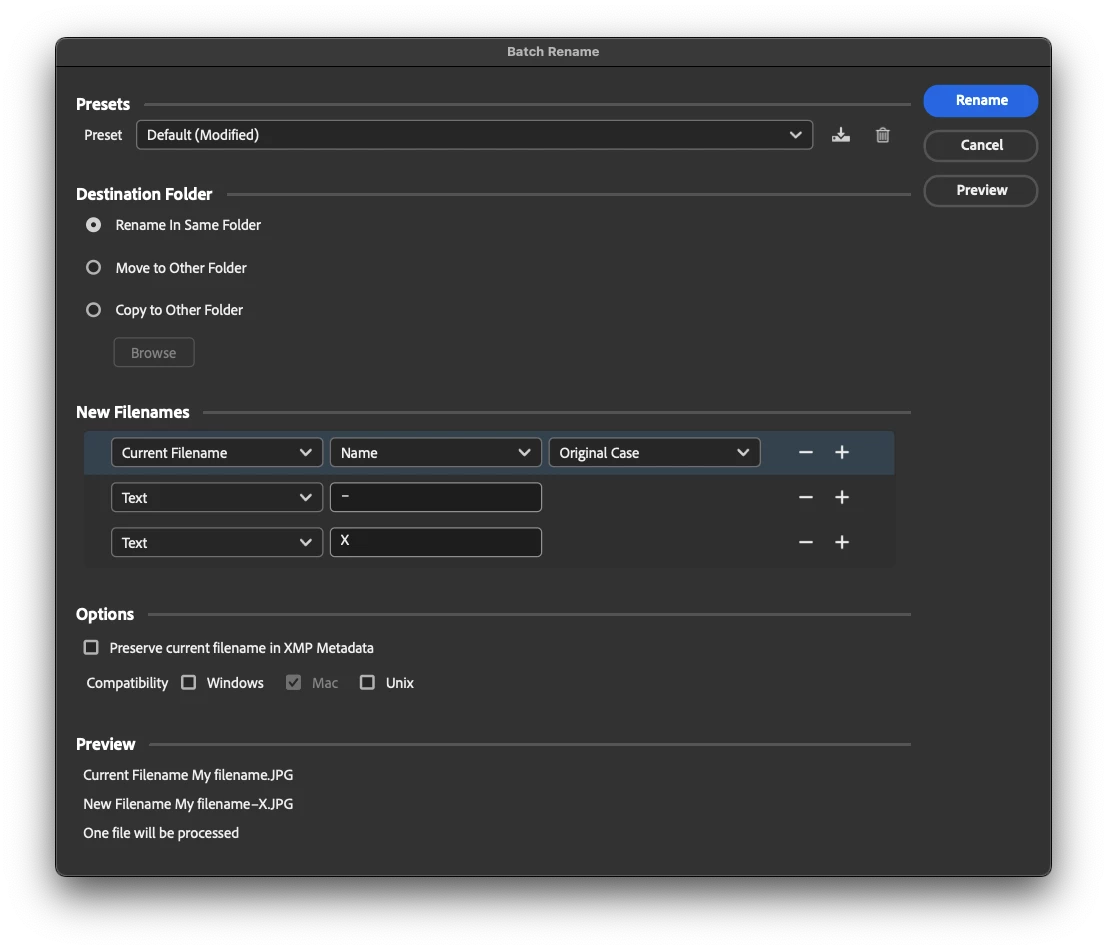
I suggest you select all the JPEGs, batch rename by adding a character(s), then when done remove the character(s) using string substitution. That way, JPEGs won't follow when you move raws.

HTH.

Shangara SINGH.

1 reply

delh66567694
Known Participant
September 14, 2023

Note - just updated to Bridge 2024 and exactly the same thing.  It says I've selected 233 out of 466 files, then I move them to the RAWs folder...  Check the RAWs folder and I have 466 files in the RAWs folder - all the jpgs and the RAWs.

delh66567694
Known Participant
September 14, 2023

... If I then select all the jpgs in the RAWs folder and move them back... it copies only the jpgs.  EH?!?!

Any ideas?

Shangara Singh
Shangara SinghCorrect answer
Inspiring
September 15, 2023

Filter panel is working as expected: it only shows/hides files (i.e, not affect any settings). Bridge treats raws+JPEGs with same name as a paired file. Hence, filter settings has no effect when you filter then drag files to another folder. However, it doesn't treat JPEGs+raws with same name as a paired file! You can argue that's a bug, but since cameras record raws+JPEGs, not JPEGs+raws, logic appears OK to me, though obscure. I say cameras though I can check only Nikons.


We've asked many times for an option to treat raws+JPEGs with same name as separate files but there's no movement (maybe Bridge team can comment if watching).


I suggest you select all the JPEGs, batch rename by adding a character(s), then when done remove the character(s) using string substitution. That way, JPEGs won't follow when you move raws.

HTH.

Shangara SINGH.

Shangara SINGH.