louised43358484
Known Participant
October 20, 2024
Question

Fix the search option

  • October 20, 2024
  • 1 reply
  • 224 views

Feature request and/or fix existing

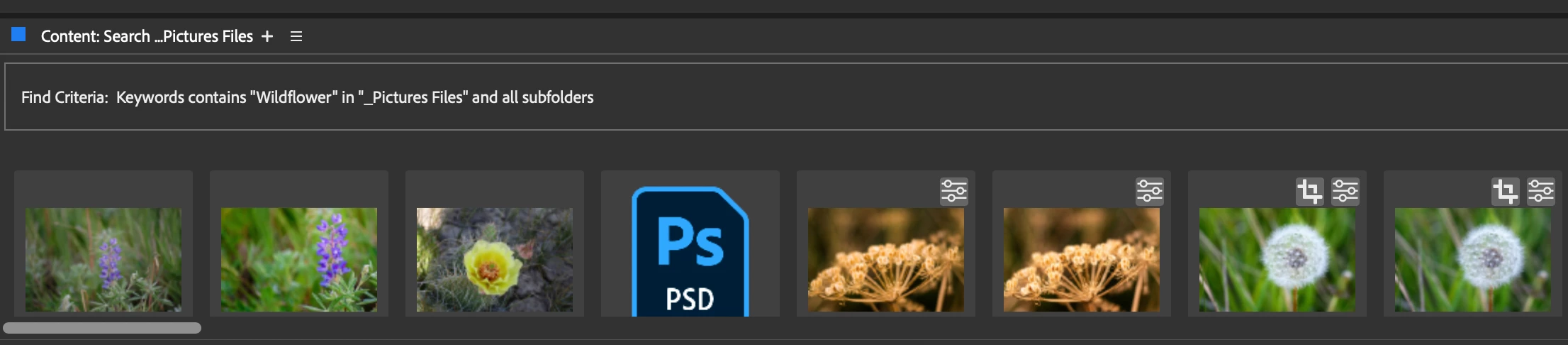
Make the Advanced Search usuable by having it search in subfolders properly and consistently or add the catalog feature from Lightroom Classic. One time it will find all of the images with a specific keyword and 

the next time it finds a few of the files.
Advanced search with options checked for checking in subfolders "should" search all of the subfolders inside the parameters. 


Searching keyword wildflowers in my folders should yield hundreds of images, today it found 110, earlier in the week it found 482. 


the next time it finds some


This topic has been closed for replies.

1 reply

Adobe Employee
October 21, 2024

Hi @louised43358484 
Could you please check and confirm if you have enabled both of the following configuration for search:
- Include all subfolders 
- Include Non-Indexed Files

Please try search with both these settings enabled and confirm if that resolves the issue for you.

Regards,

Bridge Team


louised43358484
Known Participant
October 28, 2024

Yes those options were both checked. 
Search in Bridge has always been a feature that worked sometimes but not consistently.. certain keywords will be searched properly and all of the files will show, but other keywords have only part of the files show up. 
Keywords were completed in Bridge, I set up Smart Collections with certain keywords and finally have the smart collections updating as I add those parameters to files but having a smart collection for every keyword is simply not feasible..