
Participant
January 28, 2023
Question

Frustrated with the scrollbar

  • January 28, 2023
  • 1 reply
  • 301 views

Hi,


If this is a config prob, I'd love to know how to fix, but if this is by design, please change the design...

I am using the latest version of bridge -

It seems that adobe has removed the arrows on the edges of the scroll bars and I am unable to make accurte small scolls using those arrows... I marked the corners of the scrollbar where it's clear there are no arrows... This is annoying and not user-friendly to say the least.
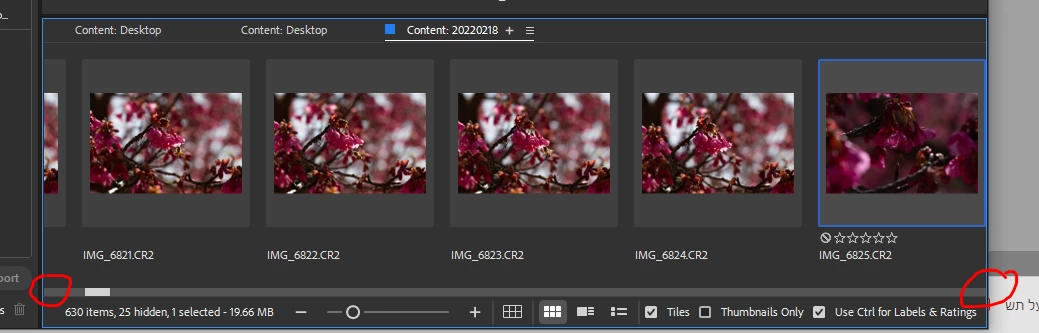
Please enlighten me... how do I get those arrows back?


Just to show what's missing - here's a different, non adobe app, with normal scrollbar arrows:
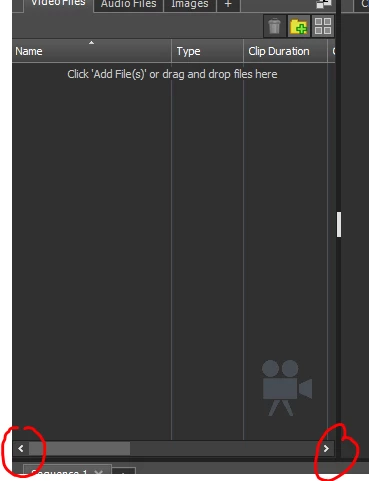
Thanks,

Vered

1 reply

scotte65742352
Participant
September 2, 2025

 Very frustrating 

gary_sc
Community Expert
Community Expert
September 2, 2025

Hi, @scotte65742352, if you look at the scrollbar region in the standard Content panel, it also does not have the arrows on the top or bottom. For reasons beyond my pay grade (I just volunteer here), Adobe doesn't consider this something that needs to be added. 


I almost never use the Filmstrip Workspace (it's just not part of my workflow), but I did just check it. I have the MX Master 3 Mouse, which includes a horizontal scroll wheel. I just tried using that in Bridge, and it's dreadful; it just jumps from side to side. What does work, and I use this all the time, is to mousedown on the scrollbar slider and drag that up and down (or left and right). I find this gives VERY precise travel to exactly where I want the thumbnails to end up.

I created this video (no sound) that shows the difference. Using the horizontal scroll wheel, start at about the 5" mark.


I know that's not what you wanted or asked for, but after all these years, I do not believe this is very high on Adobe's "do" list. 


https://youtu.be/gF5-5vheeto