IntsSed
Known Participant
March 20, 2025
Question

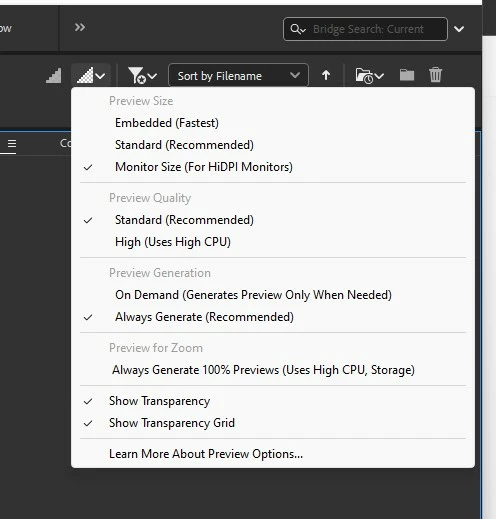
Full Screen Preview quality suddenly became bad, how to adjust?

  • March 20, 2025
  • 3 replies
  • 231 views

Large image diagonal Fullscreen Preview line quality became bad, look images below. Maybe that's not unusual, cannot remember?

Any ideas?

Thanks!



3 replies

gary_sc
Community Expert
Community Expert
March 28, 2025

Can you please share the above file? As @trace_3719 states, it might be a low-rez file or other limiting issues. To view the file would help in determining the issue and possible solution.


Thank you

Adobe Employee
March 28, 2025

Hi IntsSed,


Thank you for your feedback.

We are unable to reproduce the issue on our end.
Could you please provide the following details to help us investigate further?

  • Bridge version
  • System configuration
  • Is the issue specific to particular files or formats?


Please share the sample file/files on which you are observing the issue at sharewithbr@adobe.com and mention this thread. Your assistance is greatly appreciated!


Thanks,

Bridge Team


Participant
March 22, 2025
quote

Large image diagonal Fullscreen Preview line quality became bad, look images below. Maybe that's not unusual, cannot remember?

Any ideas?  e-zpassny com

Thanks!


By @IntsSed

Poor full-screen preview quality can result from low-resolution source files, incorrect software preview settings, outdated graphics drivers, display resolution mismatches, or insufficient system resources. Troubleshoot by verifying source quality, adjusting software settings, updating drivers, checking display settings, and monitoring CPU/RAM usage.