


Inspiring
April 30, 2026
Question

Having Problems Editing Metadata in Bridge

  • April 30, 2026
  • 1 reply
  • 13 views

I’m having a problem editing the Document Title metadata in my Photoshop psd file, so I decided to try  it in Bridge. I’m not familiar with Bridge, and I’m having a problem figuring out how to actually edit the metadata. I would appreciate it if someone could help me. 

I can get to the metadata pane of my file in Bridge. But I can’t seem to find a way to actually see the data in the document title field or edit it. Here’s a screenshot of what I am seeing. I see the field to edit, but I can’t seem to figure out how to edit it. Nothing I click on seems to bring up the area I can edit. Can someone help me out here? Thanks.

Jeff
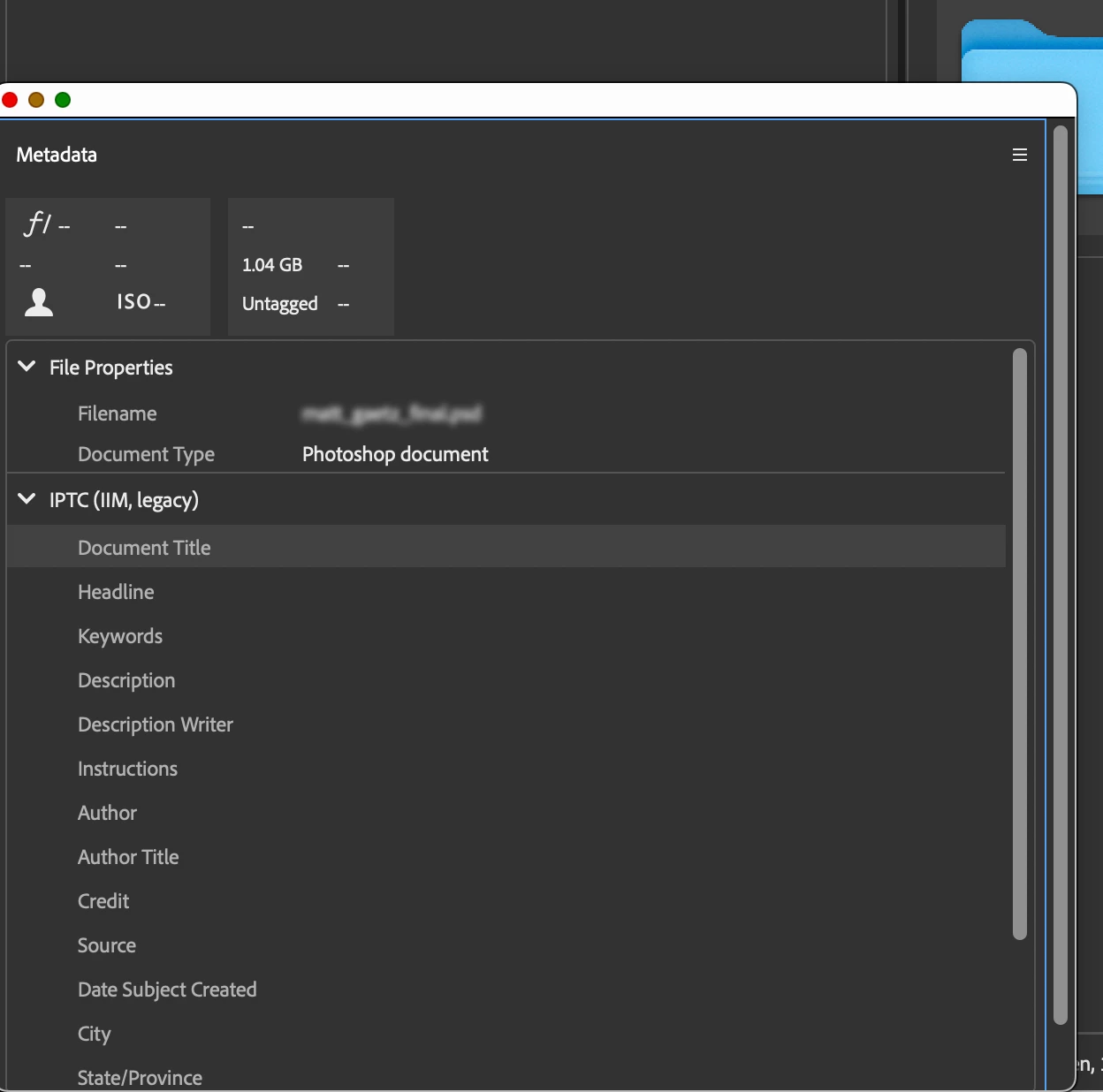
 

I see the field to edit, but I can’t seem to figure out how to edit it. 


1 reply

Stephen Marsh
Community Expert
Community Expert
April 30, 2026

@jeff_8106 


Something looks off there, the fields should be visible, try resetting Bridge preferences:


https://helpx.adobe.com/au/bridge/kb/troubleshoot-errors-freezes-bridge.html


You can also use File > File Info which should be the same as Photoshop.

jeff_8106Author
Inspiring
April 30, 2026

File Info is grayed out. What specifically looks off? Thx

Stephen Marsh
Community Expert
Community Expert
April 30, 2026

As Bridge is a browser, you need to have one or more files selected for File > File Info to work (Photoshop File Info works on the active open document).


What looks off is that you are missing parts of the GUI to the right of the labels: