

Val in GA
Participant
October 31, 2019
Question

Help! 1. Bridge crashes. 2. Can I delete old versions?

  • October 31, 2019
  • 2 replies
  • 266 views

Help! I can work on one photo (or one set of photos) in Bridge but when I go back and choose another one to open in Bridge it always crashes. Every time.  For the last 70 times or more!


I know the drive it is on is full. Could that be the problem?


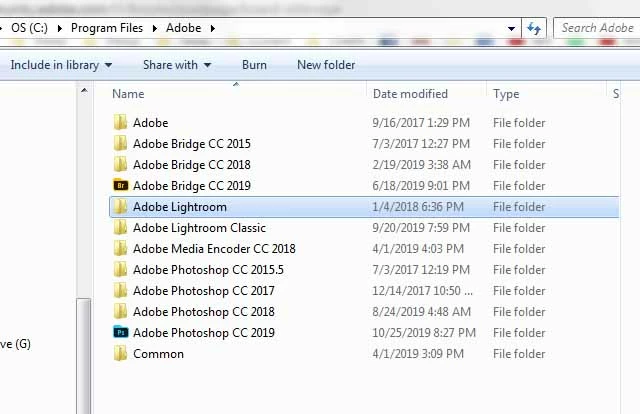
Also, when looking to see which drive it is on (I have 4) I saw these previous versions (in the photo). Can I delete the old versions or do I need to keep them?  Or can I move Bridge to my newer, larger drive? If so would I lose all my "Collections"? Thanks SO MUCH!  ~Valerie


This topic has been closed for replies.

2 replies

jbm007
Community Expert
Community Expert
November 2, 2019

Move all your images to the larger drive using Lightroom.


Change the target location for importing images into light room.


You will probably find your LR catalog has grown HUGE


Also if you have then where with all; split your page.sys file to your main drive and your secondary larger drive.


PS programs are taking far more room then your Bridge files.

If you have a version of Bridge that runs certain older plug-ins then keep them. If not delete all your prior versions of PS and Bridge.

Using the ACC app you can always add them back if you feel the need.

Just remember you have your main file locations and then you have a LR catalog where LR has imported all your images into its catalog.

Legend
November 1, 2019

Having a full C drive is going to lead to serious problems. You need to free up space on that drive. You can use the CC app to uninstall those older versions if you don't need them.