
Participant
Mar 6, 2021 12:25 AM UTC
Question

Help Bridge locked all my files

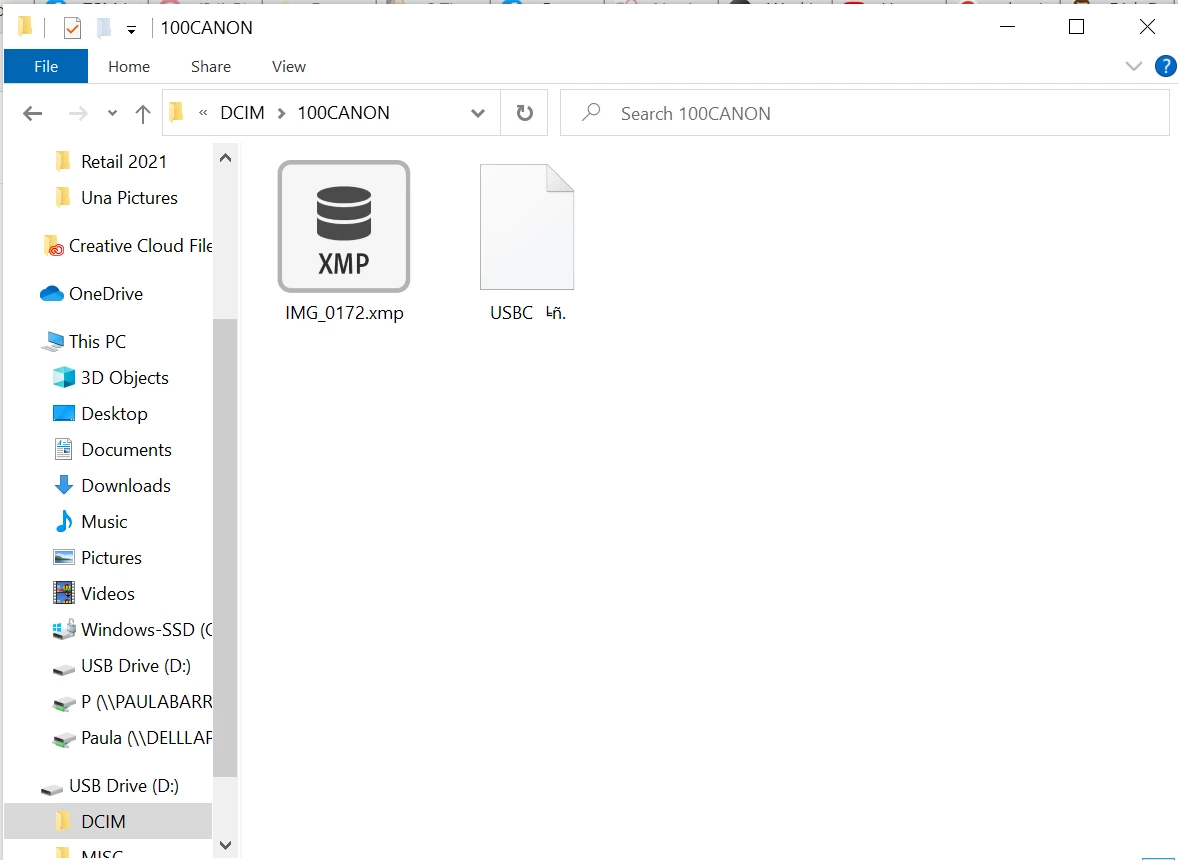
I am new to Bridge. I downloaded it today and open a raw file from my camera sd card. I played with the photo in camera raw and then closed it. Once I did that, I can no longer see any pictures on my sd card. They appear to be all gone. I tried putting the sd card back in my camera and there are still not any pictures there. HELP! How do I get my pictures back? This is all that is showing on my card now.en I try to access the card from Bridge it just show a pad lock 


This topic is closed to new replies. Start a new post to keep the conversation going.

3 replies

Adobe Employee
Mar 11, 2021 12:28 PM UTC

Hi,


Thank you for reporting the issue to us. We’ve added this to our engineering issue pipeline.


Regards

Bridge Team

Translate
Legend
Mar 8, 2021 5:08 PM UTC

Do not under any circumstances work directly oiff an SD card. Copy the files to your hard drive first.


Do you see the images in Windows Explorer?

Translate
Participant
Mar 8, 2021 10:36 PM UTC
No I could not see the images at all even in explorer. I ended up
purchasing some software to recover my images
Translate