Hi Ajfineth5, let me add to Norman's suggestions.
I'm gathering that the file "should be" in the same folder as before, just hard to find because of the other images?
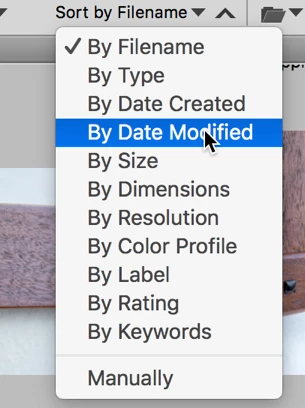
You might try sorting by Modification Date (or size, name, etc.) (dropdown menu on the right side of the Bridge window. Your file will be either on the top or the bottom of the Content Window. (Just to the right of the dropdown arrow is a carrot "^" that will flip the order from recent to oldest or oldest to recent.
Lastly, and running on one of Norman's ideas, if you tap Command-f while in the Finder, a new window will open with a place to enter what you're looking for. If you have layers, the document is probably either a psd or tif image. So enter that in the search field and then tap on the column "Date Last Opened."
Let us know if any of this helps.





 AdChoices