

Question
How do I fix preview thumbnails in Bridge warmer than in Camera Raw?
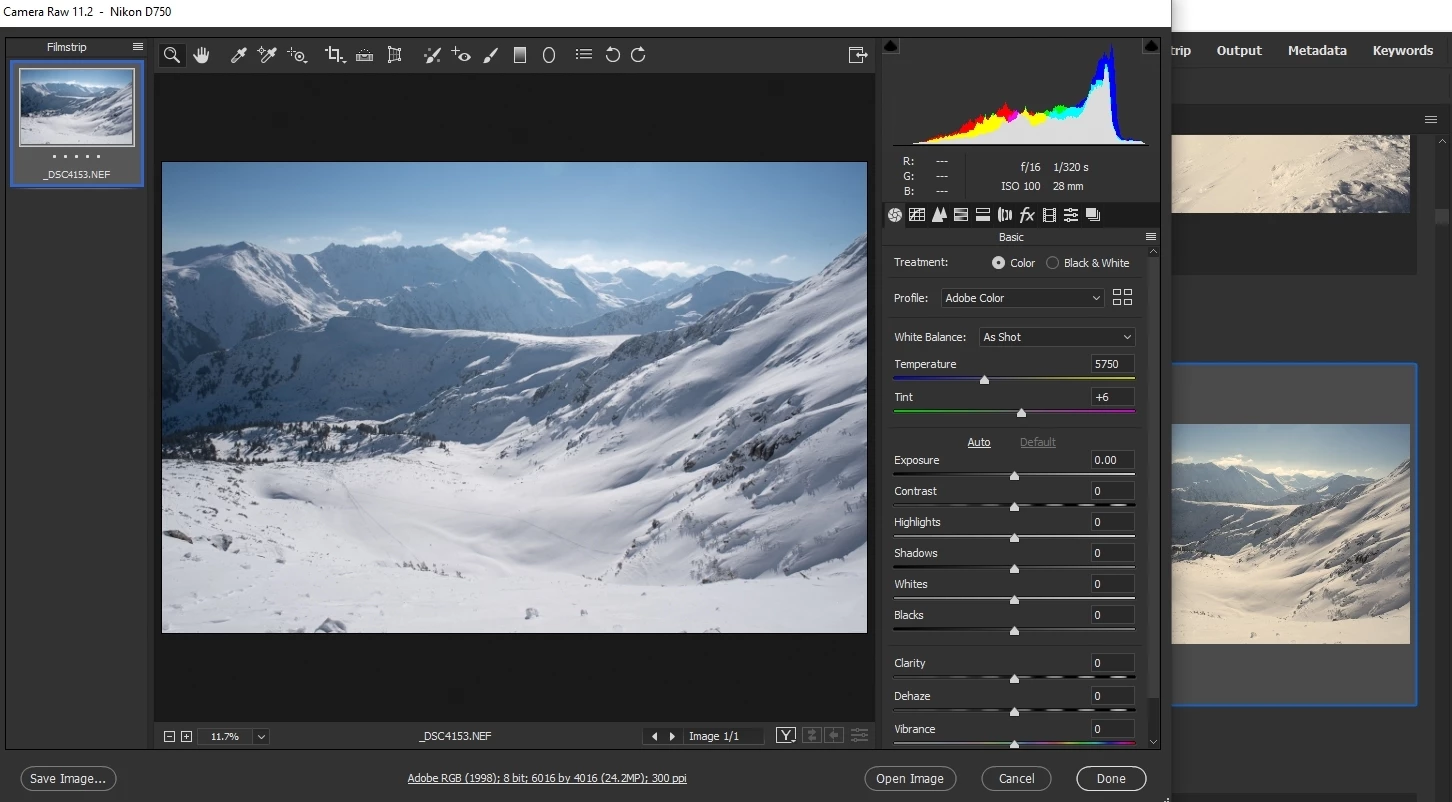
In the image below, you can clearly see the problem. The thumbnail in Bridge (highlighted in the background window) has a really warm yellow white balance but in Camera Raw it shows the actual photo with more accurate colours.
Is there a colour setting in Bridge I need to edit to make it generate colour accurate thumbnails to match Camera Raw?
It's extremely frustrating to browse images currently :S


 AdChoices