blogsofwar.me
Inspiring
December 25, 2020
Question

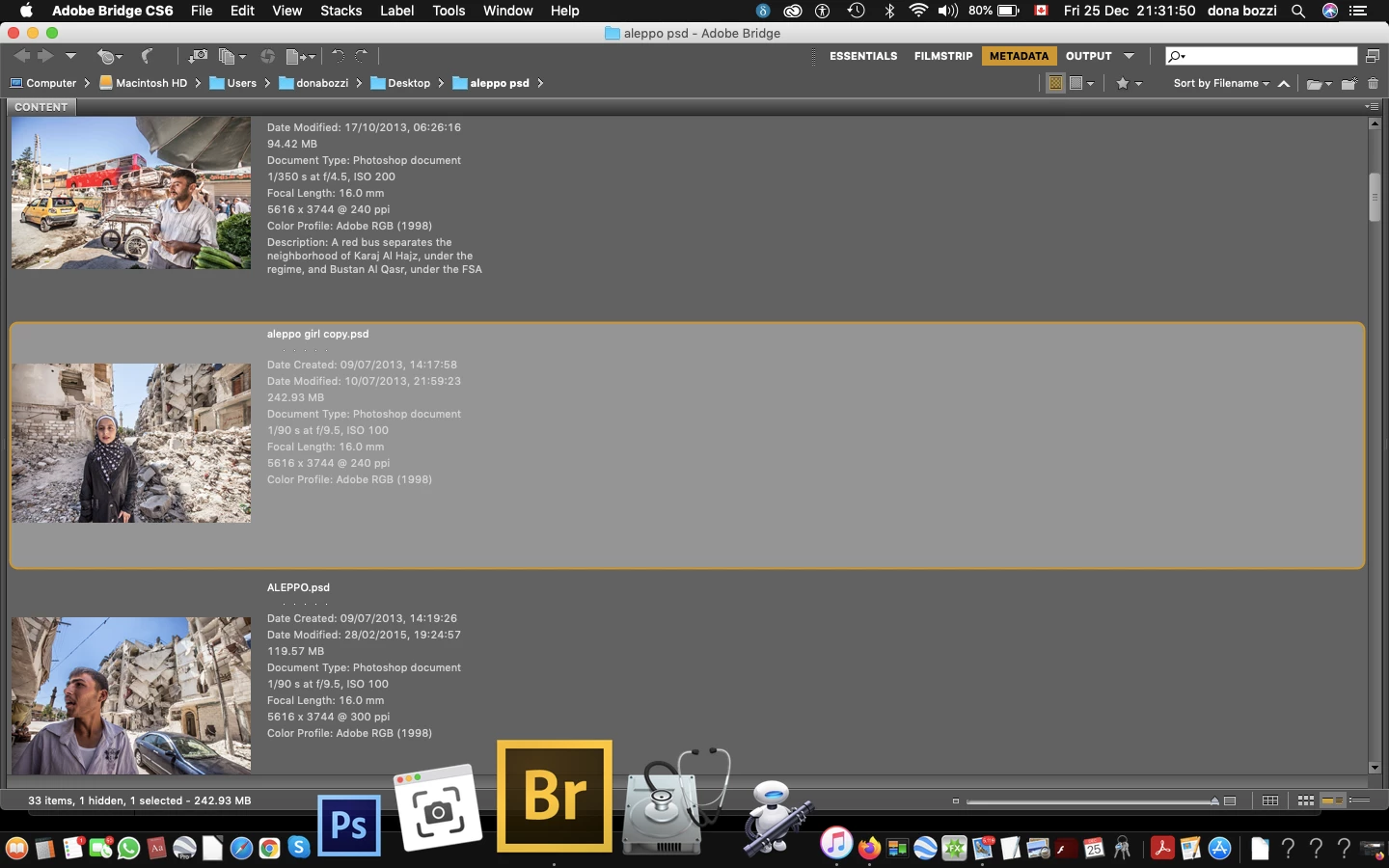
How do you enlarge a metadata thumbnail?

  • December 25, 2020
  • 1 reply
  • 299 views

Hi, I tried to enlarge my metadata thumbnail here, but  command+ on mac doesn't work, any other way? thanks
This topic has been closed for replies.

1 reply

gary_sc
Community Expert
Community Expert
December 25, 2020

Hi Blogsofwar,


Yeah, you're right, these are not like browsers, mail, or other applications that have that built into their code.


But all is not lost, go into preferences to the interface tab and play with the text size. It's possible that none of these will be adiquate for your desire but it should be "better."

Let us know if this works for you or not.

blogsofwar.me
Inspiring
December 25, 2020

Hi Gary,

Thank you, I didnt find any text, but exactly what I need, a box to check a loupe, and it' exactly command +,  i checked, the only thing, it doesnt work. well I didn't think it was possible either. Thank you

gary_sc
Community Expert
Community Expert
December 25, 2020

Oh, you're using an older version of Bridge. If you update you'll have what you need from the Preferences.


Since you're on a Mac, one other alternative is Zoomit (http://www.zoomitapp.com/zoom-it.html).

It gives you a magnifying region (rectangular or round) of a variety of zoom levels and is just a key command away.


Would that work for you?
