
Participant
December 25, 2024
Question

How to Change the Top Title Bar to Dark Mode in Adobe Bridge?

  • December 25, 2024
  • 2 replies
  • 442 views

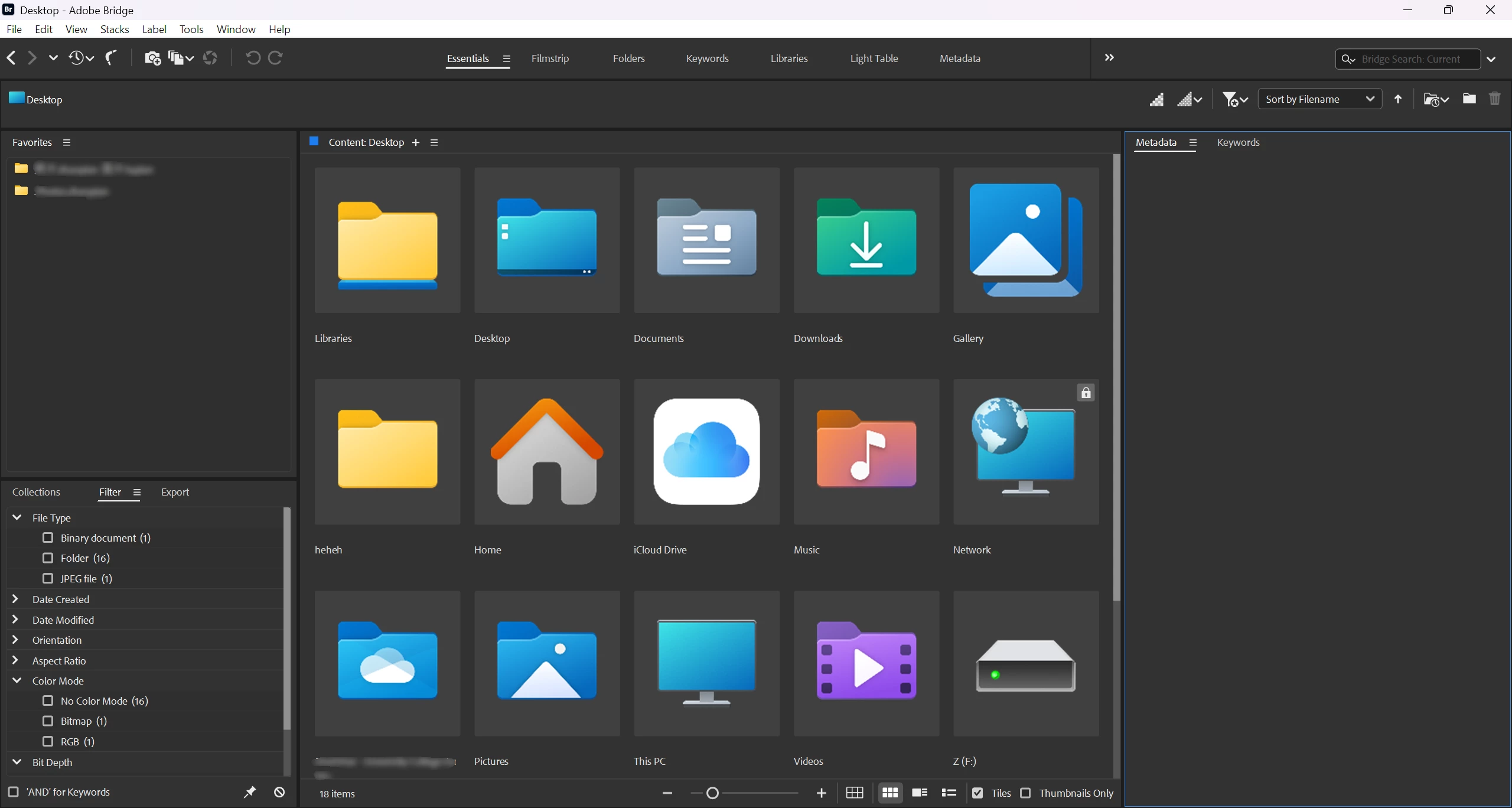
Hi, I’d like to ask how to change the top title bar to a dark color in Adobe Bridge. I remember it was possible in the 2021 version, but after the updates, I can no longer find this option. Is there a way to enable a dark theme for the title bar in the latest version? Thank you!
2 replies

Inspiring
December 26, 2024

You can't change the color of the bar with the menu options above it, but you can change the color of the topmost bar, with the minimize/maximize/close icons. This can be done in the windows settings, under Personalization > Colors, at the very botttom.

Check "Title Bars and Window Borders" and the color you've selected will be used for them.

Participant
December 26, 2024

Thanks a lot for your guidance, it works for the topmost title bar 🙂

gary_sc
Community Expert
Community Expert
December 25, 2024

Hi, @Cheerful_days1078, unfortunately there is no way to do that currently. It may happen in the future, but since has been asked for for a long period of time, do not hold your breath. 

Meanwhile, Happy Holidays 

Participant
December 26, 2024

Hi, thanks for the reply, happy holidays 🙂