Answered
How to convert a RAW file to TIFF
I open RAW files in Bridge, I don't use Lightroom. I recently updated to the most current version of Camera RAW. How to I convert a RAW file to a TIFF file? (I hope I make sense.) Thank you.

I open RAW files in Bridge, I don't use Lightroom. I recently updated to the most current version of Camera RAW. How to I convert a RAW file to a TIFF file? (I hope I make sense.) Thank you.
Hi JB
If that's all you want to do, select the image(s) you wish to convert.
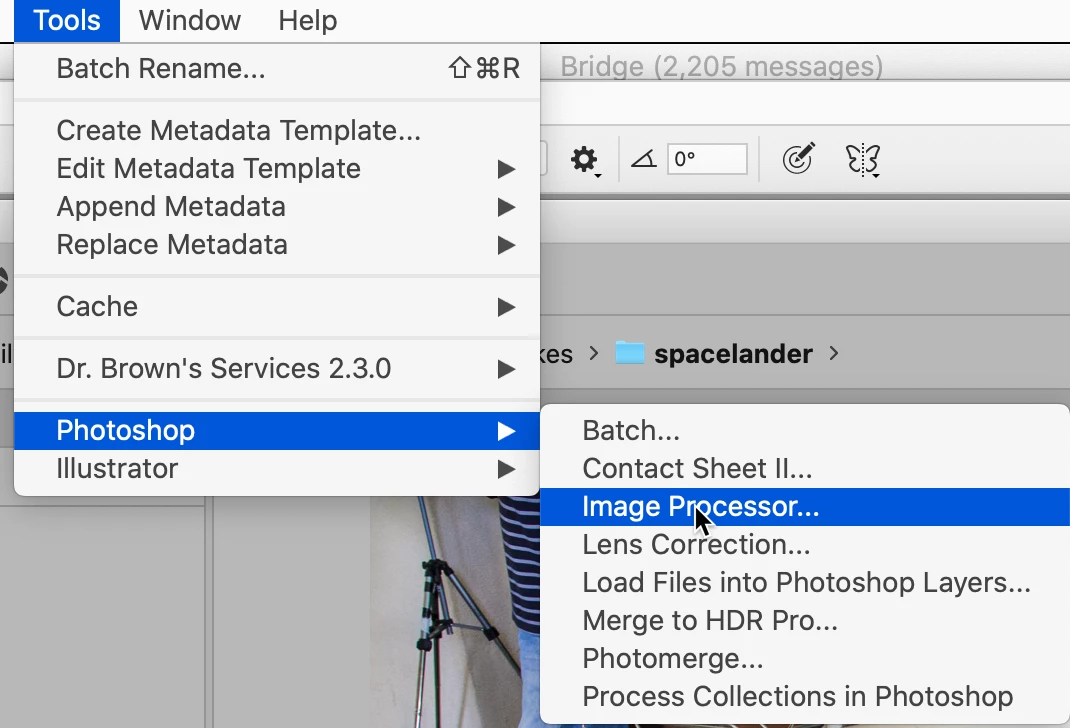
Then while the images are selected, go to Tools (menu) -> Photoshop -> Image Processor...
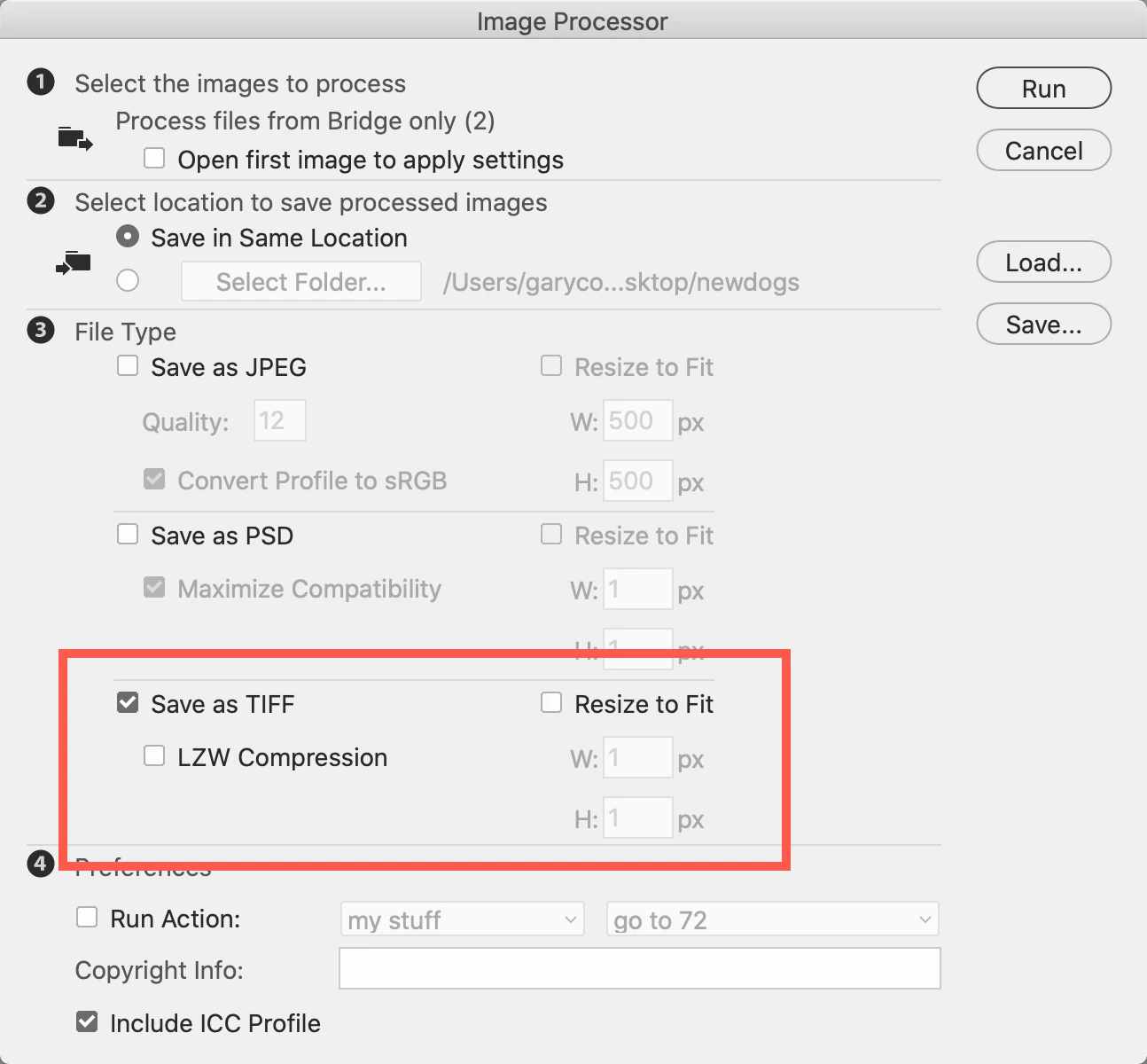
Then, in Image Processor, probably leave it as I have shown below. You'll need the Save as TIFF checked. The LZW Compression is only if you're saving as 16 bit images. If you do not need/want them resized, leave that unchecked.
Click Run and then collect your TIFF images.
Let me know if you need anything else.
Already have an account? Login
Enter your E-mail address. We'll send you an e-mail with instructions to reset your password.


 AdChoices