
Inspiring
February 7, 2022
Question

How to determine latest version of Bridge without download it and checking About box?

  • February 7, 2022
  • 1 reply
  • 306 views

Is there a way to determine what the latest version of Adobe Bridge is without having to download it and then check the about box.


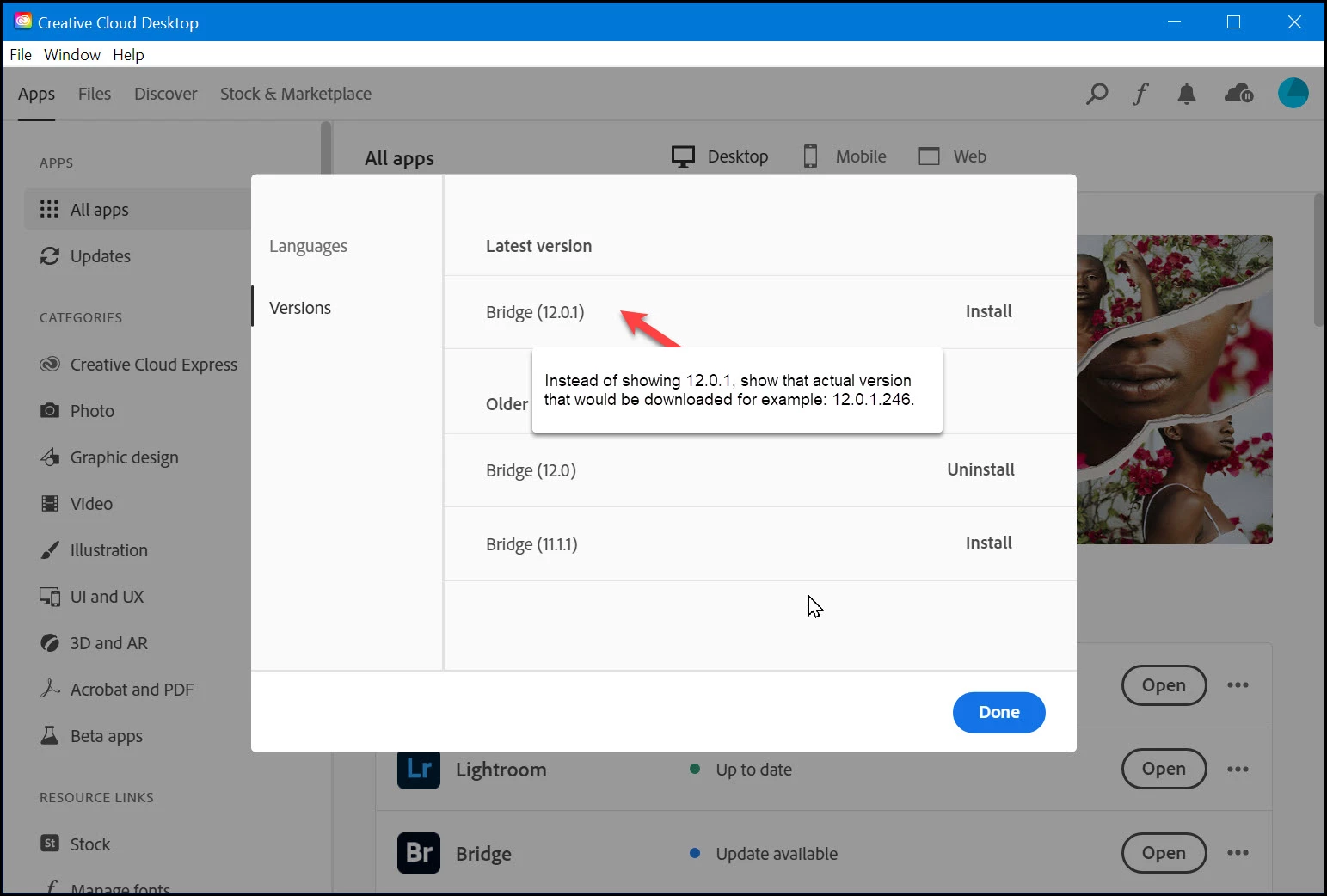
Here is my proposed solution: 


     Instead of showing Bridge (12.0.1), show the full version/build number that would be downloaded.

     For example: Build (12.0.1.246)
 

This topic has been closed for replies.

1 reply

jbm007
Community Expert
Community Expert
February 7, 2022

Should be done that way.

Have asked for it to be done that way.


Obviouly they are not listening to me. ..................

The only way you have; is to open your current version of Bridge and go to HELP/Check fo updates.

If there is a new version it will show up.