
murilo.s.peres
Participant
April 25, 2018
Question

How to lock Metadata Panel as preview only

  • April 25, 2018
  • 1 reply
  • 921 views

Hi Guys,

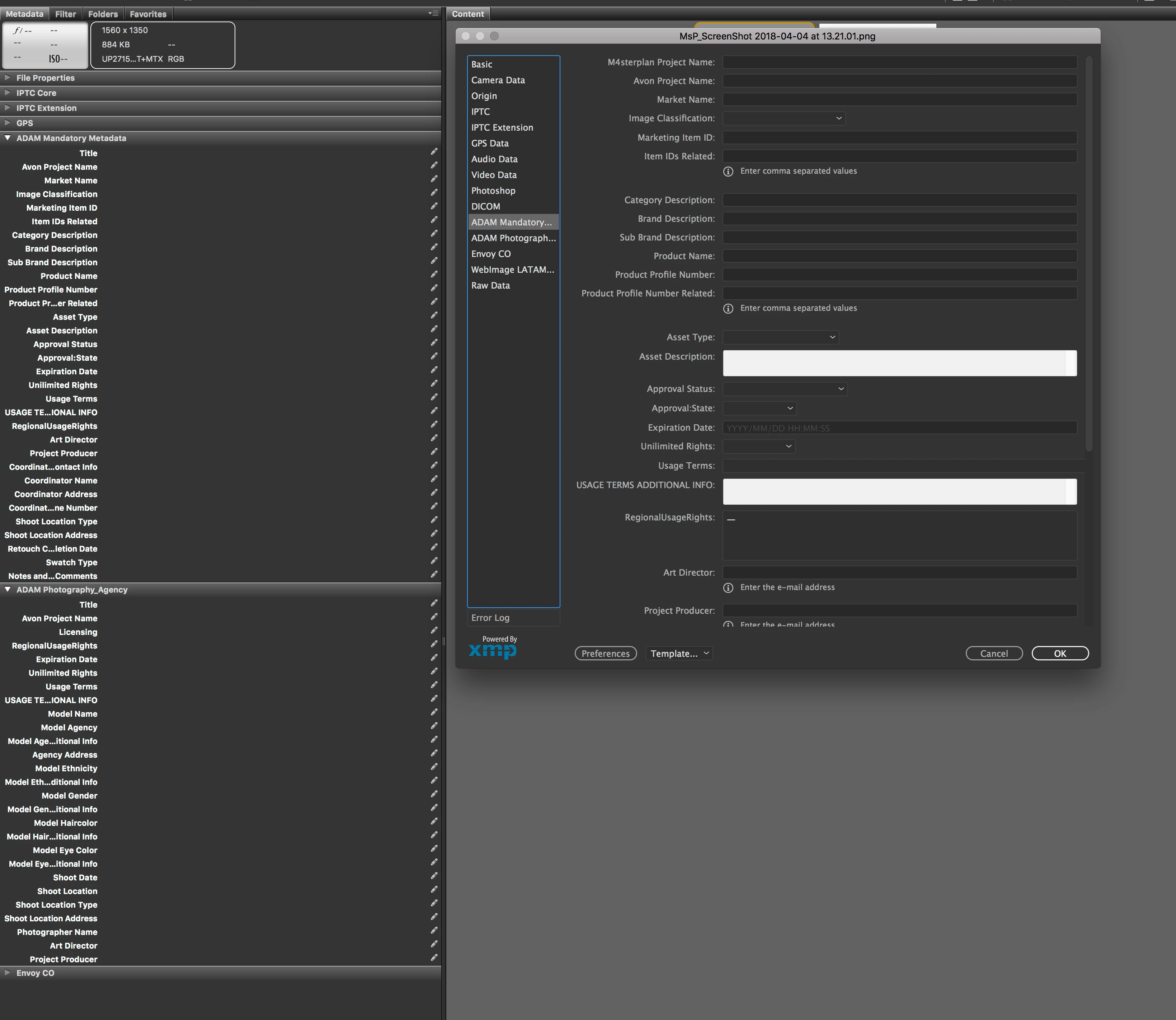
I've created a custom panel with a lot of dictionary controlled fields.

But the left side panel allows to edit and accept any kind of information.

There is a way to keep the left side panel as read-only and the File Info editable?
This topic has been closed for replies.

1 reply

Participating Frequently
April 26, 2018

Hi Murilo,

Just a workaround that If you want to use the left side metadata panel for previewing only, you can first lock the file using the Right Click context menu-> Lock Item option. The file will be marked read only and a small lock icon will be visible on the top of the thumbnail.

However, In order to use File Info dialog to update the metadata, you need to first unlock the item by selecting Right Click context menu->Unlock Item.

Thanks,

Siddharth

murilo.s.peres
Participant
April 26, 2018

Hi Siddharth,

Thank you for your help.

But I need a more permanent solution since I am doing this panel to share with a worldwide team.

Best regards,

Stephen Marsh
Community Expert
Community Expert
April 26, 2018

Does File Info use different code to the Bridge panel (if memory serves me correct they are different)?

As long as the metadata is first entered through the File Info or another method, then you could try to set each of the Bridge panel fields XML from    category='external'  to  category='internal'  which will make it read only, disabling the editing ability of the panel.

Using a custom Inspector panel could also be an alternative to a metadata panel (but perhaps not for so many fields).

Where would you like me to send my invoice? :]