Participant
Aug 30, 2017 8:18 PM UTC
Answered

How to make Bridge font larger?

I have installed Adobe Bridge CC (2017).  The font size is too small everywhere, and difficult to read.  How can I increase the font size?

This topic is closed to new replies. Start a new post to keep the conversation going.
Jeff Arola
Jeff ArolaCorrect answer
Community Expert
Aug 31, 2017 9:22 PM UTC

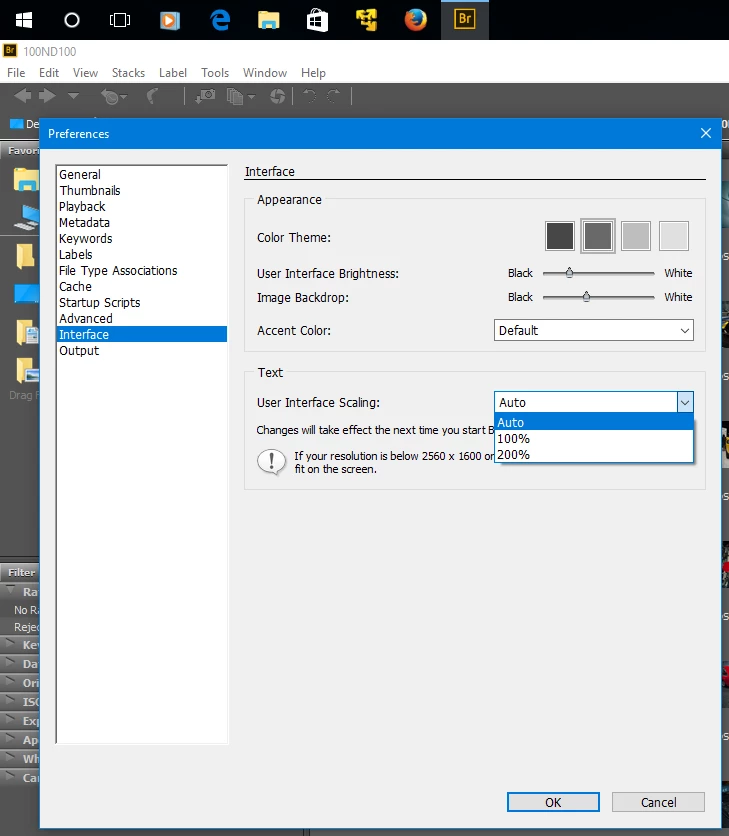
On windows Bridge CC 2017 has Interface Scaling now under Preferences>Interface.

Still not perfect, but better than none at all.

The Menu Bar size is controlled by adjusting the dpi scaling or Menus Text size in windows itself.


12 replies

Jeff Arola
Community Expert
Community Expert
Mar 6, 2020 8:48 PM UTC

Because if you want to update to the newest bridge with Interface Scaling you need the newest photoshop version as well.

Translate
Jeff Arola
Community Expert
Community Expert
Mar 6, 2020 3:56 AM UTC

What operating system and version of photoshop do you have?

Translate
ericaker
Participant
Mar 6, 2020 8:43 PM UTC

I am using windows 10 on a Wacom tablet.

Why are you asking about photoshop when the question is abouta Bridge?

Translate
ericaker
Participant
Mar 5, 2020 1:25 AM UTC

I must have something wrong, I have Adobe Bridge 6.2 (64bit)

My menu is a bit different, there is no interface or output on my preferences.

How do I make my fonts larger, I use a magnifying glass to read Br

Translate
Jeff Arola
Community Expert
Jeff ArolaCommunity ExpertCorrect answer
Community Expert
Aug 31, 2017 9:22 PM UTC

On windows Bridge CC 2017 has Interface Scaling now under Preferences>Interface.

Still not perfect, but better than none at all.

The Menu Bar size is controlled by adjusting the dpi scaling or Menus Text size in windows itself.


Translate
Participant
Apr 4, 2018 9:45 PM UTC

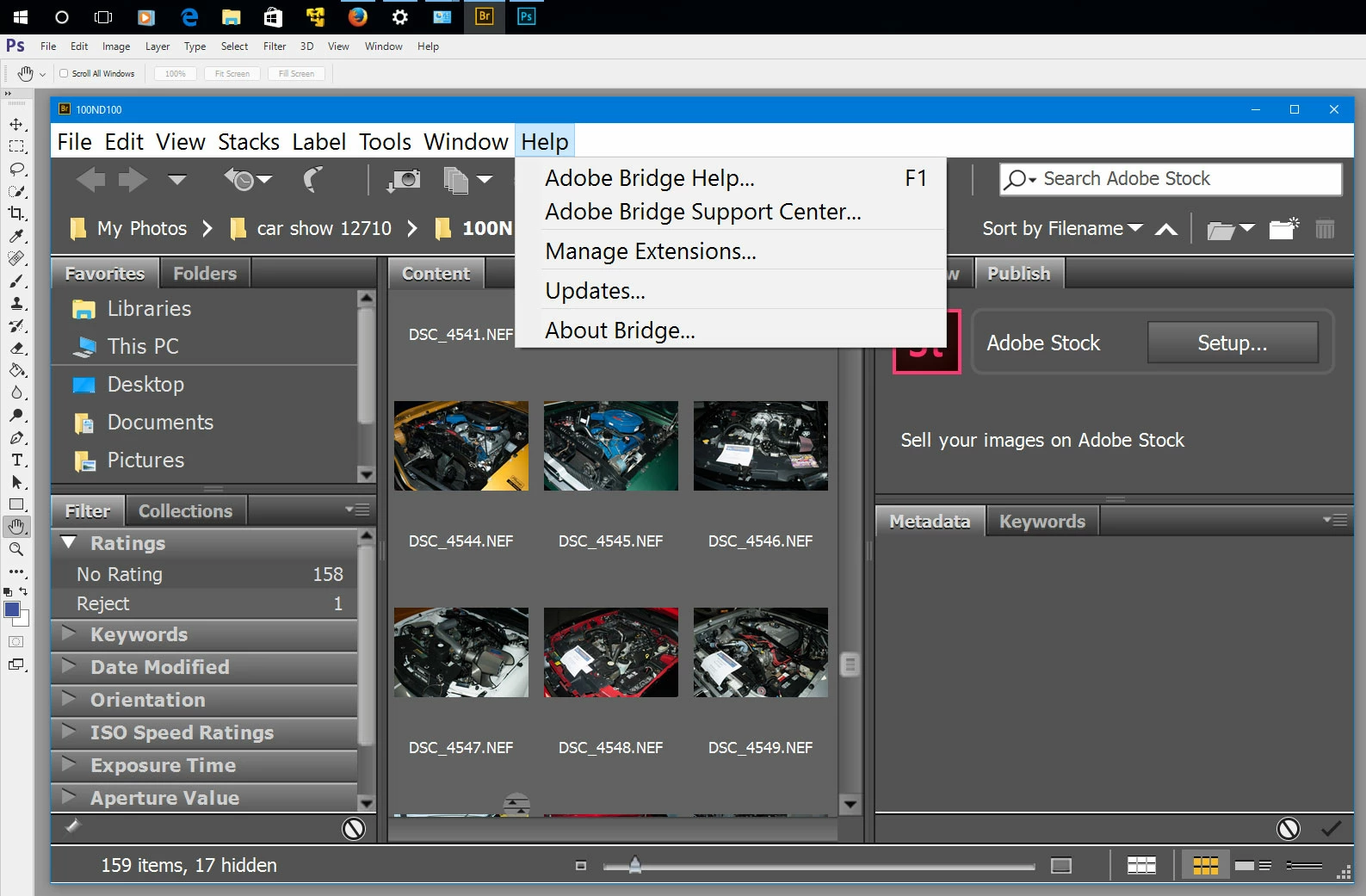
Windows does adjust the menu bar in Bridge but nothing else and the rest is where the problem is.

Wndows text scaling setting actually adjusts everything and has some long unfixed bugs. 

Detailed adjustment of text size in windows display themes doesn't work for bridge either, except the menu. 

Bridge text is mostly in the skin.      

Anyway, on a 1920x1080 monitor 200% is way to big.  (And Bridge warns against changing it on less than 2560x1600 so fair enough.) 

But 100% and auto which chooses 100% is too small for comfort.

Some of us don't have 25 year old eyes anymore.  Is there a way, official or not, to get say  125 or 150%?

Translate
Participant
Aug 26, 2021 9:51 AM UTC

I have CS6 and give up Br because it forces my eyes to much.

Translate
Derek Cross
Community Expert
Community Expert
Aug 30, 2017 9:28 PM UTC