Participating Frequently
November 27, 2016
Answered

How to save photos in rearranged order?

  • November 27, 2016
  • 2 replies
  • 8187 views

Is there a way how to rearrange the order of photos in Adobe Bridge (or Lightroom) and then save these photos in this rearranged order?

Lets say I want the photo _MG-7918 be first, photo _MG-6234 second, photo _MG-7856 third and so on. I know I can do this by renaming the files, but thats too dificult if you have 100 photos. So maybe there is an easiest way.

Thanks for any answer.

    This topic has been closed for replies.
    Correct answer Barb Binder

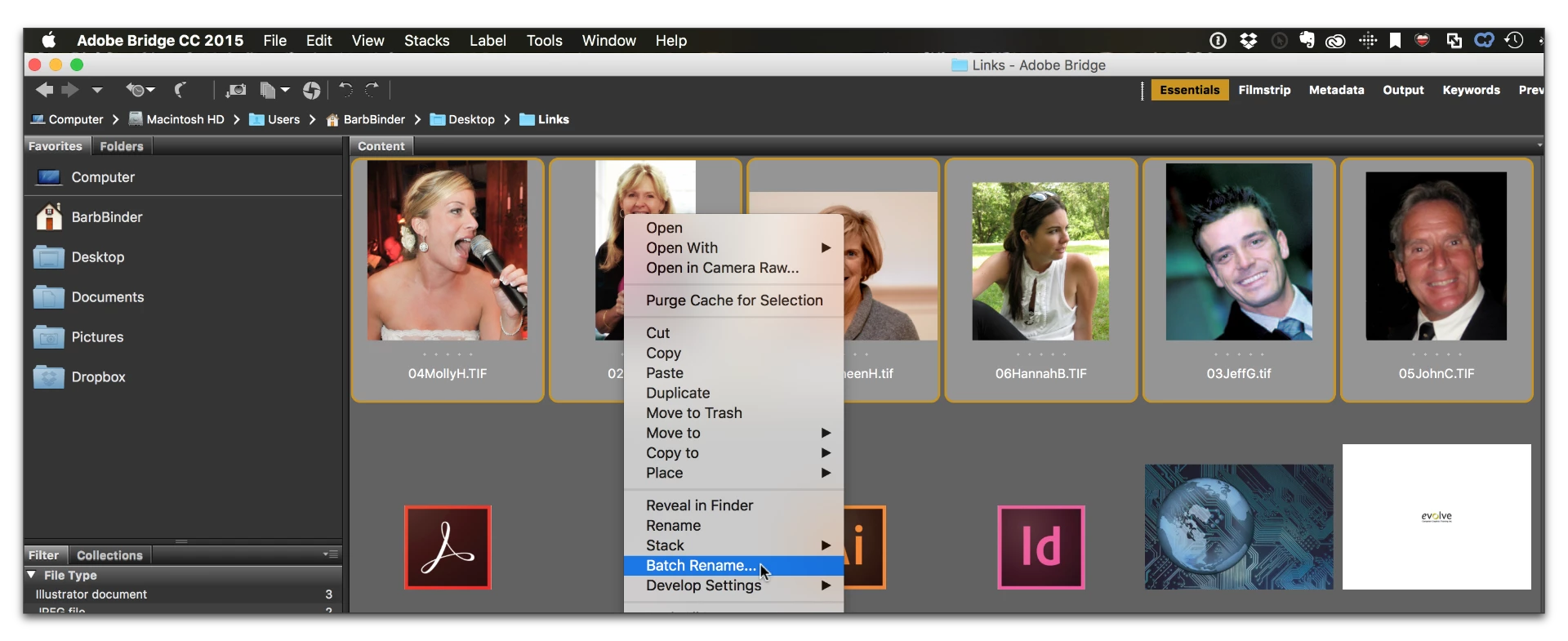
    Or, what if you:

    • reorder the files in Bridge via drag and drop
    • right click the selected files > Batch Rename
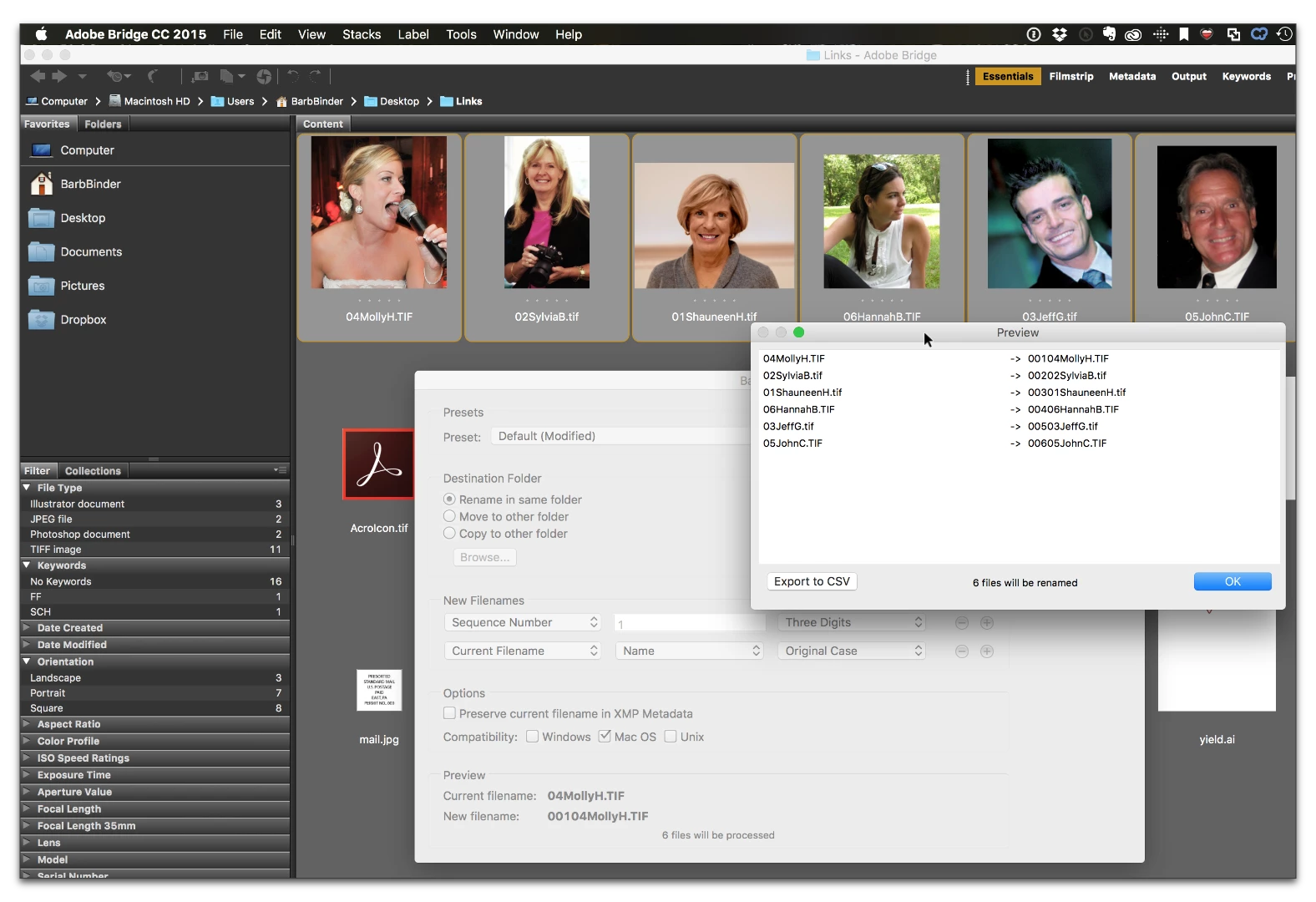
    • Put the sequence number first, and then name them anyway you like. (Click preview to make sure you happy with the results before committing.

    If this is your first time with Batch Rename, you might work on a copy of the folder.

    I know I can do this by renaming the files, but thats too dificult if you have 100 photos

    Once the files are in the correct order, it might take a minute or two.

    2 replies

    Barb Binder
    Community Expert
    Barb BinderCommunity ExpertCorrect answer
    Community Expert
    November 27, 2016

    Or, what if you:

    • reorder the files in Bridge via drag and drop
    • right click the selected files > Batch Rename
    • Put the sequence number first, and then name them anyway you like. (Click preview to make sure you happy with the results before committing.

    If this is your first time with Batch Rename, you might work on a copy of the folder.

    I know I can do this by renaming the files, but thats too dificult if you have 100 photos

    Once the files are in the correct order, it might take a minute or two.

    ~Barb at Rocky Mountain Training
    mibroAuthor
    Participating Frequently
    November 27, 2016

    Wow! Thank you so much! This is great!

    Barb Binder
    Community Expert
    Community Expert
    November 27, 2016

    Great! Glad it worked for you!

    ~Barb at Rocky Mountain Training
    Per Berntsen
    Community Expert
    Community Expert
    November 27, 2016

    You can change the sort order in both Bridge and Lightroom by dragging and dropping the thumbnails.

    There is no way to save a custom sort, but it will remain until you change the sort order to something else.

    Once you have done that, the custom sort order is gone.

    Also note that Lightroom does not allow custom sorting if you're viewing a collection.