


jimf16377877
Known Participant
February 4, 2026
Question

How to set a custom image as a folder thumbnail in Adobe Bridge

  • February 4, 2026
  • 2 replies
  • 0 views

I know that I have done this in the past but I can’t remember how I did it. The AI answer says to right click the image and select ‘set as folder thumbnail’ but that option does not exist in Bridge 16.0.1.18.

    2 replies

    AxelMatt
    Community Expert
    Community Expert
    February 4, 2026

    As far as I know that isn’t possible.


    My System: Intel i7-8700K - 64GB RAM - NVidia Geforce RTX 3060 - Windows 11 Pro 25H2 -- LR-Classic 15 - Photoshop 27 - Nik Collection 8 - PureRAW 5 - Topaz Photo
    gener7
    Community Expert
    Community Expert
    February 4, 2026
    Adobe Bridge does not directly edit operating system folder icons
    . Instead, manage folder visuals by customizing thumbnails, using image previews, or creating folder aliases with custom icons in your operating system.


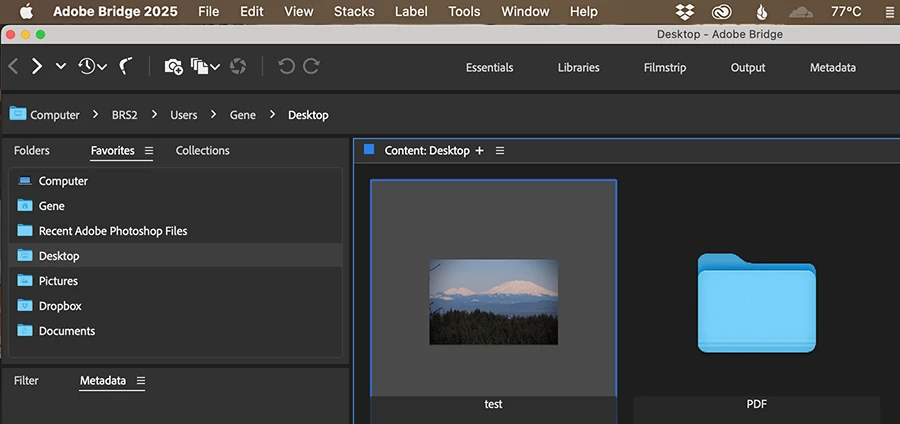
    You can go to Mac Finder or Windows Explorer and set any image as the Folder icon and Bridge will display it.

    AxelMatt
    Community Expert
    Community Expert
    February 4, 2026
    ...
    You can go to Mac Finder or Windows Explorer and set any image as the Folder icon and Bridge will display it.


    That's only partially true. Because in Windows you can’t set “any images” as a folder icon. This can be only symbol files like .ico or .icl and embedded symbols in .dll or .exe files. 

    I’m not sure how about on MacOS.


    My System: Intel i7-8700K - 64GB RAM - NVidia Geforce RTX 3060 - Windows 11 Pro 25H2 -- LR-Classic 15 - Photoshop 27 - Nik Collection 8 - PureRAW 5 - Topaz Photo
    gener7
    Community Expert
    Community Expert
    February 4, 2026

     Correct. Windows will only show half the image if you select an image for the folder. You would need a third party tool such as “FolderThumbnailFix” to show the entire image.

    I use MacOS. It does work, but using an image there, you can’t tell if it’s a folder or not.

    You would have to label it as a folder to avoid confusion. Personally I wouldn’t modify my folder icons.