March 20, 2017
Answered

I don't see Adobe Bridge CC Extensions Folder

  • March 20, 2017
  • 1 reply
  • 334 views

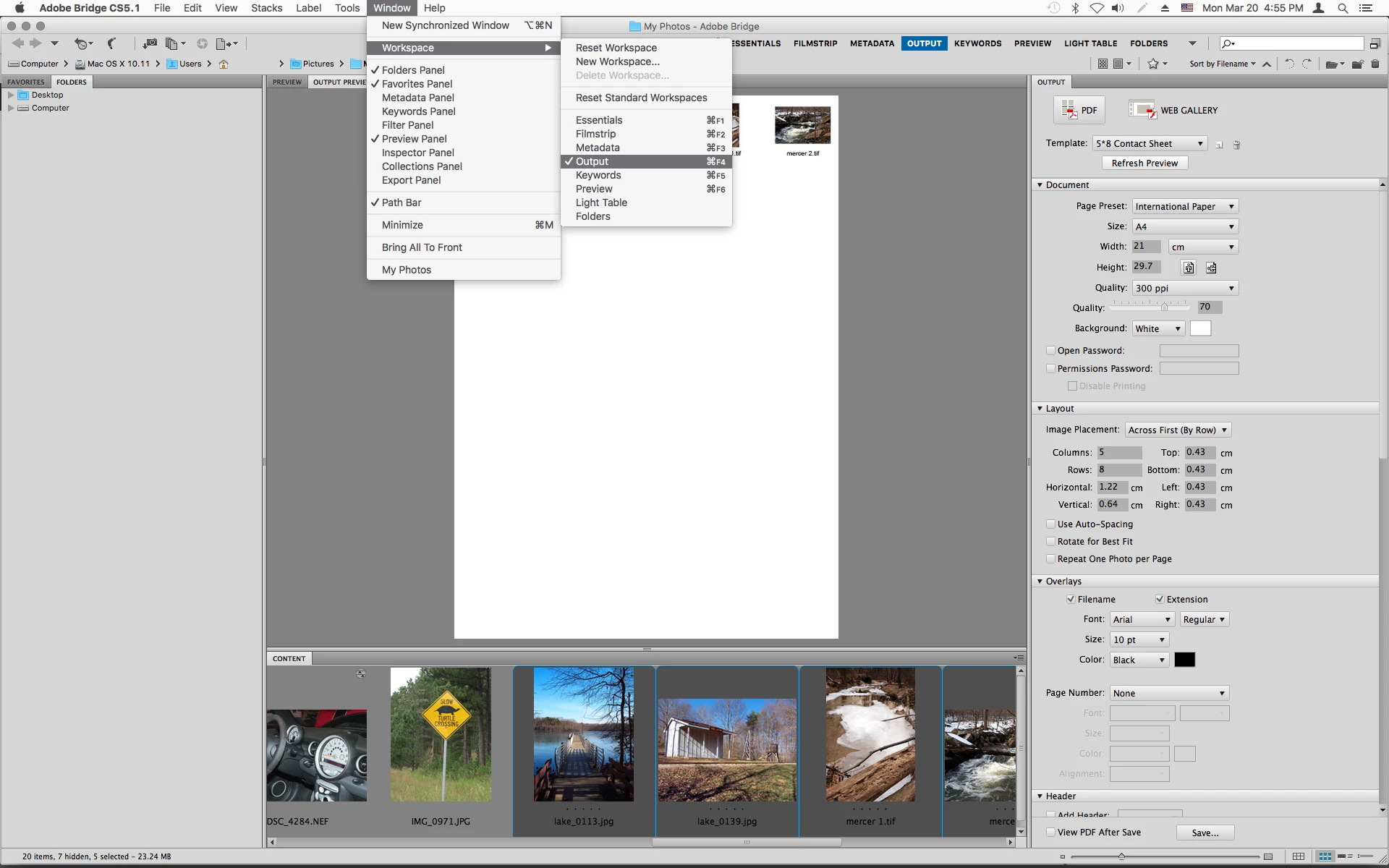
I don't have the Output Workspace visible on my Adobe Bridge CS5.  I downloaded the AOM folder from the website, and I am trying to install it on my mac, this is the path: /Library/Application Support/Adobe/Bridge CS 5 Extensions... I put the AOM folder into Bridge CS 5 Extensions because I don't see the Adobe Bridge CC Extensions Folder... I still don't see the Output Workspace in Bridge. Thanks for your help.

    This topic has been closed for replies.
    Correct answer Jeff Arola

    Your sure you have Bridge CS5?

    Bridge CS5 comes with the Output module already installed.

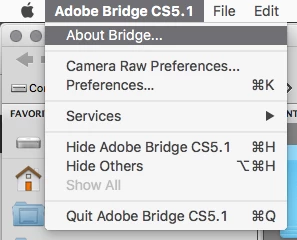
    In Bridge go to Adobe Bridge>About Bridge and see what version it says.

    Most likely the one you downloaded is for Bridge CC and won't work with bridge CS5, so i would remove

    the AOM folder you put in the Bridge CS 5 Extensions folder.

    If it is bridge cs5, do you have Output under Window>Workspace?

    1 reply

    Jeff Arola
    Community Expert
    Jeff ArolaCommunity ExpertCorrect answer
    Community Expert
    March 20, 2017

    Your sure you have Bridge CS5?

    Bridge CS5 comes with the Output module already installed.

    In Bridge go to Adobe Bridge>About Bridge and see what version it says.

    Most likely the one you downloaded is for Bridge CC and won't work with bridge CS5, so i would remove

    the AOM folder you put in the Bridge CS 5 Extensions folder.

    If it is bridge cs5, do you have Output under Window>Workspace?