Answered

This topic is closed to new replies. Start a new post to keep the conversation going.
Hi Chip,
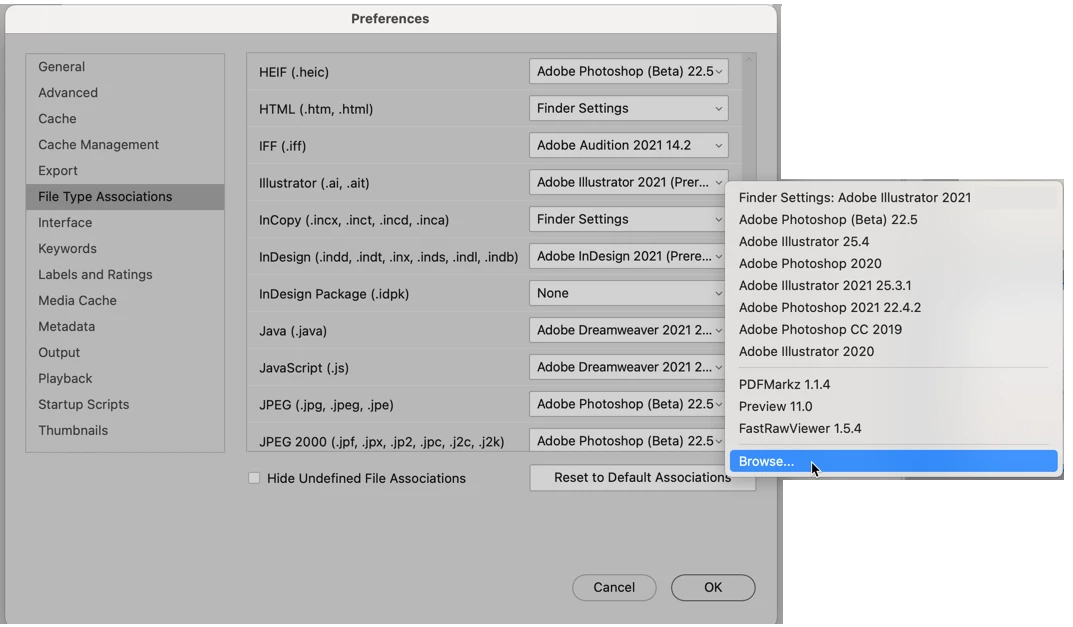
You are doing this from the wrong starting point. Go into Bridge's Preferences.
Then go to File Type Associations, drag down to Illustrator files and from the dropdown menu on the right, either select Adobe Illustrator or select it from the Browse option at the bottom.
Let us know if that solves your problem,


Sign up
Already have an account? Login
To post, reply, or follow discussions, please sign in with your Adobe ID.
Sign inSign in to Adobe Community
To post, reply, or follow discussions, please sign in with your Adobe ID.
Sign inEnter your E-mail address. We'll send you an e-mail with instructions to reset your password.
 AdChoices