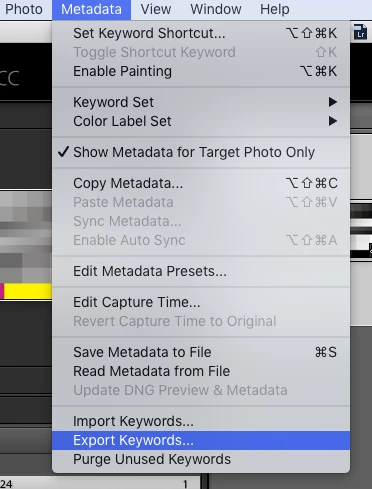
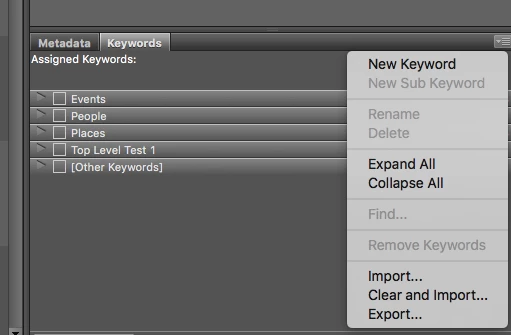
The basic idea is to export the keywords from Lightroom’s metadata menu to plain text file, then import the plain text file in Bridge using the Keywords panel menu (icon found in the upper right of the Keywords panel):
Lightroom:
Metadata > Export Keywords
Bridge:
Keywords > Import (or “Clear and Import”, however you should probably export/backup first before clearing)
Now, it may or may not be this simple depending on whether you are using hierarchical keywords in Lr, I have not tested this…
Don’t try to use the underlying XML files that both Lr and Br create, they use different structures, which is why there is a plain text export/import option in both apps.
Prepression: Bridge – Restoring a Lost Keyword XML File




 AdChoices