Known Participant
December 7, 2018
Answered

Indesign show linked files, but reversed (show all files using the image)

  • December 7, 2018
  • 1 reply
  • 1603 views

Is there any way that I could see which (if any) indesign documents link to a specific image. I'm on a mac, so Ransack is not an option for me as mentioned here.

Thanks!

This topic has been closed for replies.
Correct answer Stephen Marsh

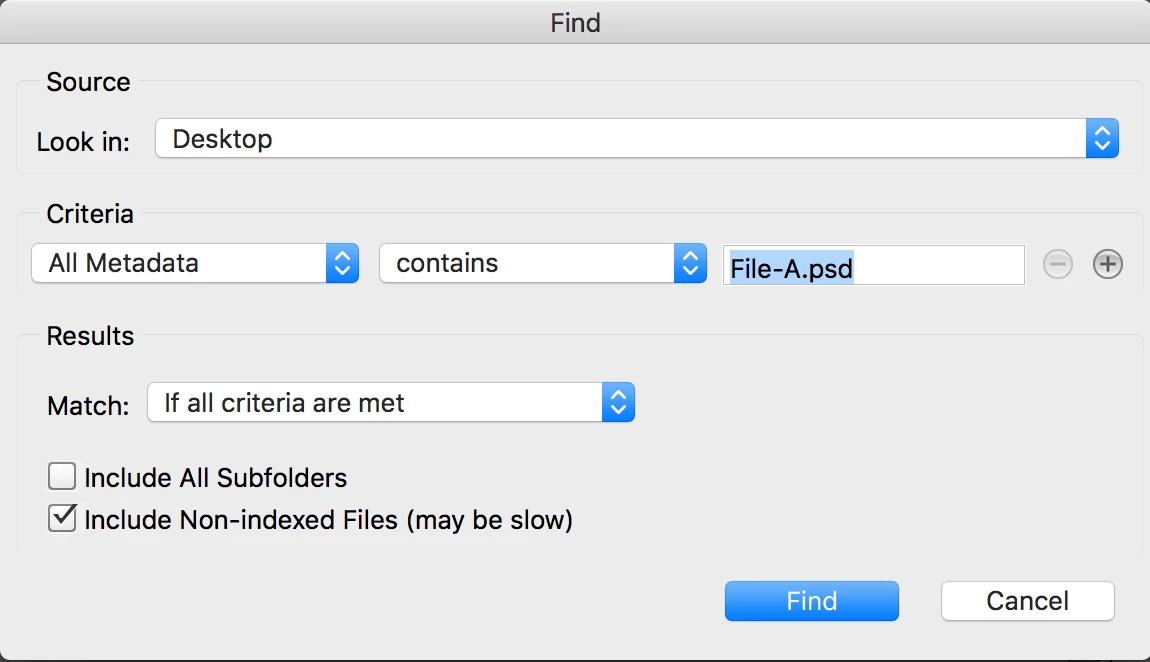
OK, even better and simpler, a cross platform solution that uses a native Bridge feature - the Find command with the “All Metadata” criteria:

1 reply

Stephen Marsh
Community Expert
Community Expert
December 7, 2018

Sure, one way – here I have used the Finder’s search command to isolate .indd files in a specific location:

Next I dragged the .indd files from the search window onto TextWrangler.app or BBEdit.app and used the multi-file search command to search for a specific keyword in the open files:

Note: word spaces in the file path need to be escaped with %20 characters:

P9070 Front with Paper.tif

P9070%20Front%20with%20Paper.tif

Stephen Marsh
Community Expert
Stephen MarshCommunity ExpertCorrect answer
Community Expert
December 8, 2018

OK, even better and simpler, a cross platform solution that uses a native Bridge feature - the Find command with the “All Metadata” criteria:

Dan NiemiAuthor
Known Participant
December 10, 2018

Thank you Stephen! The bridge method looks to be working well. (Just had to remember to escape the spaces)

I appreciate the help!

Hmmm, now maybe I can add an automator action to set this up as a service when right clicking the specific file.