
Fordrich
Participating Frequently
October 20, 2017
Answered

InDesign thumbnail preview missing in Bridge

  • October 20, 2017
  • 3 replies
  • 2297 views

Forgive me if I am wrong but I am sure that an InDesign file used to have a preview thumbnail in Bridge. But now it is just and InDesign icon. Very frustrating... Is there a way to get the thumbnail preview back?
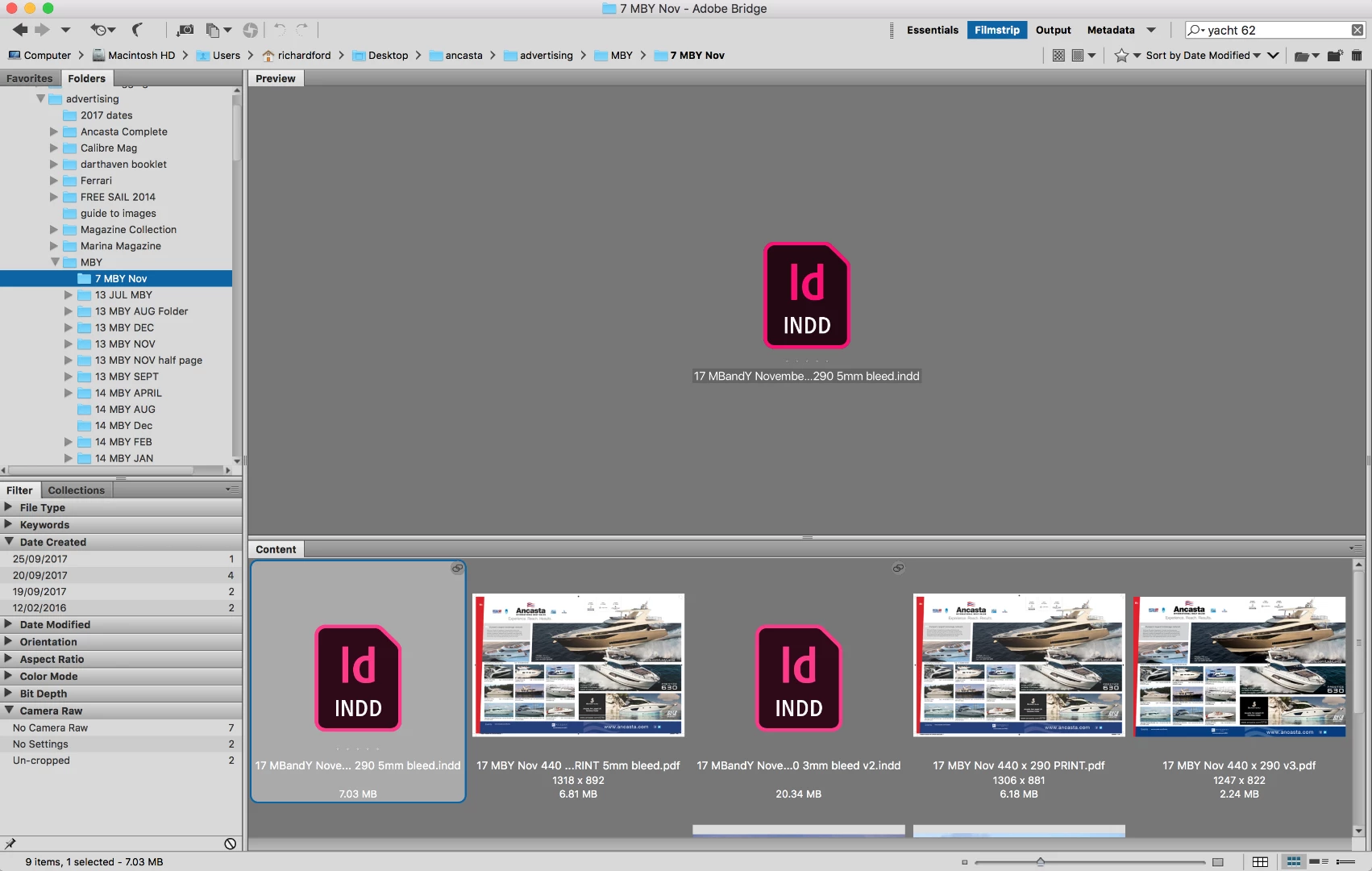
Thanks in advance.

This topic has been closed for replies.
Correct answer ZoeByDesign

Old post but if anyone is still looking for the answers, there's a few options on this thread: https://forums.adobe.com/thread/1341497​ (essentially go to Bridge preferences > Cache > "Purge all cache" OR/AND Bridge preferences > Thumbnails > where it says "Do not process files larger than xxx MB", enter a larger number (my default was 5000mb).

The above didn't work for me but Ronald Keller's solution above did:
When saving an InDesign file, make sure the "Always Save Preview Images with Documents" is ticked. Mine wasn't for some files!

3 replies

ZoeByDesignCorrect answer
Participant
April 3, 2018

Old post but if anyone is still looking for the answers, there's a few options on this thread: https://forums.adobe.com/thread/1341497​ (essentially go to Bridge preferences > Cache > "Purge all cache" OR/AND Bridge preferences > Thumbnails > where it says "Do not process files larger than xxx MB", enter a larger number (my default was 5000mb).

The above didn't work for me but Ronald Keller's solution above did:
When saving an InDesign file, make sure the "Always Save Preview Images with Documents" is ticked. Mine wasn't for some files!

Adobe Employee
November 2, 2017

Hi Richard,

Can you please purge cache for the files and check if the preview comes up.

In case you still face issue, please let us know.

Regards,

Abhishek Seth

Legend
October 20, 2017

I don't know about recent versions but in my older CS3 version you need to specify to save with preview. Maybe those files saved without that option ticked.

Fordrich
FordrichAuthor
Participating Frequently
October 20, 2017

Thanks... I have found this box and ticked it... but that hasn't made any difference

"Always save preview images with documents" first page...

Do you know I " specify to save with preview"?

Legend
October 20, 2017

But did you actually resave the document?